Changelog

What's new in Goodfit

Product updates, improvements, and fixes shipped to the Goodfit platform.

August Week 2

Psychometric reports that carry a written behavioural profile, a read against the role you're actually hiring for, and where the candidate ranks against everyone else who took it. Plus your teammates' busy time inside the scheduling dialog, AI interviews in Japanese and Arabic, a connection check that stops doomed interviews before they start, candidate flow for every job, a seat for the agencies who source for you, and a jobs list that finally remembers how you use it.

  • assessments
  • interviews
  • insights
  • hiring
  • jobs

Assessments

Psychometric reports that read like a briefing, not a score sheet

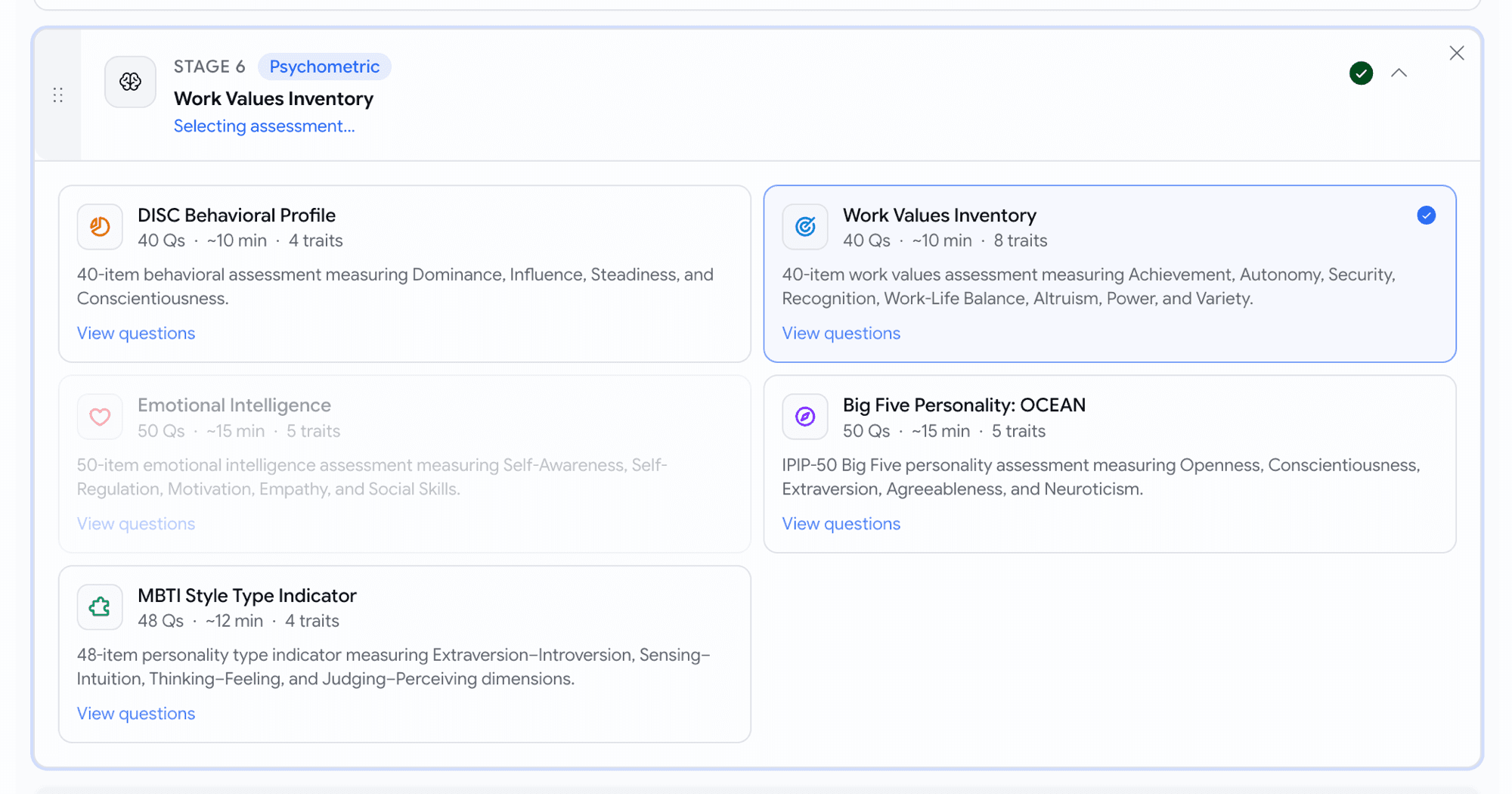
Four percentages and a paragraph tell you what the candidate scored. They don't tell you what it's like to work with them. Every psychometric report now carries a written profile underneath the numbers.

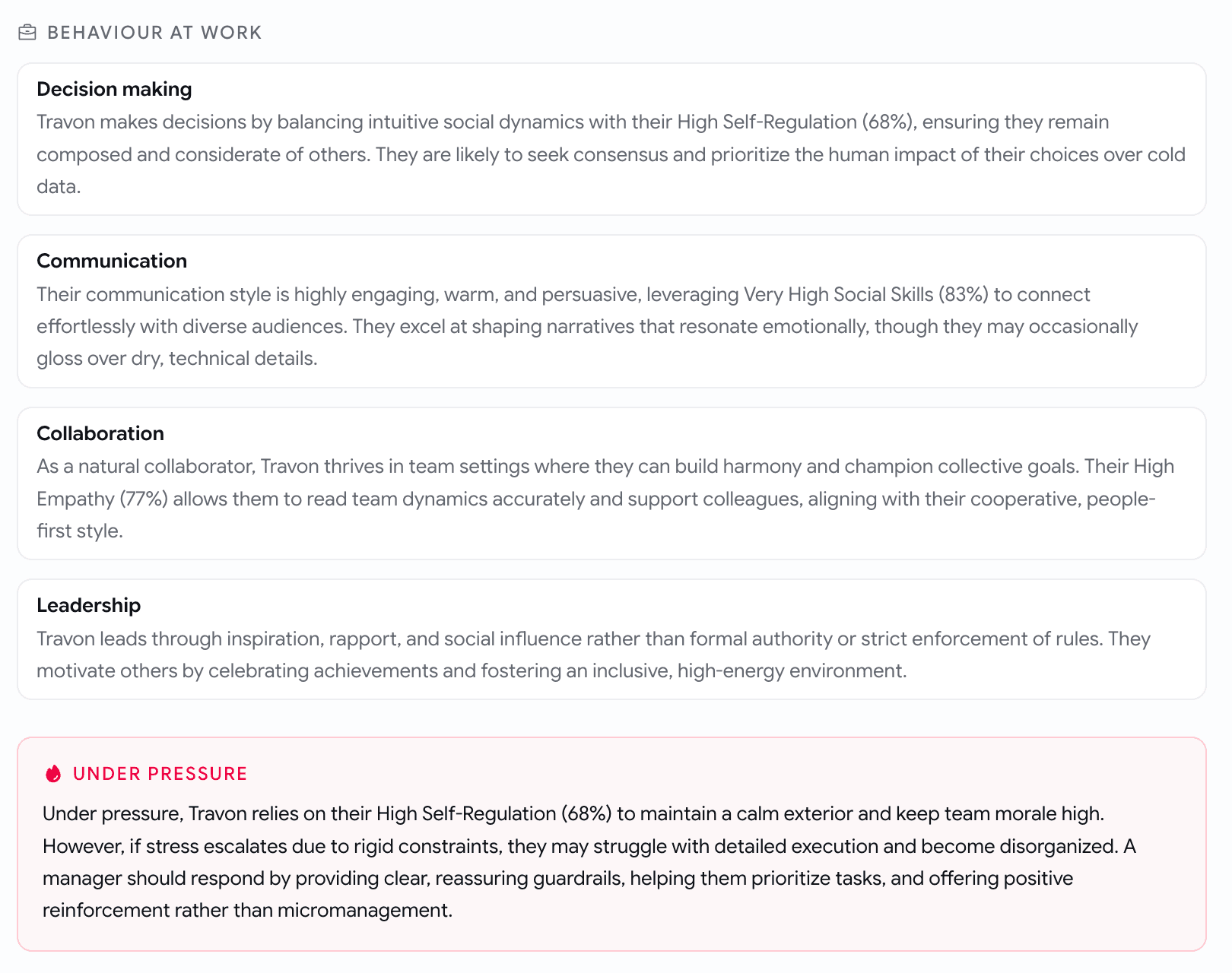
  • Behaviour at work — how they decide, communicate, collaborate and lead, in plain sentences rather than trait names.
  • Under pressure — where they hold up, where they slip, and what a manager should do about it.
  • Trait by trait — what each score actually means, the strengths that come with it, and the watchouts.
  • Motivators, blind spots and ideal work environment — what they'll work best with, and what they're less suited for.
  • Role families they suit, and six interview questions worth asking next.
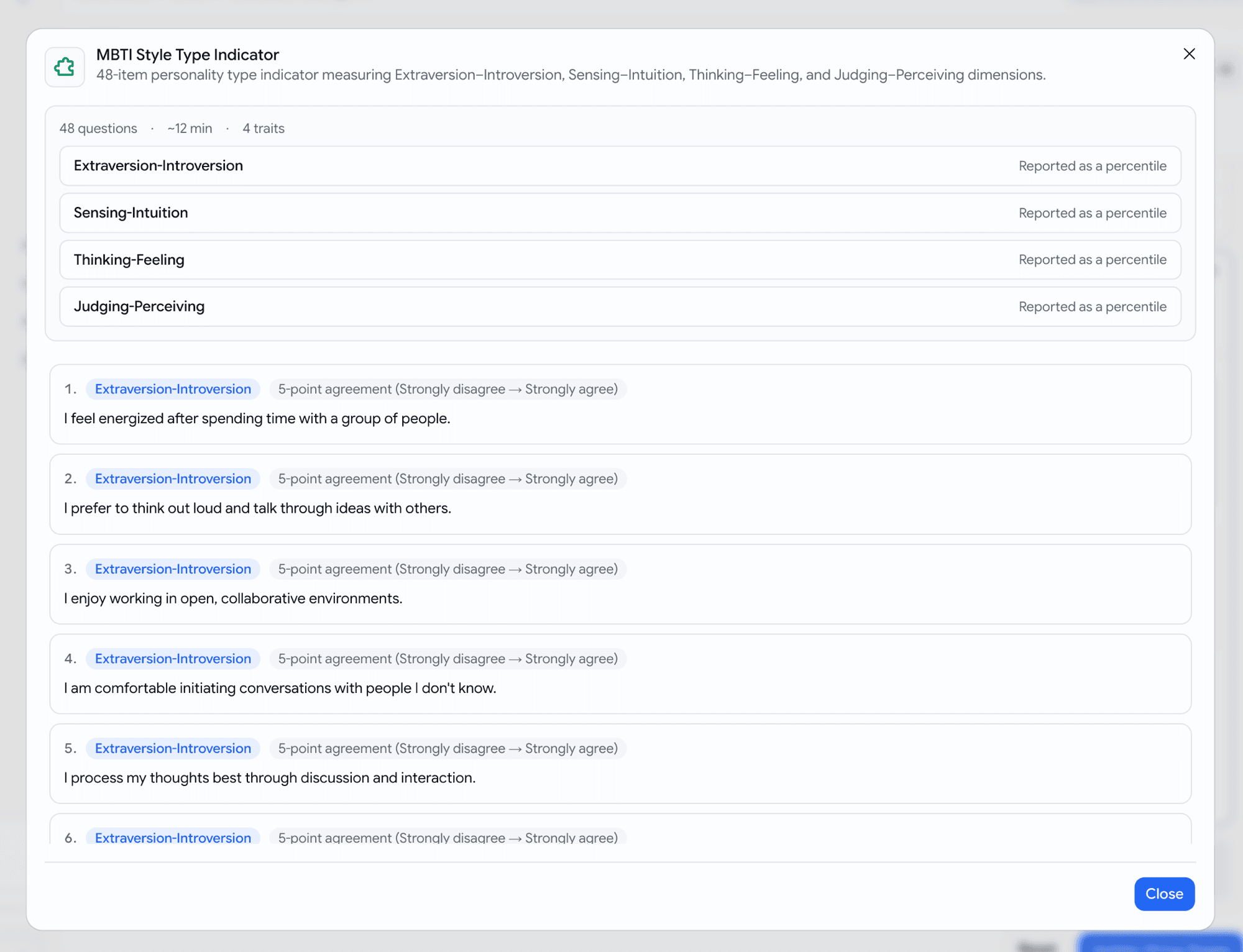
  • Same depth for every framework: Big Five, MBTI, DISC, work values and EQ all read the same way.
A Behaviour at Work section with four cards headed Decision making, Communication, Collaboration and Leadership, each a short paragraph about the candidate, followed by a red-tinted Under Pressure block describing how they cope and what a manager should do
Behaviour at work, then how it changes under pressure
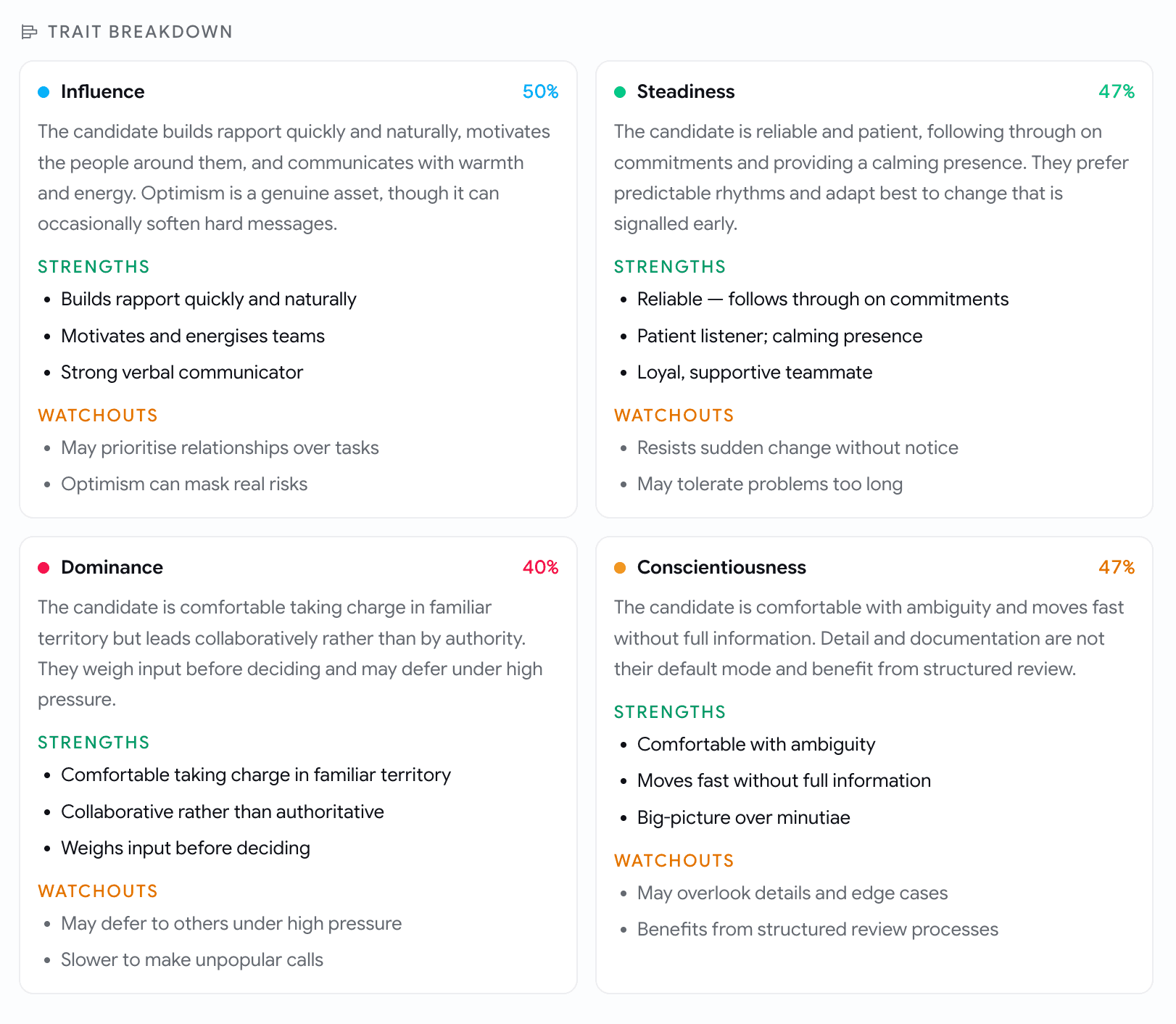
A Trait Breakdown grid of four cards — Influence 50%, Steadiness 47%, Dominance 40%, Conscientiousness 47% — each with a paragraph of description, a green Strengths list and an amber Watchouts list
Each trait explained, with what it buys you and what to watch.
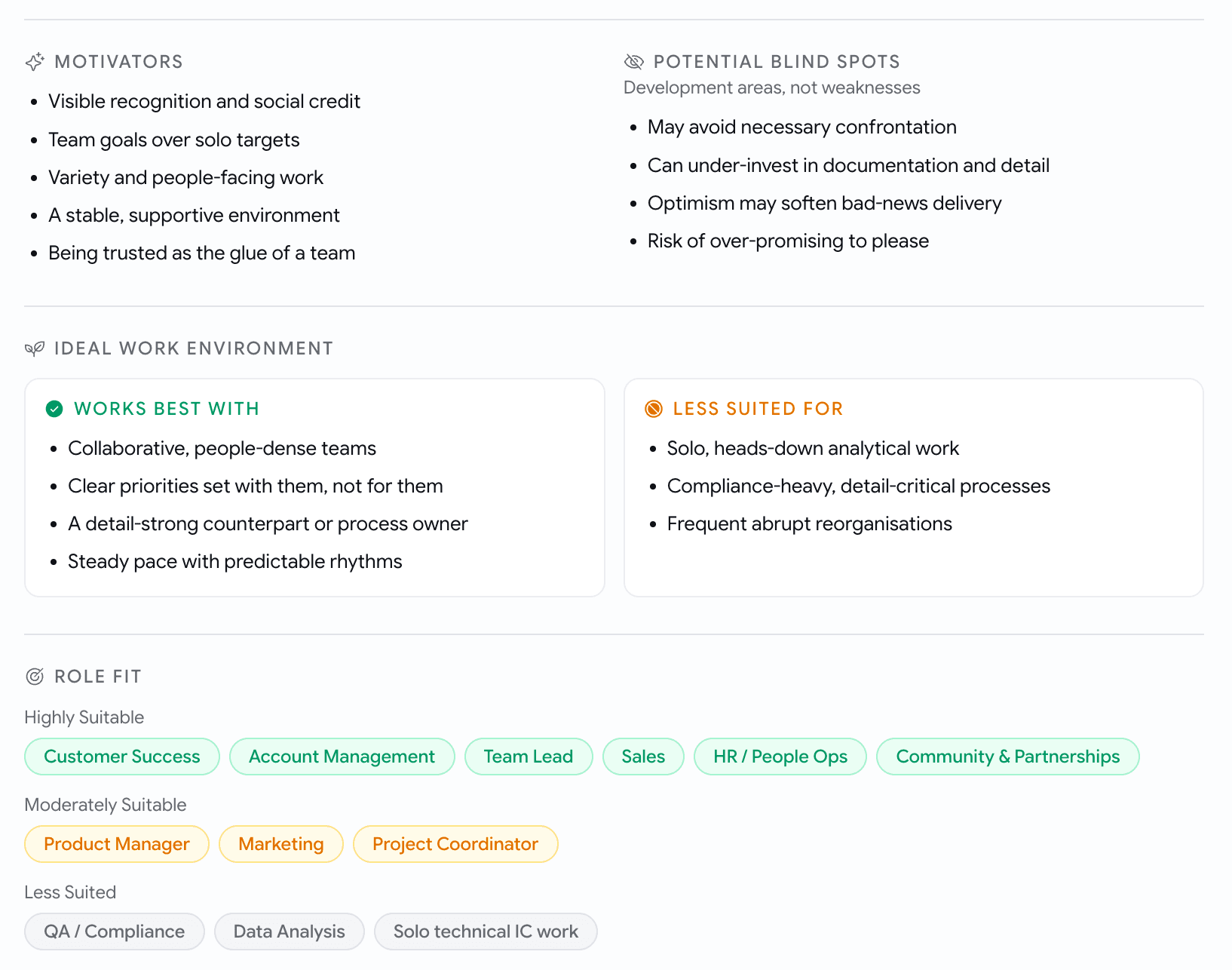
Sections headed Motivators and Potential Blind Spots as bullet lists, an Ideal Work Environment split into Works Best With and Less Suited For, and a Role Fit row of tags grouped as Highly Suitable, Moderately Suitable and Less Suited
What drives them, what to watch for, and the kinds of roles the profile suits.
  • The score strip now leads with a real fact instead of a status word: the DISC blend and its name, the MBTI archetype, the EQ score, the strongest Big Five trait, the top work value.

And three things that give the numbers an anchor they never had:

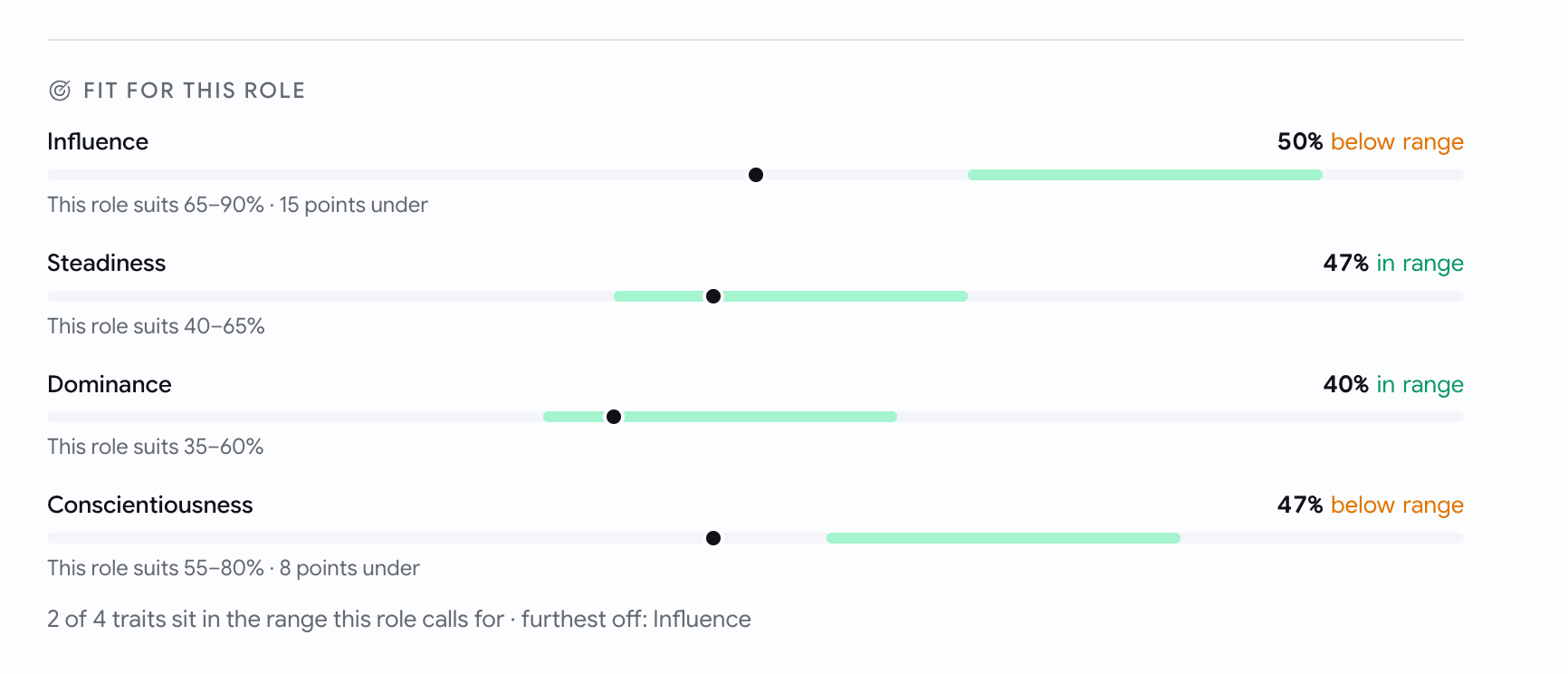
  • Fit for this role. The job description sets a target band per trait, once per role, and every applicant to that role is measured against the same bands. Each trait reads in range, above range or below range, with how many points off, plus how many traits land inside and which one sits furthest away.
  • Cohort percentiles. 91st percentile · vs 238 candidates for this role. Once a job has enough evaluated candidates the comparison is against that job's own pool; below that it's against everyone who has taken the assessment. The pool and its size are printed next to the number, so you always know what the rank is a rank of.
  • Response quality. A profile only means something if the candidate engaged with the questions. Each report carries a band — Good, Read with care or Low confidence — worked out from pace, how much the answers varied, how often they sat on the middle option, and whether they answered consistently. It says which of those triggered it.
A Fit for this role block with four traits — Influence 50% below range, Steadiness 47% in range, Dominance 40% in range, Conscientiousness 47% below range — each drawn as a dot on a bar against a green target band, with lines like This role suits 65 to 90 percent and 15 points under, and a footer reading 2 of 4 traits sit in the range this role calls for
The role sets the band, the candidate sits somewhere against it. No verdict, just distance.
  • On Low confidence the percentile is withheld and the profile carries a caveat, rather than quietly presenting a rank built on answers nobody trusts.
  • Everything above is in the downloadable candidate report too, not only on screen. Reports evaluated before this update render exactly as they did.

Interviews

See who's free before you pick a time

Scheduling used to be a guess: pick a day, pick a time, invite three people, hope none of them are double-booked. The schedule dialog now shows you.

  • Pick a day and every invited teammate gets their own lane. Busy time is drawn as blocks with their name on it; free time is simply empty.
  • Everyone free slots appear as chips under the time inputs. Click one and the start and end times fill in, at whatever duration you'd already set.
  • Pick a time that clashes and a line tells you who it clashes with. It's a warning, never a block, because sometimes you know something the calendar doesn't.
  • Teammates who haven't connected a calendar show as availability unknown. Nobody is blocked from being invited.
  • Reads the calendars your team has already connected, Google or Microsoft. Nobody reconnects anything and nobody grants a new permission.
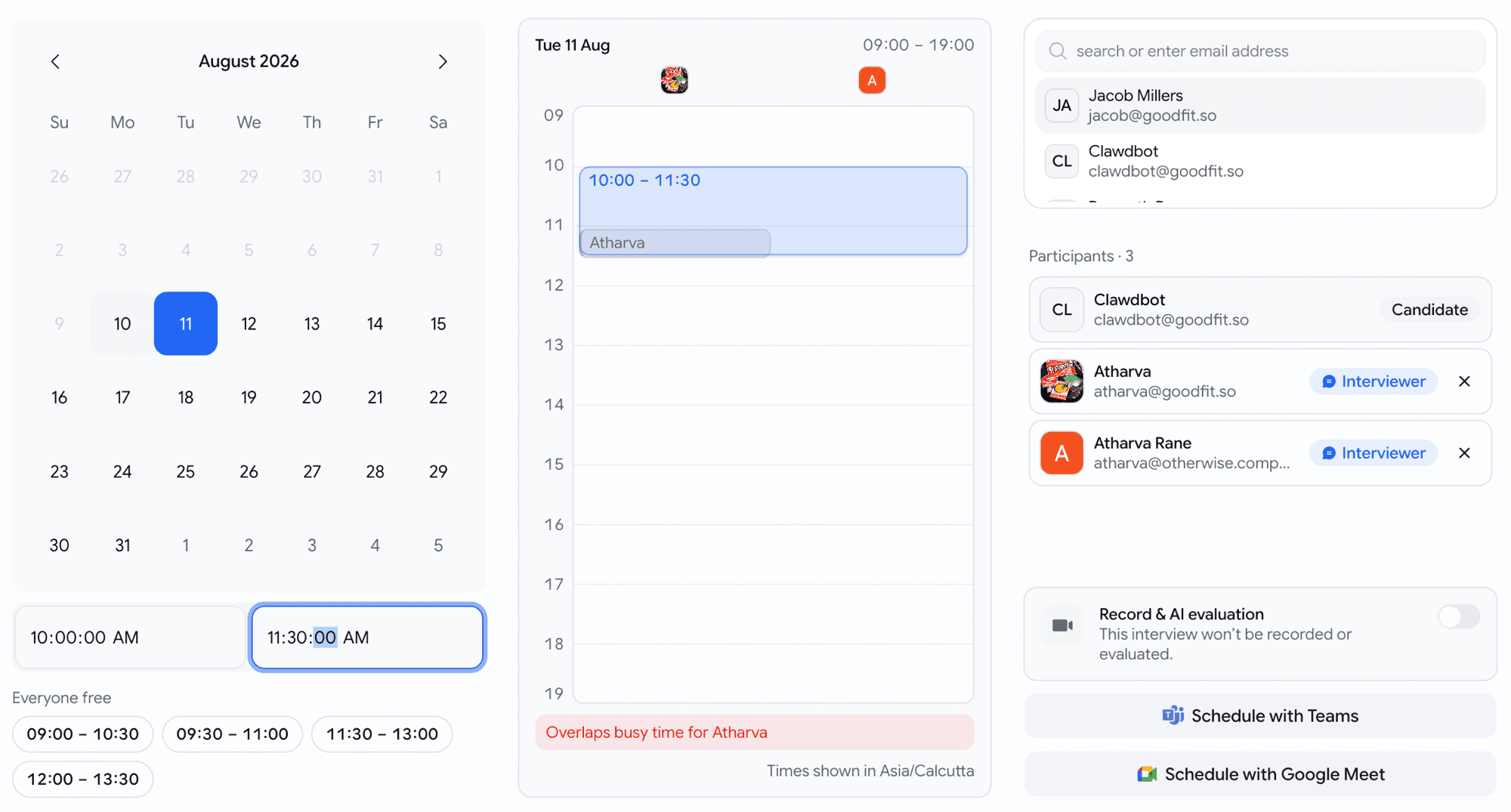
The schedule meeting dialog in three columns: a calendar with 11 August picked, start and end time inputs, and Everyone free chips reading 09:00 to 10:30, 09:30 to 11:00, 11:30 to 13:00 and 12:00 to 13:30; a day timeline from 09 to 19 with the selected 10:00 to 11:30 block over a busy block labelled Atharva, a red line reading Overlaps busy time for Atharva and a caption Times shown in Asia/Calcutta; and a participants list with the candidate and two interviewers, a Record and AI evaluation switch, and buttons to schedule with Teams or Google Meet
The day, everyone's busy blocks, free slots as chips, and a clash named rather than blocked.

Interviews

Run AI interviews in Japanese and Arabic

The AI interviewer speaks beyond the Indian language set now.

  • Japanese and Arabic are now available, expanding the list of supported languages alongside English, Hindi, Marathi, Telugu, Kannada, Malayalam, Bengali, Gujarati, Punjabi, Tamil, Odia, and Assamese.

Interviews

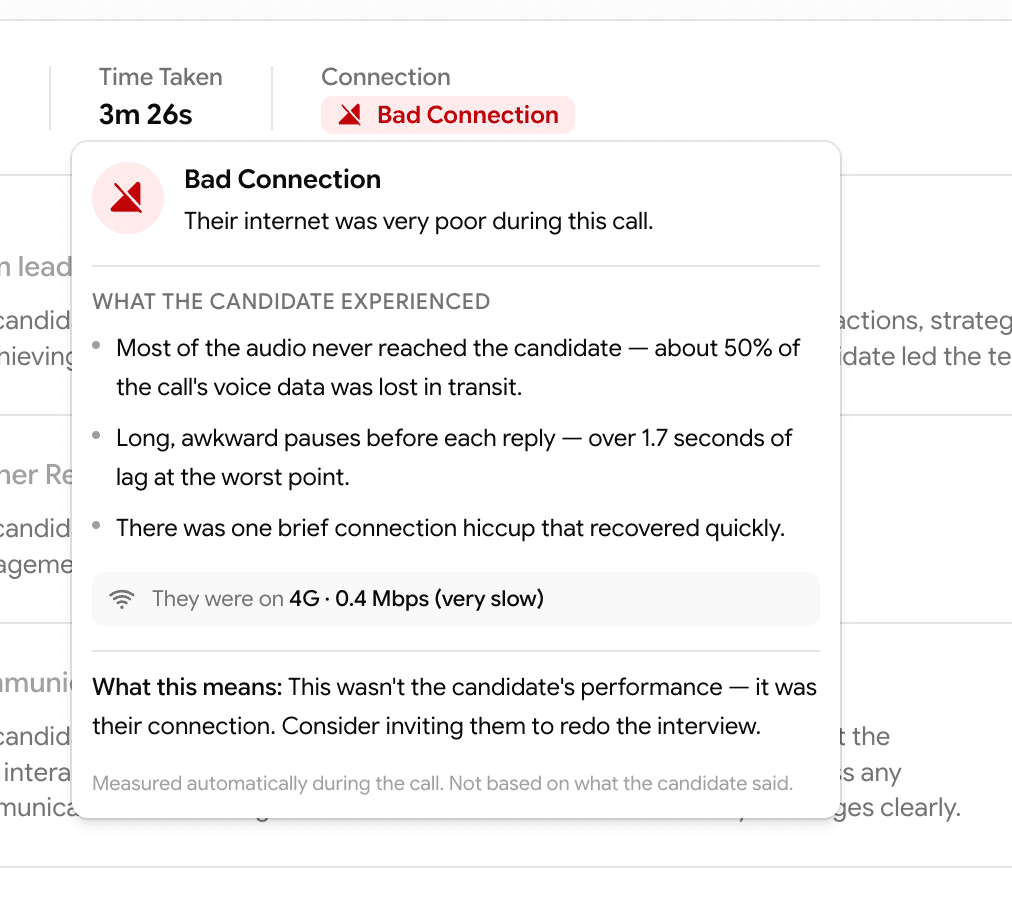
Stop the interviews a candidate's connection was never going to survive

The lobby checked the camera, the speakers and the microphone, and then let someone on a dying connection start anyway.

  • Network joins Permissions, Speaker, Microphone and Recording in the pre-interview checks. It runs quietly in the background while the candidate does the others, so the step is already settled by the time they reach it.
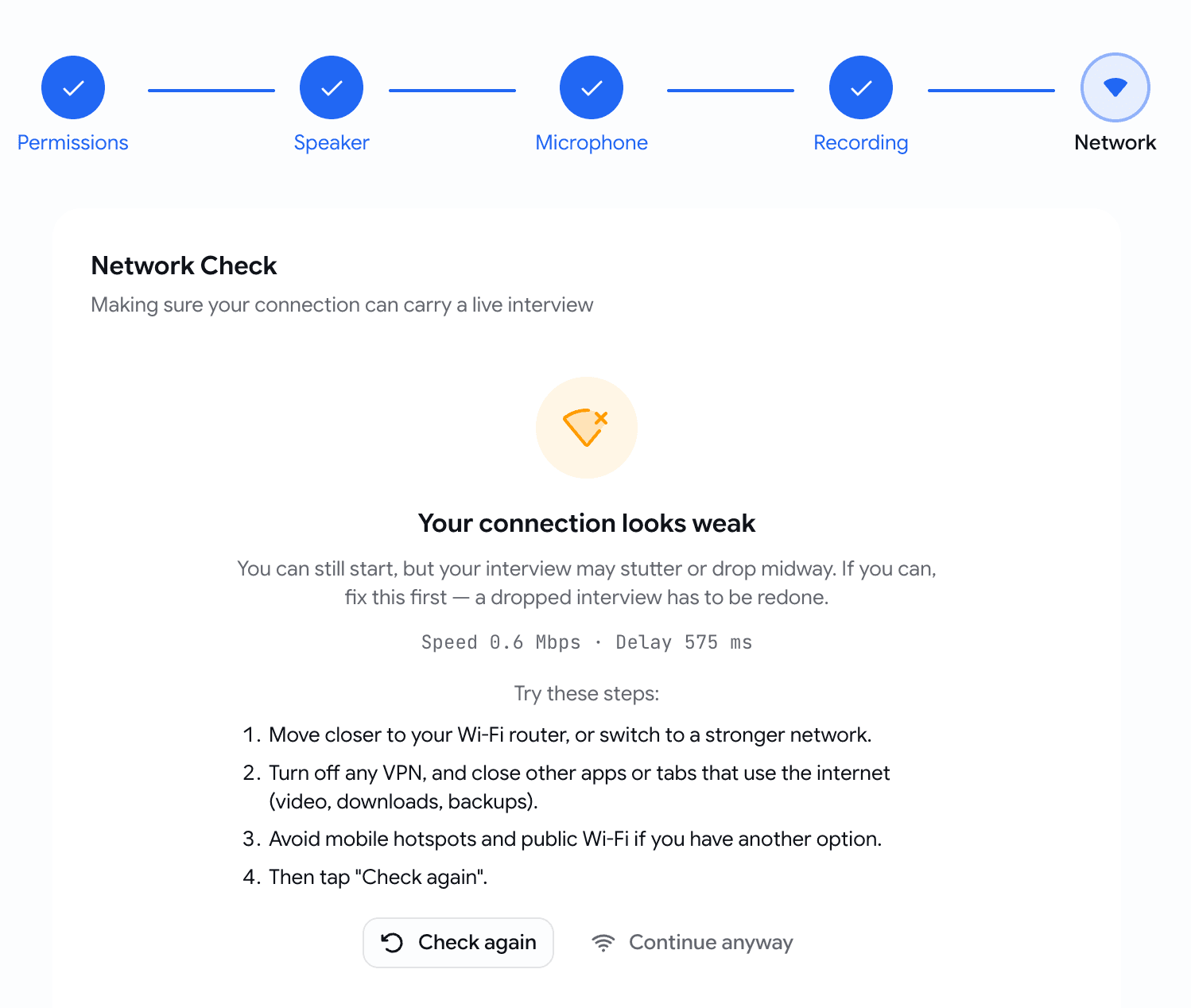
  • A weak connection warns, shows what was measured in terms a candidate can act on (Speed and Delay), lists four things to try, and still leaves Continue anyway available.
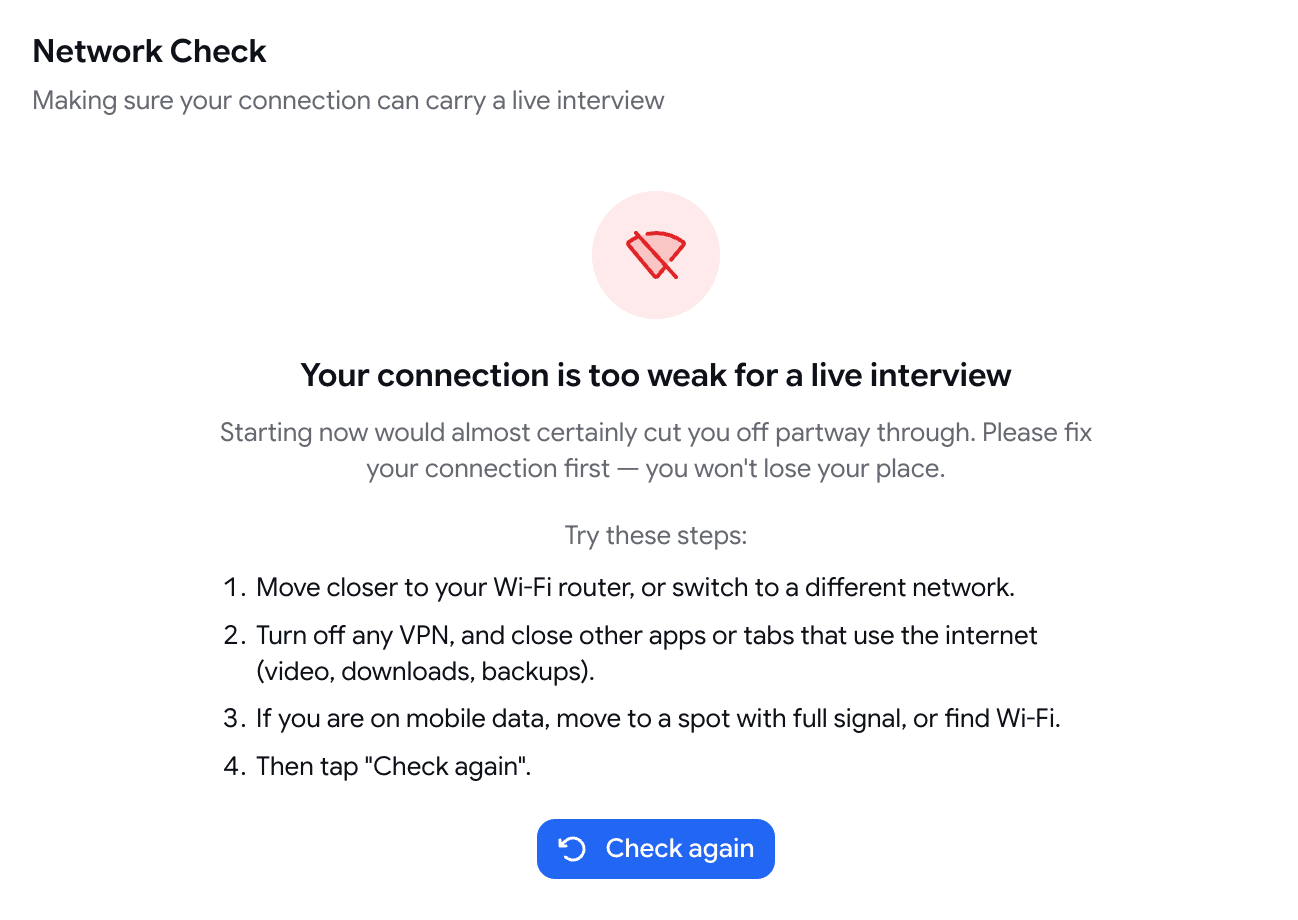
  • A connection too weak to carry a call at all doesn't get to start one.
The pre-interview stepper with Permissions, Speaker, Microphone and Recording complete and Network active, showing an amber icon, the heading Your connection looks weak, the readout Speed 0.6 Mbps and Delay 575 ms, four numbered fixes, and Check again next to Continue anyway
Weak connection: the numbers, the fixes, and the choice still with the candidate.
The Network Check step in a blocked state with a red icon, the heading Your connection is too weak for a live interview, four numbered remediation steps, and a single Check again button
Too weak to hold a call: one button, and it's the one that helps.

Insights

See where candidates actually move, job by job

The funnel could tell you how many candidates reached a stage. It couldn't tell you how they did there.

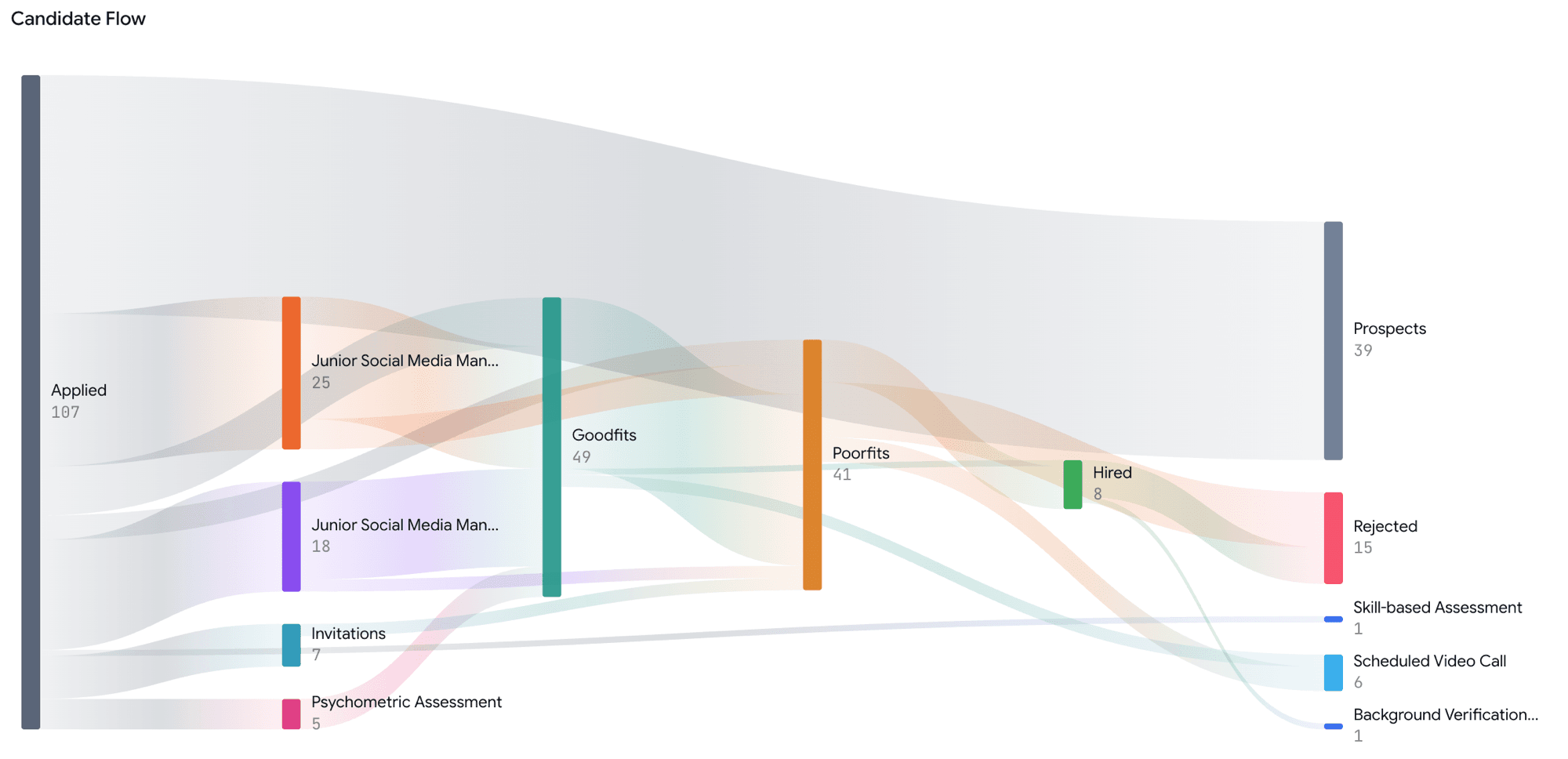
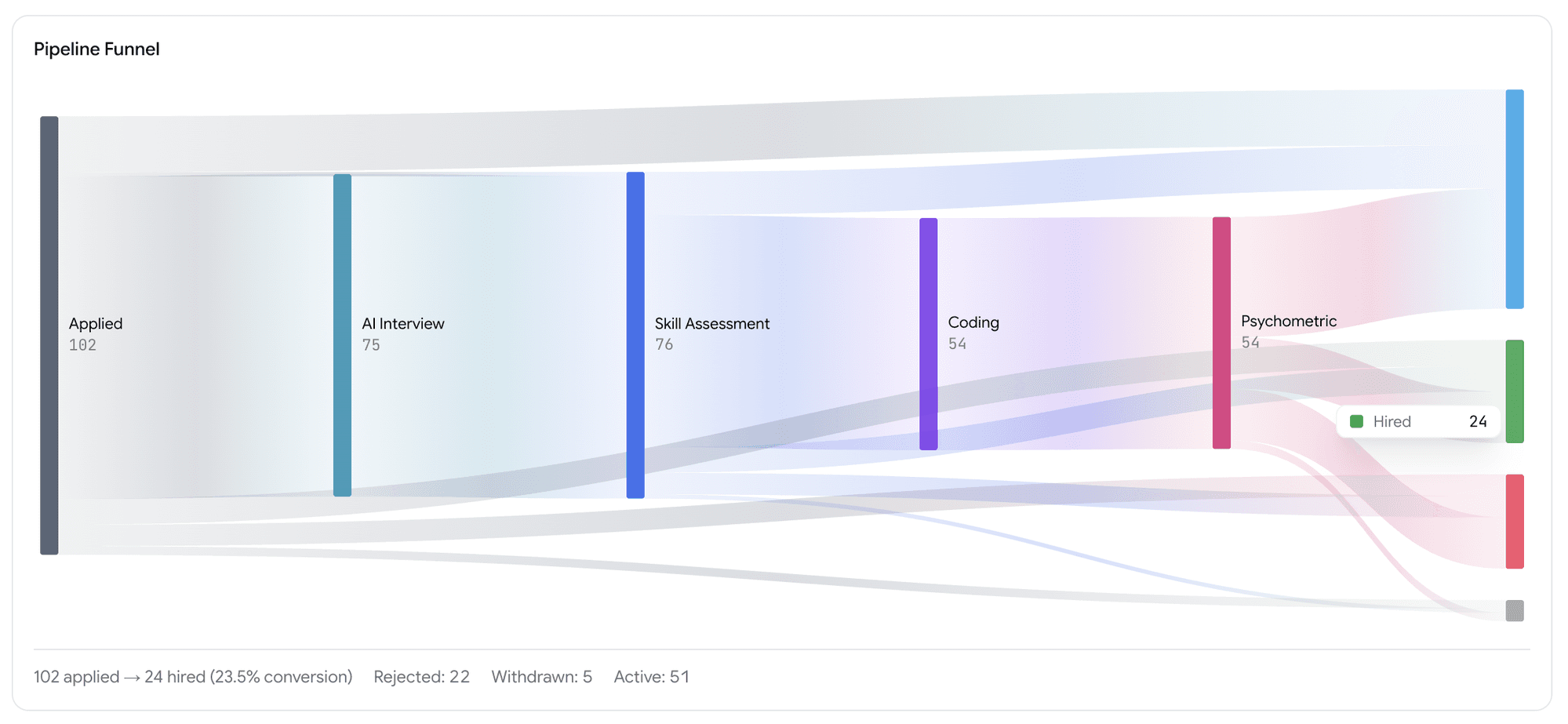
  • Candidate Flow is a new view on every job, reached from the board. It draws your Kanban as a flow: where candidates came in, which stages they passed through, and where they're sitting now. Every column reconciles with the board it came from.
A Candidate Flow diagram for one job: Applied 107 on the left branching through stage bands and Goodfits 49 and Poorfits 41 in the middle, ending at Prospects 39, Rejected 15, Hired 8 and smaller stage endpoints on the right, with band thickness showing how many candidates took each path
One job's board, drawn as the path candidates actually took through it.
  • The org-wide funnel splits its old undifferentiated "Active" band into Goodfit and Poorfit, so "how many of the people who got this far were actually any good" finally has an answer.
  • A Stage Outcomes table sits under it: per stage, how many entered, how many came out good fit or poor fit, and how many were hired, rejected, withdrawn or are still in play.
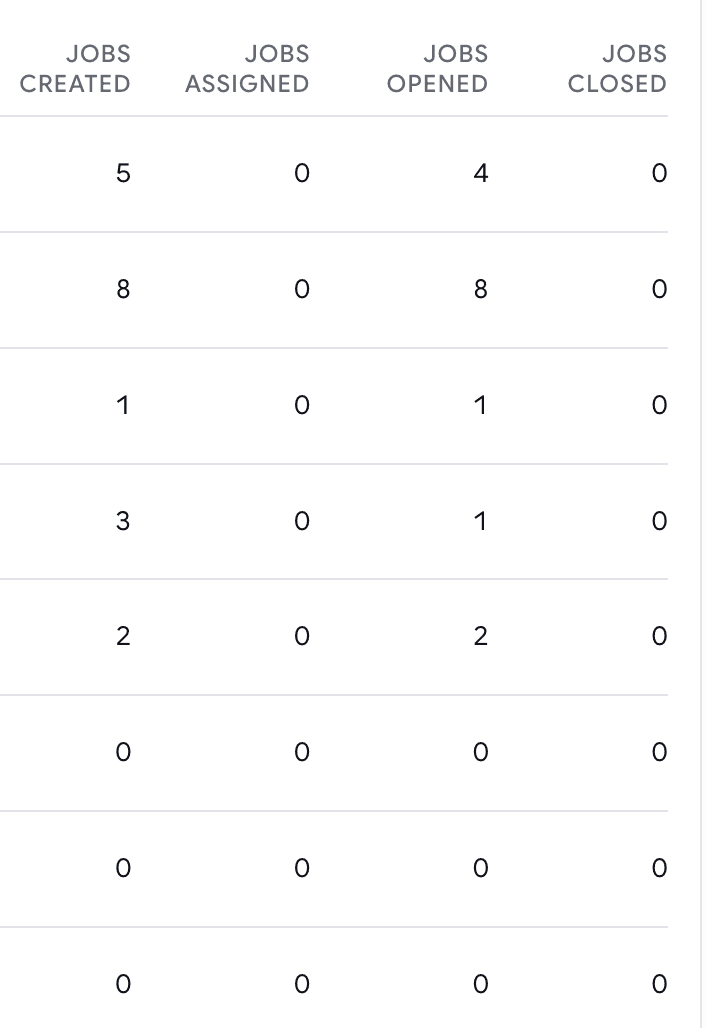
  • Team Activity gains jobs opened, jobs closed and closed with a hire for the period you're looking at, and Avg Decision (days) now shows a number instead of a blank.
Columns in the Team Activity table headed Jobs Created, Jobs Assigned, Jobs Opened and Jobs Closed, with a row of counts per team member
Opened and closed for the period you're looking at, next to created and assigned.

Insights

Interview analytics

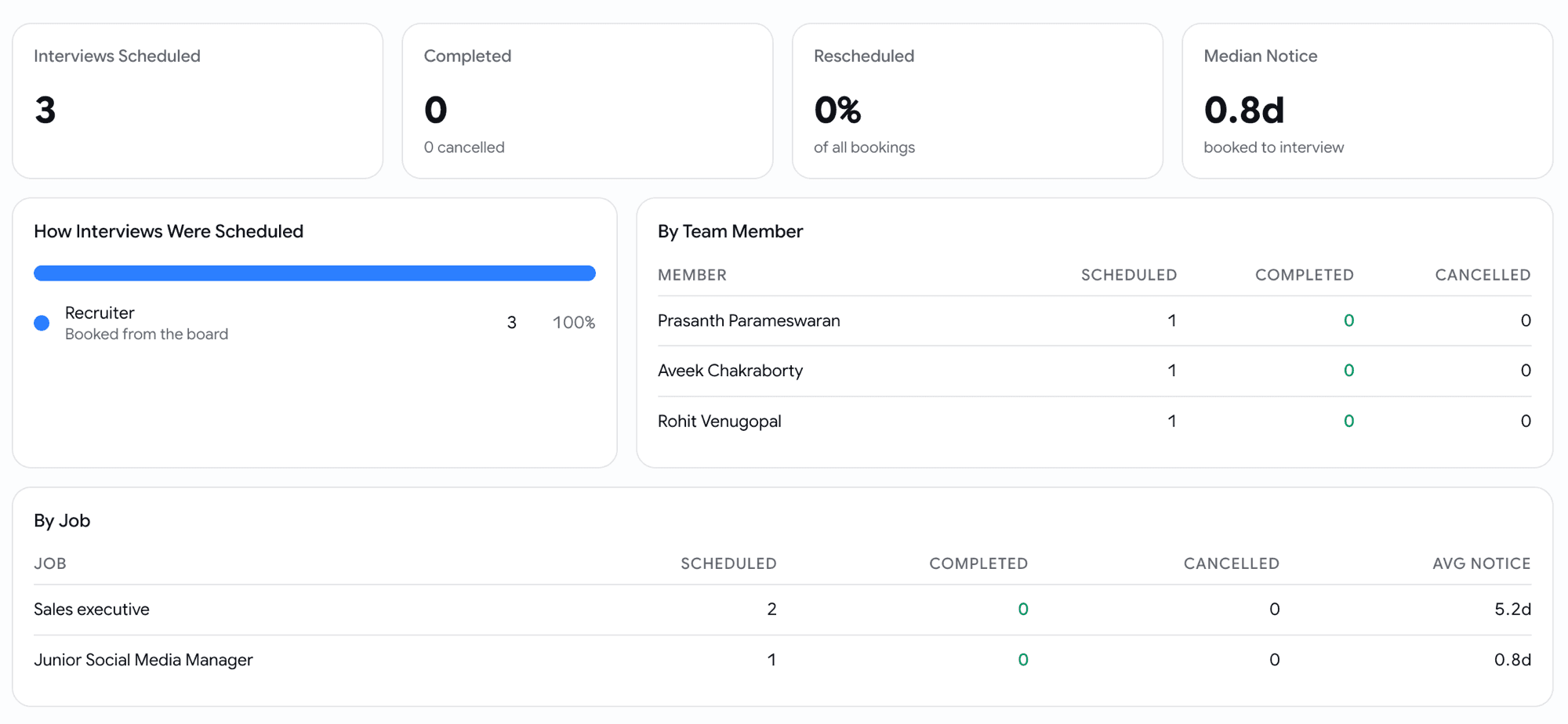
Human interviews were the one part of the pipeline with no numbers on it at all. Insights → Interviews is a new page.

  • How many interviews were booked over any date range, how they ended, and how often they were rescheduled.
  • How much notice interviews are typically booked with, and where they came from.
  • Broken down by job and by the person who scheduled them.
The Interviews insights page: cards reading Interviews Scheduled 3, Completed 0 with 0 cancelled, Rescheduled 0% of all bookings and Median Notice 0.8 days booked to interview; a How Interviews Were Scheduled bar showing Recruiter booked from the board at 100%; a By Team Member table with scheduled, completed and cancelled counts; and a By Job table with scheduled, completed, cancelled and average notice per role
Volume, outcomes, reschedules and notice, then the same numbers per person and per job.

Hiring

Give your recruitment agencies a seat without opening your pipeline

Agencies source for you, and until now the only role that fit gave them everything: your own candidates, and every rival agency's candidates, on every job they touched.

  • Recruitment Vendor is a new role. It sees every open role in the organisation, and only the candidates their own agency submitted. Nothing else on the board exists for them.
  • The agency is a real thing you name, so five people from one firm roll up to one agency. Set it while inviting them, or from the members list afterwards.
  • Vendors submit candidates and follow their status. They don't move cards between stages, reject, hire, or email candidates, because the party being measured shouldn't be the party keeping score.
  • Your side gets a Sourced by filter on the board and a chip on the candidate card, so you can always see which agency sent whom, and job cards count only what the viewer can see.
  • Vendors can't reach members, billing, email setup or API keys, and can't edit a job.

Candidates

One live application per candidate per job

The same person could end up on the same job twice: two cards, two invitation emails, two sets of results, and a recruiter working out which one was real.

  • A candidate who is already live on a job is no longer added a second time, whichever door you come in through: resume upload, bulk invite, a board re-invite, or a single manual invite.
  • Re-inviting someone who is already moving through your pipeline now tells you so, and points you at their existing card rather than silently starting a parallel application.
  • Bulk invites report what they skipped. The count is real now, where before the toast could only ever say zero.
  • Someone you rejected or closed out earlier is a legitimate fresh application. Invite them individually and you're asked to confirm first, with the button reading Invite Again. A bulk list skips them rather than guessing on your behalf.
Green: a new application. Grey: no second application

Jobs

Save the jobs list the way you actually use it

The jobs list could be narrowed three ways and remembered none of them. Leave the page and it was gone; refresh and it was gone.

  • The jobs list now uses the same filter builder as the board and the candidates page, across twelve fields, including seniority, workplace type, locations, skills and tags. "Senior remote roles" is now something you can express.
  • Save a set of filters as a named view and it becomes a tab. Views carry their filters, their sort and their columns, so a view can show different columns as well as fewer rows.
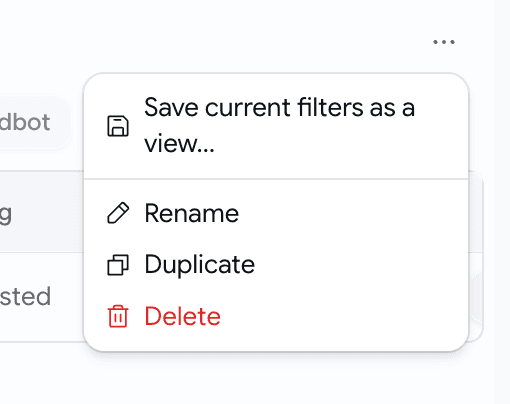
  • Rename, duplicate or delete a view from the menu beside the tabs, which is also where you save whatever you're currently looking at.
A menu opened from the three-dot button beside the view tabs, listing Save current filters as a view, Rename, Duplicate and Delete
Whatever you're looking at is one click from becoming a tab.
  • Come back to the jobs list later and your last view is waiting, per organisation. A link with a view in it always wins.
  • Views never save themselves behind your back. Change one and you get Save, Save as new and Reset; the view's own filters sit dimmed so you can see what you added on top.
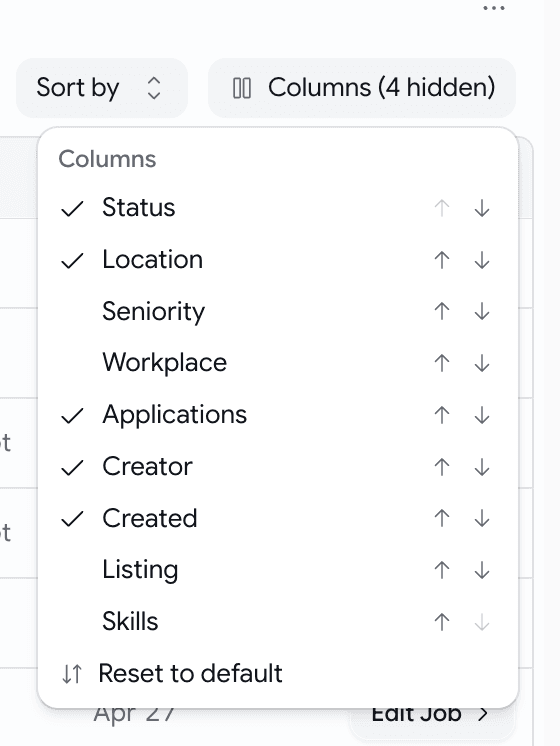
  • A Columns picker decides what the table shows, and reorders it. Six columns are on by default. Views are private to you.
A Columns menu listing Status, Location, Seniority, Workplace, Applications, Creator, Created, Listing and Skills with ticks against the visible ones, up and down arrows to reorder each, and a Reset to default option, next to a Sort by control
Pick the columns, put them in the order you read them.

July Week 5

Send an assistant into your video interviews to record them, transcribe them and write up how the candidate did, collect every interviewer's verdict on one scale without asking anyone to log in, and run as many interview rounds with a candidate as the role actually needs. Plus a new browser extension that brings Goodfit into the job boards you already use — post jobs, import applicants and existing posts, and source from a LinkedIn profile, on Chrome to start.

  • hiring
  • interviews
  • ai
  • sourcing
  • extension

Interviews

Send an assistant into your interviews so you can stop taking notes

Interviewing well and writing everything down at the same time is a trick nobody actually pulls off. One of them always gives. The Meeting Assistant joins your video interview, records it, transcribes it, and has a write-up waiting on the candidate's profile by the time you're out of the call.

  • Works with Google Meet and Microsoft Teams. Nothing to install, and you don't have to connect your calendar for it to work.
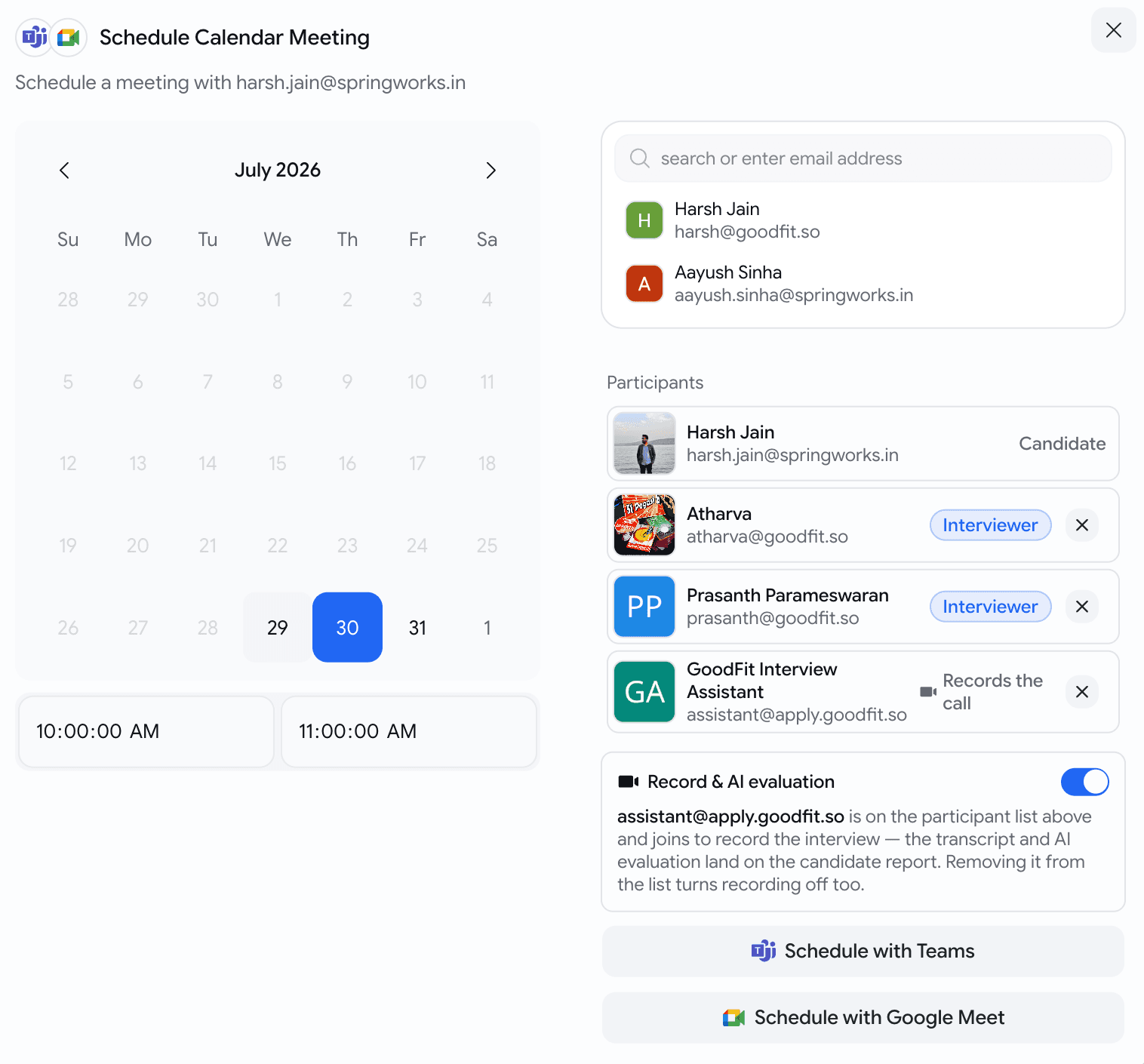
  • Schedule an interview as you normally would and the assistant is already on the invite — you'll see Goodfit Interview Assistant sitting in the participant list next to your interviewers. It joins at the start time like anyone else.
  • Recording is on by default. To skip it for one interview, switch Record & AI evaluation off or take the assistant out of the participant list — either one, they're the same switch.
  • Forgot to include it, or the meeting was set up outside Goodfit? Invite assistant@apply.goodfit.so to the calendar event exactly as you'd invite a colleague, and it will turn up. There's also Add meeting link to record on the candidate's card if you'd rather paste the Meet or Teams link.
  • The interview card tells you where things stand without you opening anything: Will record, Recording, Recorded, and — for the cases worth knowing about — Not admitted when nobody let it into the call, or Recording blocked when the meeting's own settings wouldn't allow it.
The Schedule Calendar Meeting dialog: a July calendar with a start and end time on the left, and on the right a participant list holding the candidate, two interviewers and Goodfit Interview Assistant marked Records the call, above a Record and AI evaluation switch turned on, with buttons to schedule with Teams or Google Meet
The assistant is already on the participant list — you don't add it. One switch, or remove it from the list, if you'd rather not record.

Interviews

The recording, the transcript and the write-up all in one place

Open the candidate and the interview card holds everything the conversation produced.

  • The recording, playable in the browser or downloadable.
  • The full transcript, with speakers separated. Click any timestamp and the video jumps to that moment.
  • An AI write-up: what was covered, how the candidate did against each competency with the reasoning behind every score, strengths, concerns, and anything worth a second look. Every claim carries the timestamp it came from — click it and the recording scrolls into view and plays from exactly there, so you can check the evidence yourself in about two seconds.
  • Bilingual interviews transcribe properly now, rather than forcing the whole recording into one language.

Interviews

Every interviewer's verdict on one scale, with nobody logging in

Feedback that arrives as "yeah, decent" in three different chat threads isn't feedback you can compare. Now everyone answers the same question.

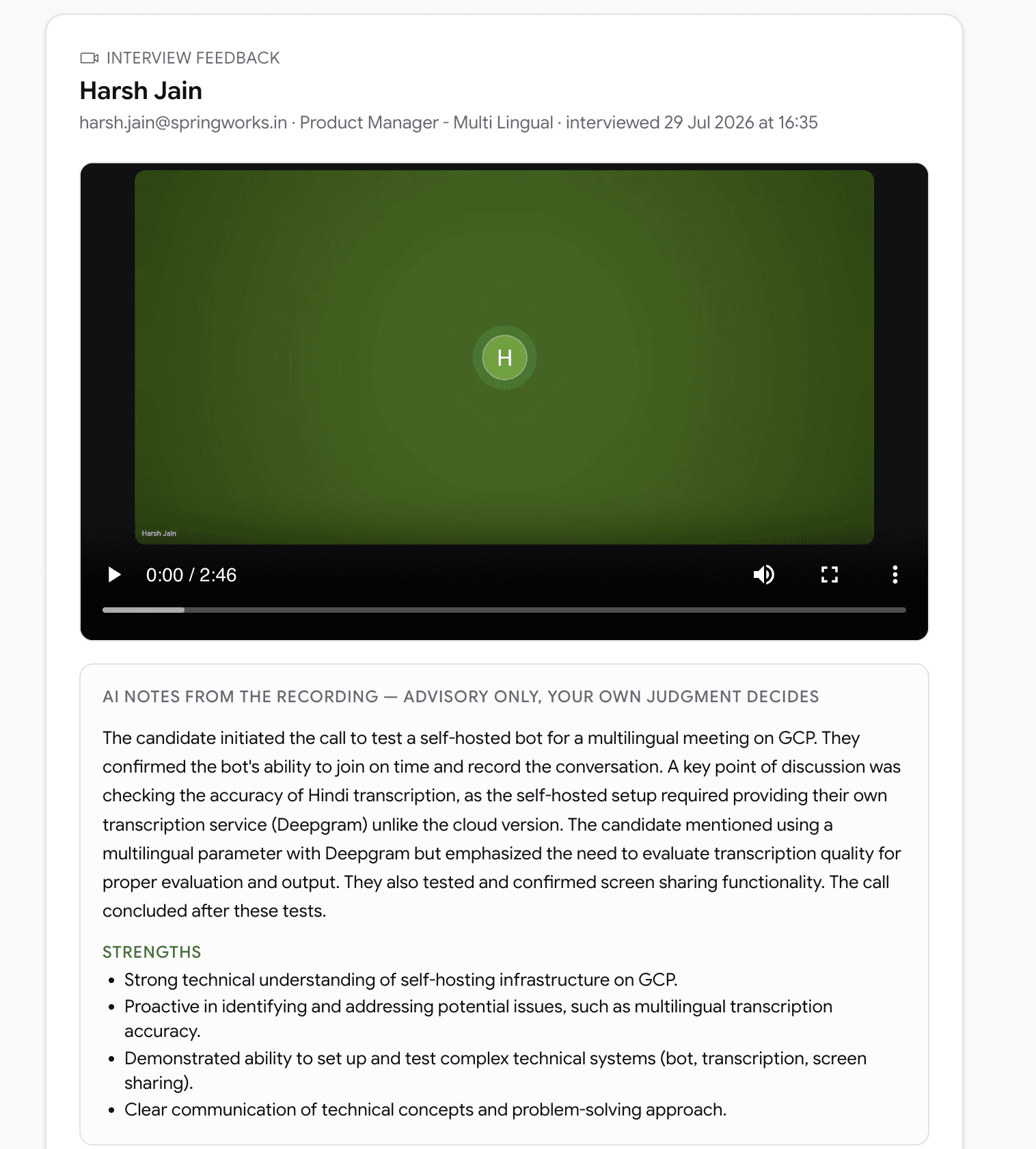
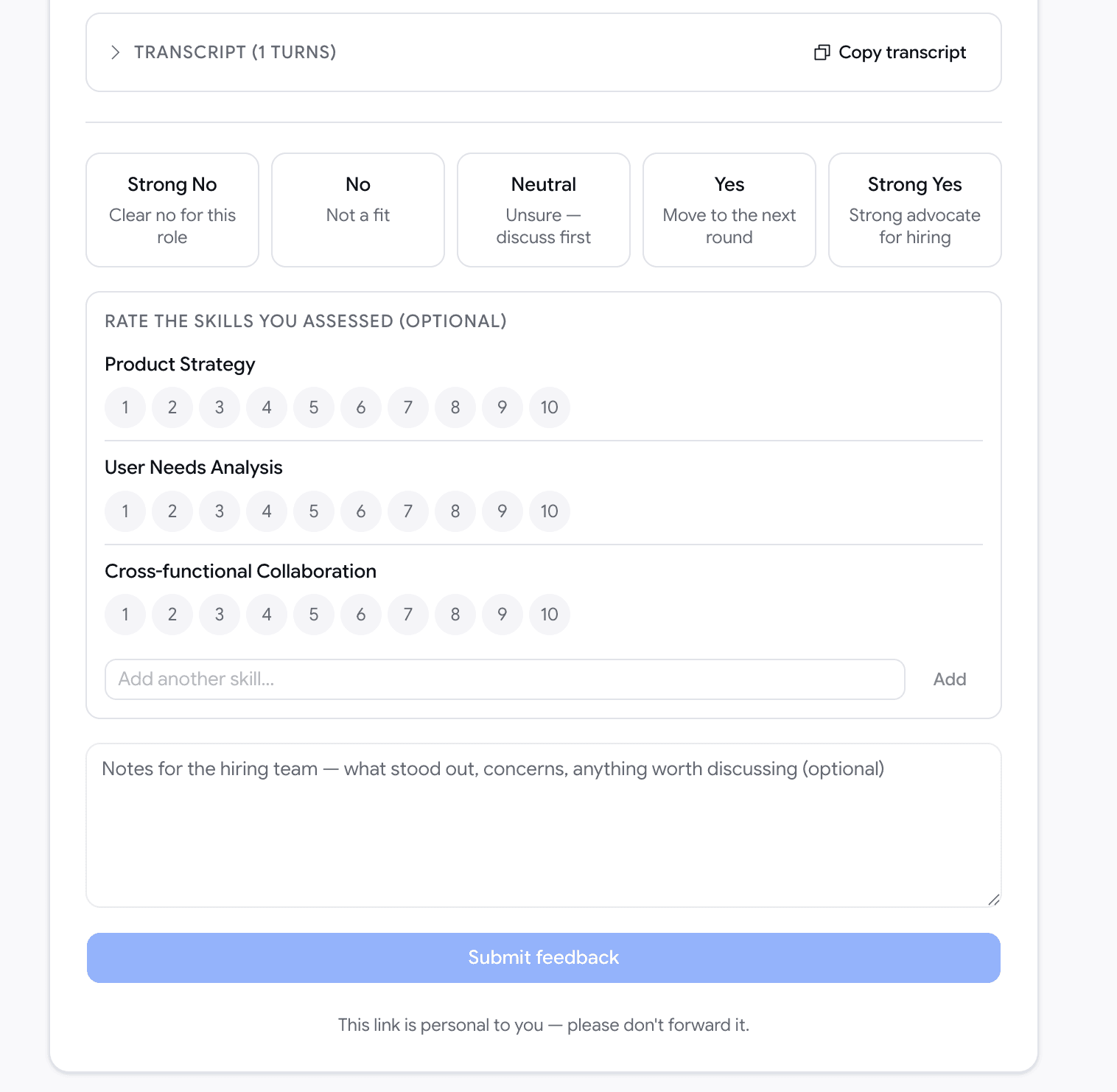
  • After the call, everyone marked as an Interviewer gets an email with a private link: Strong No · No · Neutral · Yes · Strong Yes, plus per-skill ratings and notes. No account, no login — external panellists can use it too.
  • Mark someone as an Observer while scheduling and they're left alone. Only the people who actually interviewed get asked.
  • Every verdict lands on the candidate's profile next to the recording, so you can see where the panel agreed and where it didn't.
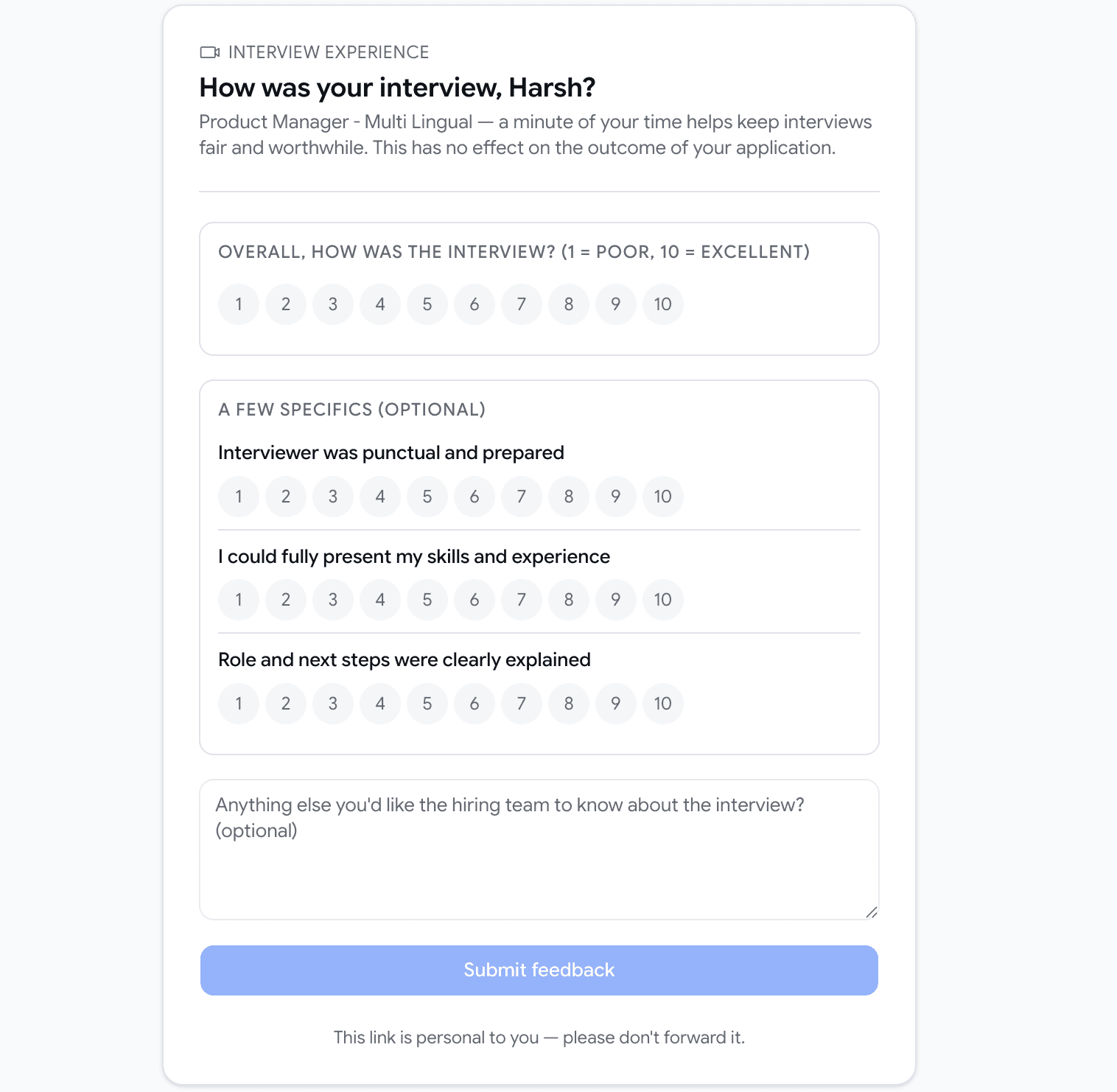
  • Candidates get a short optional survey about how the interview felt — whether the interviewer was prepared, whether they got to show their skills, whether the role was explained. It has no bearing on their application, and they never see your notes, the recording or the write-up.
An interviewer feedback page headed Interview Feedback with the candidate's name, role and interview time, the interview recording embedded below it, and under that a panel of AI notes from the recording with a summary of the conversation and a list of strengths
The interviewer opens their link to the recording and the AI notes — so a verdict is given against the conversation, not a memory of it.
The lower half of the interviewer feedback page: a collapsed transcript with a copy button, then five choices reading Strong No clear no for this role, No not a fit, Neutral unsure discuss first, Yes move to the next round, Strong Yes strong advocate for hiring, followed by optional one-to-ten ratings per skill, a notes box for the hiring team, and a Submit feedback button
One scale, the same five words for everyone, and the skills and notes optional on top.
The candidate's interview experience page asking How was your interview, with a one-to-ten overall rating, optional ratings for whether the interviewer was punctual and prepared, whether they could present their skills and whether the role was explained, a free-text box, and a note saying it has no effect on the outcome of their application
What the candidate is asked — a minute, optional, and explicitly nothing to do with the outcome of their application.

Interviews

Run as many rounds with a candidate as the role needs

A second interview used to quietly replace the first one. Two rounds meant losing the record of the round you'd already done.

  • Schedule as many video calls with a candidate as you like. Each one gets its own card, its own recording, its own transcript, its own write-up and its own panel feedback — the earlier rounds stay exactly where they were.
  • Moving a candidate between stages no longer cancels a booked interview or its recording. That includes rejecting or hiring them, which used to pull the interview out from under a call that was still going ahead. If a meeting shouldn't happen, cancel the meeting.
  • Reschedule and the assistant follows the new time. Cancel the event and the recording is cancelled with it. Change the attendees and the update carries through.

Browser extension

Move jobs and candidates between Goodfit and the job boards you already use

Recruiting lives across half a dozen tabs, and most of the day is spent copy-pasting between them. The new Goodfit browser extension sits in those tabs with you: sign in once and your Goodfit jobs and candidates are right there on LinkedIn, Indeed and Wellfound.

  • Sign in with your Goodfit account once — the same connection works across every supported board.
  • Everything is started by you and only touches your own organization's data. No ads, no browsing tracking, nothing sold.

Browser extension

Post a job to a board without re-typing it

Open a board's "post a job" page and the form is already filled in from your Goodfit job.

  • Pick a job in the extension, choose the board (LinkedIn, Indeed or Wellfound), and the posting form opens pre-filled — title, location, pay, job type and description.
  • Review each step and submit it yourself. The extension never submits, sponsors or pays for a post on your behalf — you stay in control of publishing and budget.
Browser extension

Pull a job's applicants into Goodfit

On a board's applicants page, bring the candidates into a Goodfit job in one flow.

  • Click Import applications to Goodfit, pick the organization and the job to import into (only active jobs are listed), choose a batch size, and go. Résumés are processed in the background.
  • Rejected applicants are never imported, and imported candidates are tagged with the board they came from so you always know the source.
  • Prefer to move faster than prospecting? Tick "Invite candidates (send Goodfit assessment) instead of adding as prospects" to send the assessment invite as you import.

Browser extension

Bring your existing job posts into Goodfit

Already have jobs live on a board? Import them instead of recreating them by hand.

  • From the board's jobs list, tick the ones you want (there's a search box for long lists) and import them into Goodfit as drafts, ready for you to review before activating.
  • Jobs you've already imported are skipped, so re-running is safe.

Browser extension

Add someone straight from their LinkedIn profile

Sourcing on LinkedIn? You don't need to leave the profile.

  • On any LinkedIn profile, the extension shows whether that person is already a candidate in your account, so you don't re-add or re-contact the same person.
  • Add them to a job as a prospect, or send them a Goodfit assessment invite — right from the profile.

July Week 4

Connect your own Google Calendar and book interviews without leaving Goodfit, read your whole hiring pipeline as a plain-English summary before you publish, get warned when an assessment's settings would cut candidates off, hand a broken email setup straight to the person who can fix it, and watch your signup credits count down.

  • hiring
  • jobs
  • assessments
  • email
  • billing

Hiring

Connect your Google Calendar and book interviews without leaving Goodfit

Booking an interview used to mean writing the time into Goodfit, then writing it again into your calendar, then sending the invite yourself. Connect your calendar once and Goodfit does all three.

  • Connect under Settings → Personal → Connected Apps. From then on every interview you schedule from the applications board becomes a real event on your own calendar — Meet link, candidate invite, reminders, the lot.
  • You are the organiser, so the candidate sees your name in the invite and their reply lands in your inbox — not in a robot mailbox nobody reads.
  • Reschedule or cancel from either side. Drag the event in your calendar and Goodfit keeps up; change it in Goodfit and your calendar does.
  • Don't want to connect? Schedule without connecting still books the interview in Goodfit with its time, its attendees and its notes. Nothing about scheduling is held hostage to the integration.
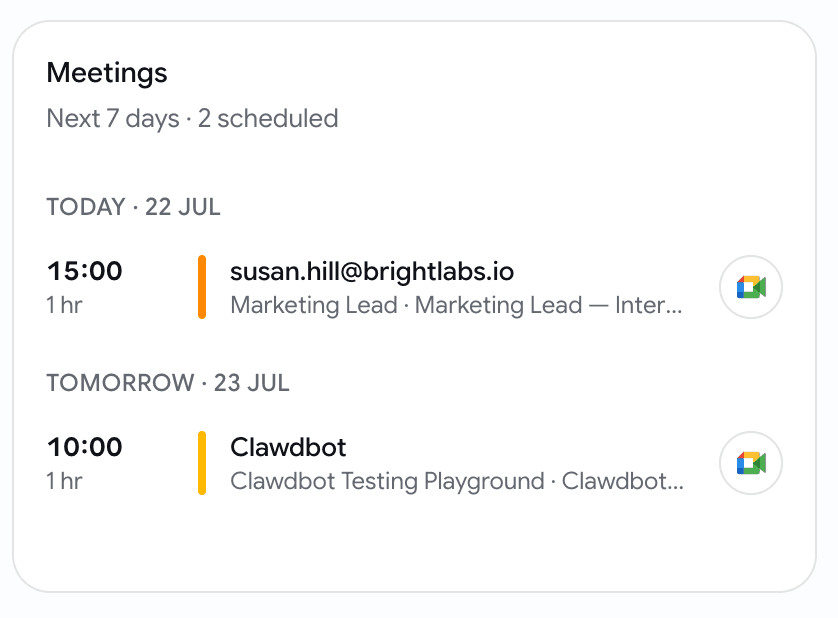
  • The week reads back on your dashboard: a Meetings card with the next 7 days, grouped by day, your team's interviews and not only your own, each with a one-tap join button. Nothing scheduled, no card.
A Connected Apps row in personal settings showing Google Calendar connected to a work email, with a Disconnect button
One connection, made once, from your own settings page.
A dashboard card titled Meetings showing the next 7 days of interviews grouped by day, each row with a time, duration, candidate, job and a join button
The week ahead, without opening a single job.

Jobs

Read what your pipeline actually does to a candidate — before you publish

A four-stage pipeline tells you what each stage is. It never told you what the whole thing does — who gets filtered, at what score, and where they end up. Now there's a summary that says it in sentences.

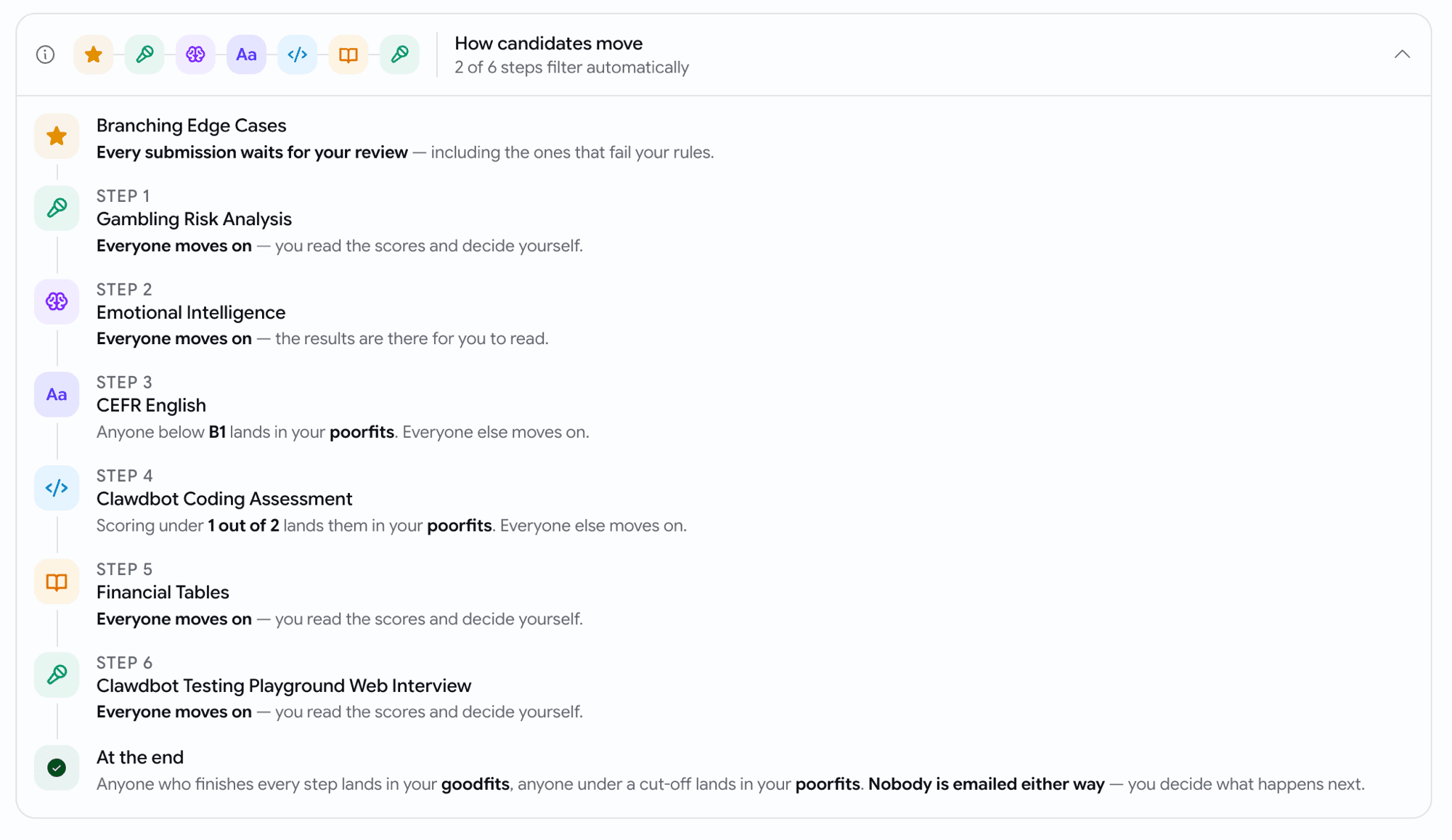
  • A How candidates move strip sits under your stages: one tile per step, in order, so the journey reads left to right. Open it for the step-by-step version.
  • Every line names the consequence — "Scoring under 12 out of 30 lands them in your poorfits. Everyone else moves on." — and closes with where a candidate who finishes everything ends up.
  • Steps with a problem are ringed and counted in the headline. The one this was built for: a cut-off switched on but left at 0. The switch reads "On" and filters nobody, and until now nothing said so.
  • It updates as you type, so you can check your own understanding without publishing and watching real candidates.
A How candidates move summary listing each step of a pipeline in order, each with a plain sentence saying who moves on and who lands in poorfits, ending with where a candidate who finishes everything goes
Your pipeline as a candidate experiences it, one sentence per step.

Assessments

We check your assessment settings before you publish

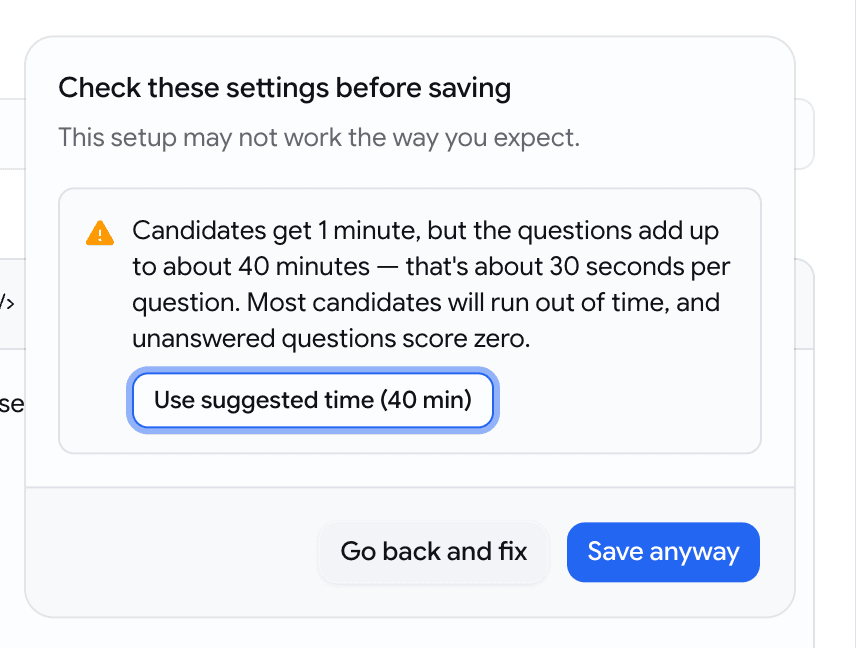
A timer that looks fine next to a question count can still be far too short for the questions themselves — and the candidate is the one who finds out. Goodfit now does that arithmetic for you, before you save.

  • Save or publish and anything that doesn't add up gets one dialog with the arithmetic spelled out — Candidates get 1 minute, but the questions add up to about 40 minutes — that's about 30 seconds per question.
  • Timer far shorter than the questions need? Use suggested time (40 min) applies the right number and saves in the same click.
  • Per-question times are judged by what you're asking for: 15 seconds to pick an option is fine, 15 seconds to record a video answer is not.
  • A pass score of 100 (only perfection passes) or 0 (everyone passes) gets flagged too, in case it wasn't deliberate.
  • Save anyway is always there. Only settings no candidate could ever take — a 0-minute timer, zero questions — are blocked outright, because there's nothing to confirm.
A dialog headed Check these settings before saving, explaining that candidates get 1 minute for questions that need about 40, with a Use suggested time button and Save anyway
The maths, the consequence, and a one-click fix — before a candidate ever sees the test.

Email

When your email sending breaks, hand the fix to whoever can actually do it

If your organisation sends candidate email from your own address and it stops working, candidates quietly stop receiving invitations. The person who notices is a recruiter. The person who can fix it holds the mail-server password. Now there's a route between them.

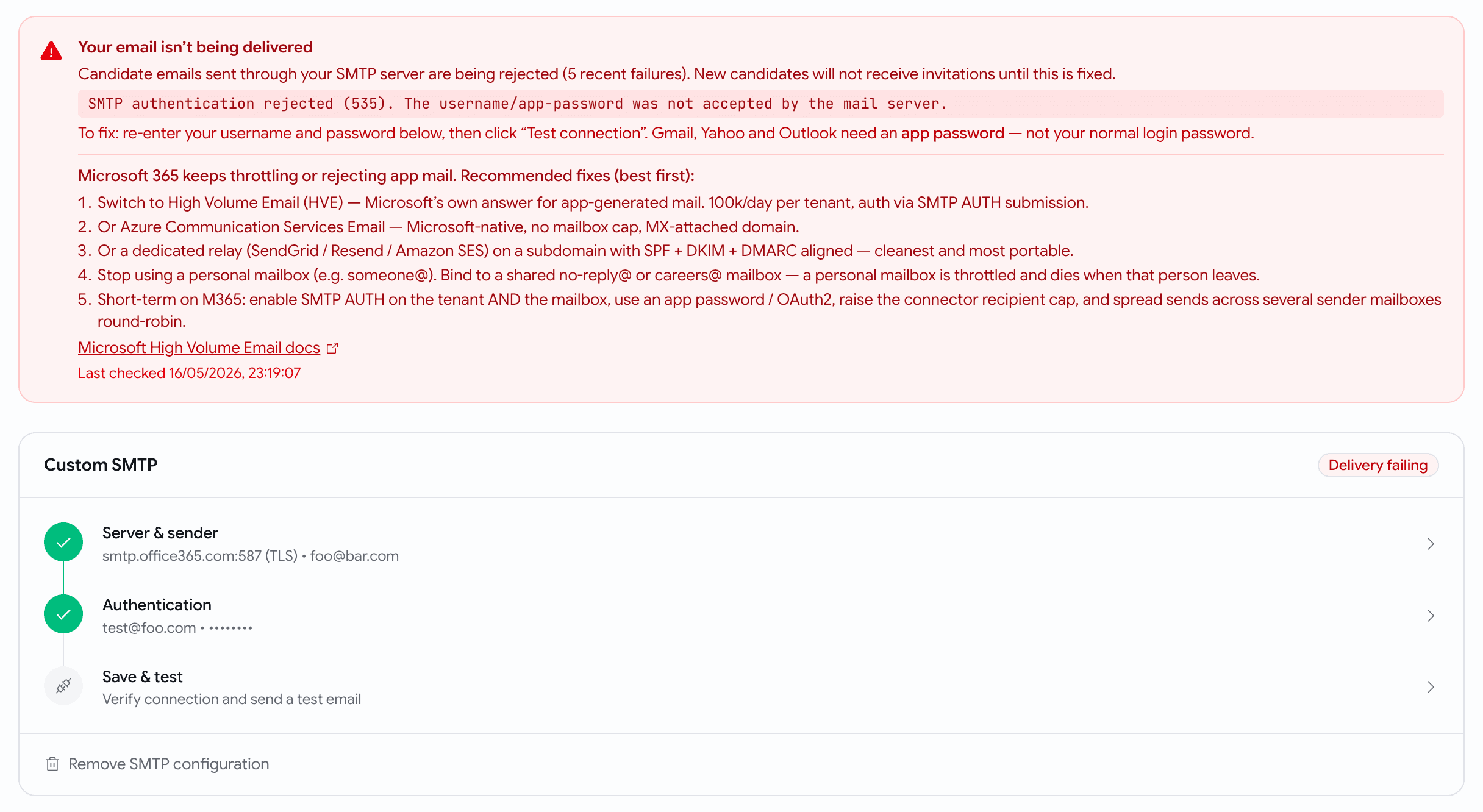
  • Settings → Email shows a status card when sending is failing — and nothing at all when it's healthy, so the day it appears, it means something.
  • The card names what actually broke and what to do about it. A wrong password and a server refusing to send now get different advice, instead of the same list of steps half of which don't apply.
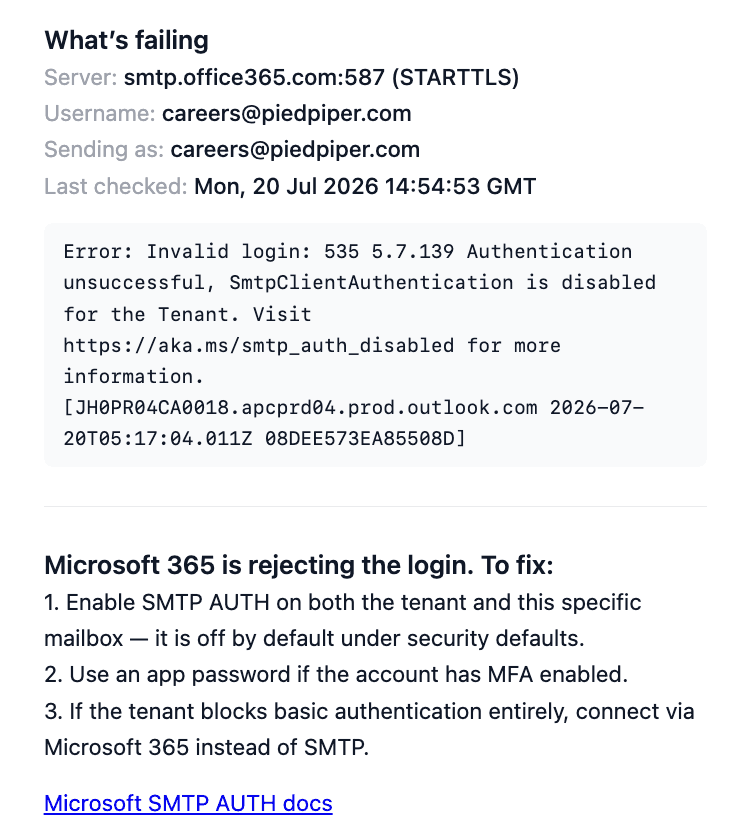
  • Send to IT emails your mail administrator the whole picture: the server, the username, the sending address, the exact error, and numbered steps to fix it.
  • Pick a teammate from the list, or type any address — someone outside your team gets invited, and the invitation itself explains the outage rather than arriving as a bare "you've been invited".
The email sent to IT, headed What's failing: the server, username and sending address, the time it was last checked, the verbatim error, and numbered steps to fix it under the heading Microsoft 365 is rejecting the login
What lands in your IT admin's inbox — the error verbatim, and steps written for the exact thing that broke.

Billing

Your signup credits now come with a 14-day clock

The 20 credits every new organisation starts with used to sit there forever. They now have a deadline, and you can see it counting down.

  • The credit meter in your sidebar shows the days left alongside your balance — amber at three days, red on the last one.
  • Two emails, no more: one warning three days out, one the day the unused credits go.
  • Only what you haven't spent expires. Anything you've already used is untouched.
  • Buy credits at any point and the clock stops for good — purchased credits never expire, and the countdown doesn't come back.

July Week 2

Read every integrity signal for an assessment in one report with one verdict, catch candidates running an AI copilot in their browser, hand every candidate a different mix of coding questions, see the full history of who changed what on a job, and verify a candidate's ID straight from the government source with DigiLocker.

  • proctoring
  • assessments
  • jobs
  • identity

Proctoring

One integrity report, one verdict, one place to look

Everything we watch during an assessment — the camera, the browser, the answers, the voice — used to live in two separate panels with their own language for "suspicious". Now every signal lands in a single report with a single verdict.

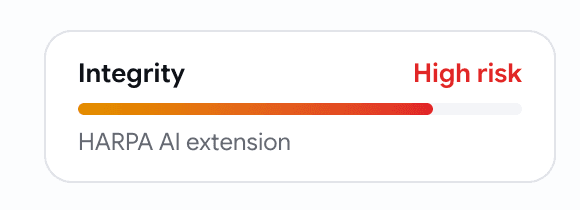
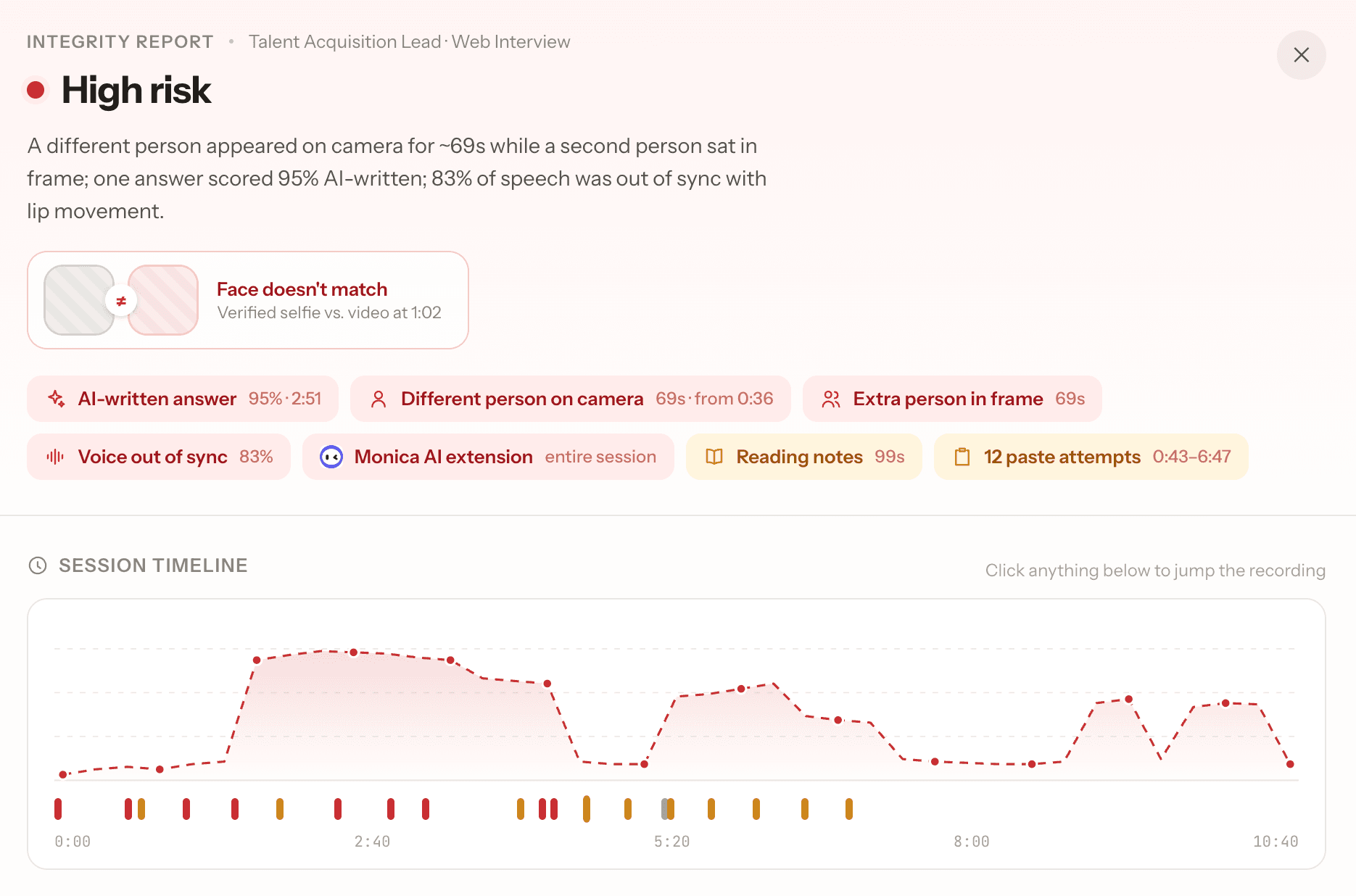
  • Each assessment attempt carries one Integrity card in its header — HARPA AI extension, AI-written answer (95%) + 35 more flags. Open it for the full report.
  • The report opens with the verdict in words, not a score to decode — and when a face doesn't match, the two photos sit side by side at the top so you can judge it yourself in a second.
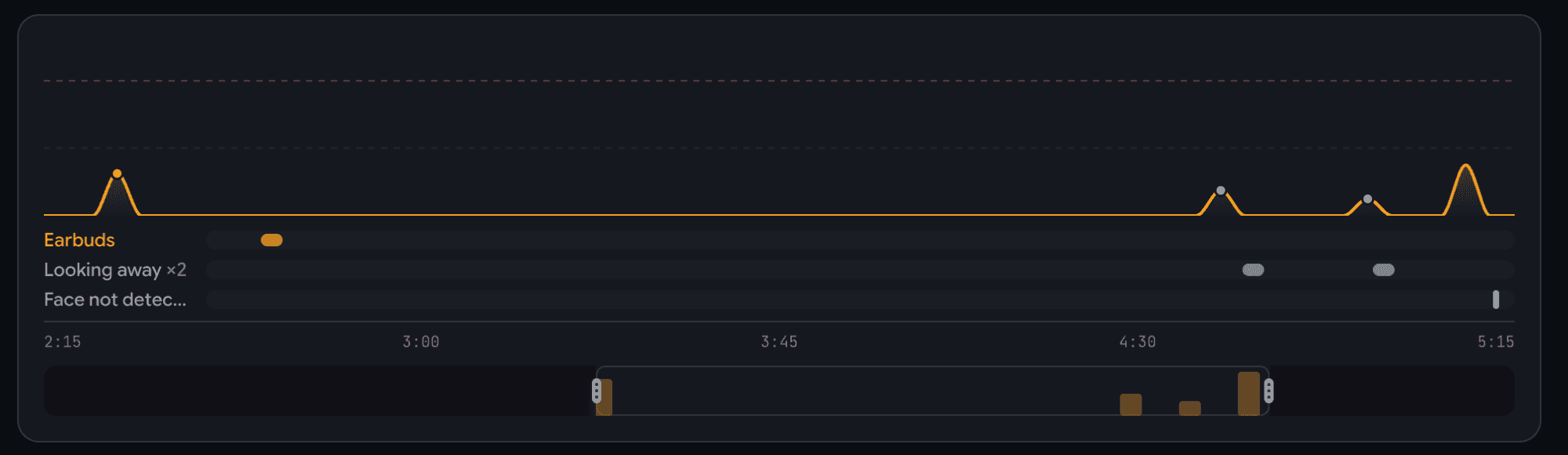
  • A timeline of the whole session shows every flag on the moment it happened, labelled — Earbuds, Looking away ×2 — and for voice interviews, tap any moment to jump the recording straight to it.
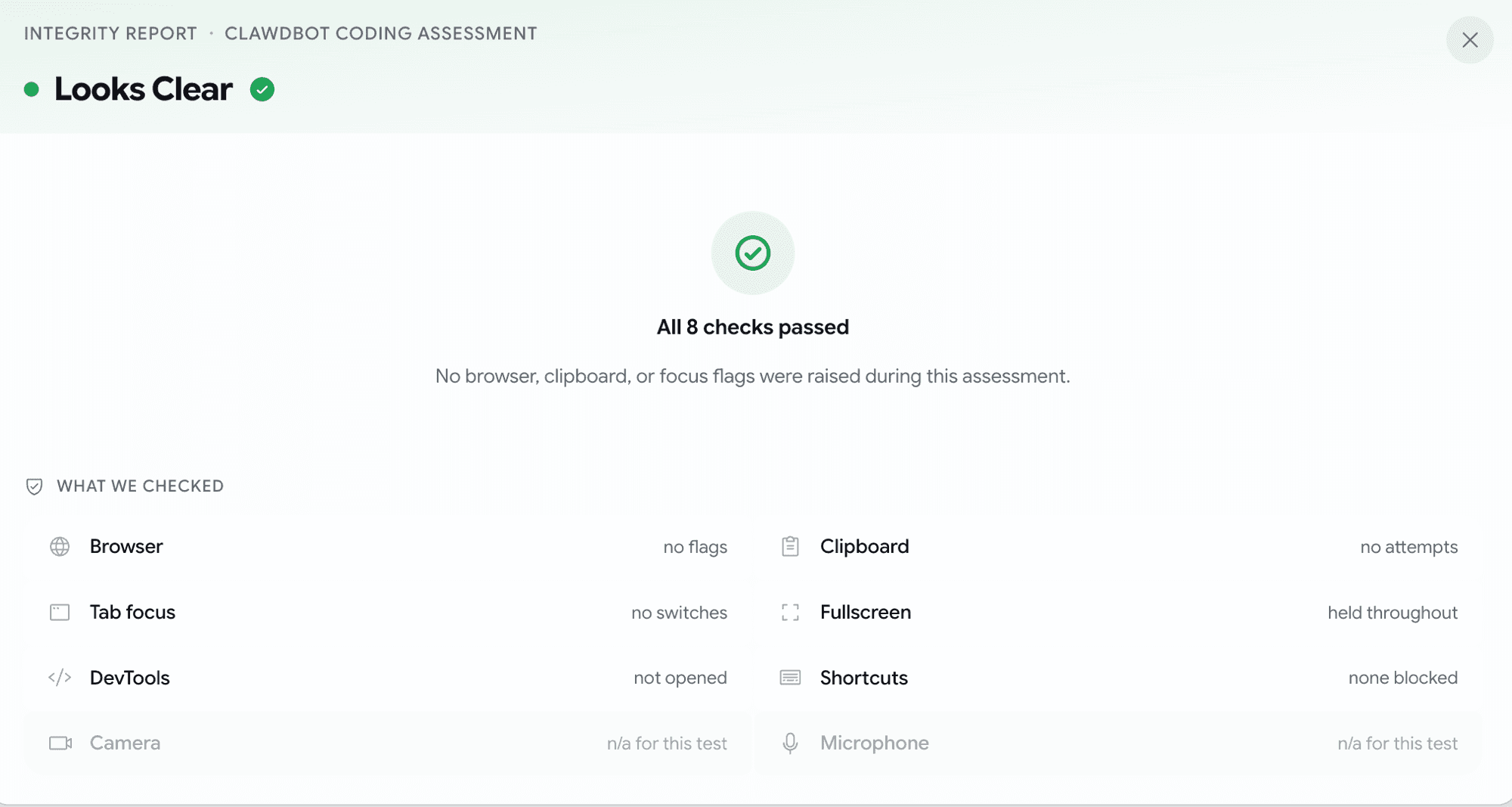
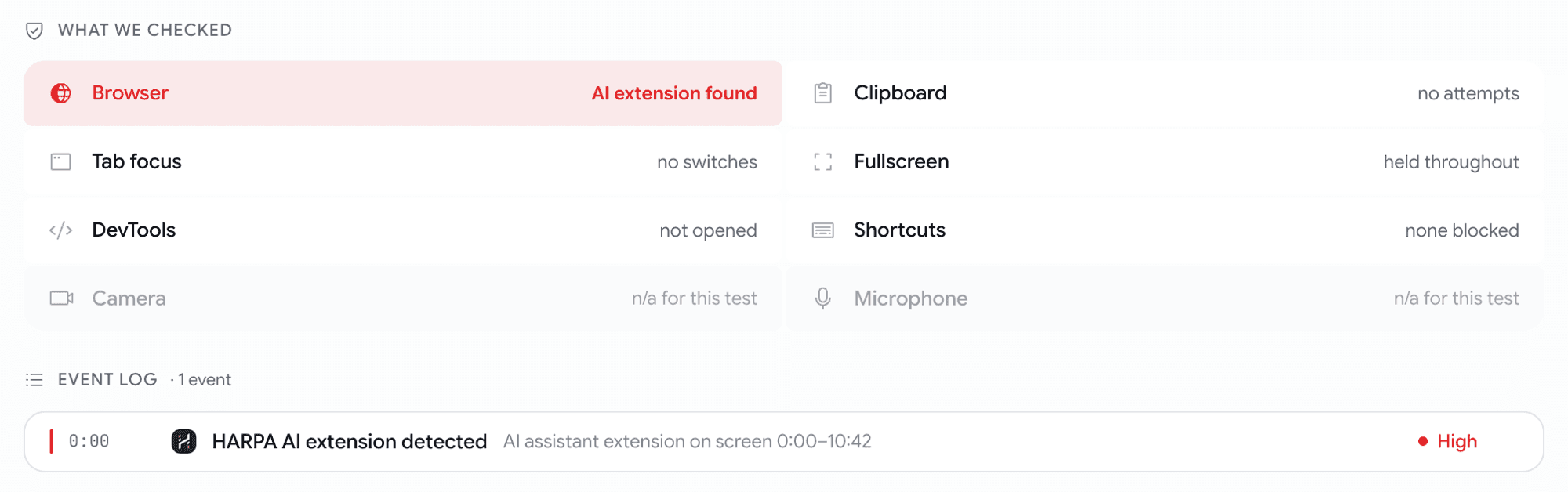
  • A What we checked grid lists all eight checks for that assessment type, so you see what passed as clearly as what didn't. Nothing wrong? You get "All 8 checks passed" instead of a wall of empty tables.
  • Below that, everything with its evidence attached: AI-written answers with the exact quoted passage, voice-to-lip match, the flagged camera frames, and a tidy event log you can filter to browser, camera, microphone, or tab.
An Integrity card on an assessment header — a meter bar, a risk label, and a one-line worst concern naming the HARPA AI extension
One card per attempt — the verdict and the single worst thing we found, before you open anything.
The Integrity Report opened on a coding attempt, with a colored verdict band, a plain-English summary, and a row of headline finding chips
The verdict in a sentence, and the findings worth your attention right under it.
A session timeline with a suspicion curve, colored flag dots on the flagged moments, and labelled lanes underneath for each signal
The whole session on one timeline — every flag on the second it happened.
An Integrity Report for a clean attempt showing an All 8 checks passed hero instead of empty tables
When a candidate is clean, the report says so plainly — no hunting for the absence of bad news.

Proctoring

We now catch AI copilots running in the candidate's browser

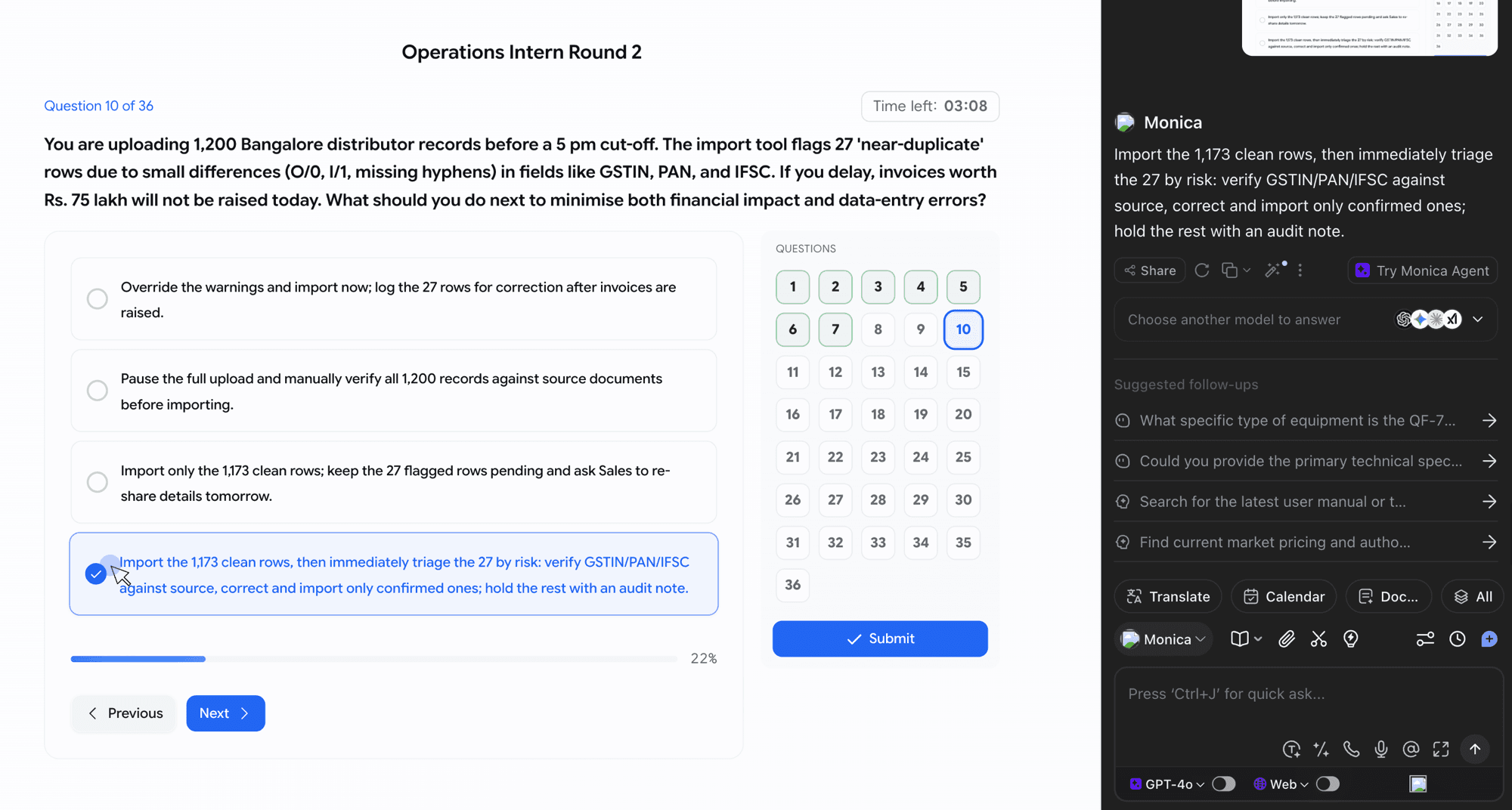
A candidate can install Monica, HARPA, Sider or the like and have an AI assistant answer questions in a floating panel — same tab, no tab switch, nothing for the old checks to see. We now catch it.

  • If a candidate had a known AI assistant open during their assessment, it turns up in the Integrity Report by name and logo — nothing for you to switch on, and nothing the candidate is told.
  • We separate used from merely installed: an assistant that was open and answering is a red, high-risk flag; one that was installed and never opened is an amber "installed, no visible use" — worth knowing, not an accusation.
  • Every flag comes with the evidence behind it — how long the assistant was on screen, and what it was showing while the candidate worked.
  • Covers all four assessment types — coding, skill-based, psychometric, and voice interviews.
A replay frame from a candidate's coding assessment with the Monica AI panel open next to the question, mid-answer
Exactly what we're catching — an AI panel open beside the question, in the candidate's own recording.
An Integrity Report event log with a Monica AI row naming the extension and the minutes it was visible, above a group of paste attempts
The extension named, timed, and sitting right next to the paste attempts it explains.
A What we checked grid on a coding attempt where every check passed except the browser one, which names the HARPA AI extension
The case this was built for — an otherwise spotless attempt with one AI assistant running through it.

Assessments

Give every candidate a different coding test from the same set

Identical question sets leak — one candidate finishes, the questions land in a WhatsApp group, and the next twenty walk in prepared. Now you can attach a bigger set and hand each candidate a random slice of it.

  • Split your questions into Fixed — everyone gets these — and a Pool everyone draws from. Click the pill on any question card to move it between the two.
  • Set how many to draw from each difficulty: 1 easy, 2 medium, 1 hard. Every candidate gets the same shape of test, just not the same questions.
  • A summary bar spells it out as you build: "Each candidate receives 6 questions: 2 fixed + 1 easy + 2 medium + 1 hard from the pool". No mental arithmetic.
  • Attach up to 24 questions, deliver up to 6 — and reshape the pool right up until a candidate starts; your changes count for everyone yet to begin.
  • Scoring is unchanged — the cutoff is still "solve X of the questions delivered", and it now counts against what the candidate actually got, not everything you attached.
A coding assessment builder with a Fixed section and a Pool section below it, each pooled difficulty having a stepper for how many questions to draw
Fixed questions on top, the pool underneath, and one stepper per difficulty.
A tooltip on the Pool section header explaining that each candidate receives a random draw from these questions
Hover anything you're unsure about — the builder explains itself as you go.

Jobs

See who changed what on a job, and when

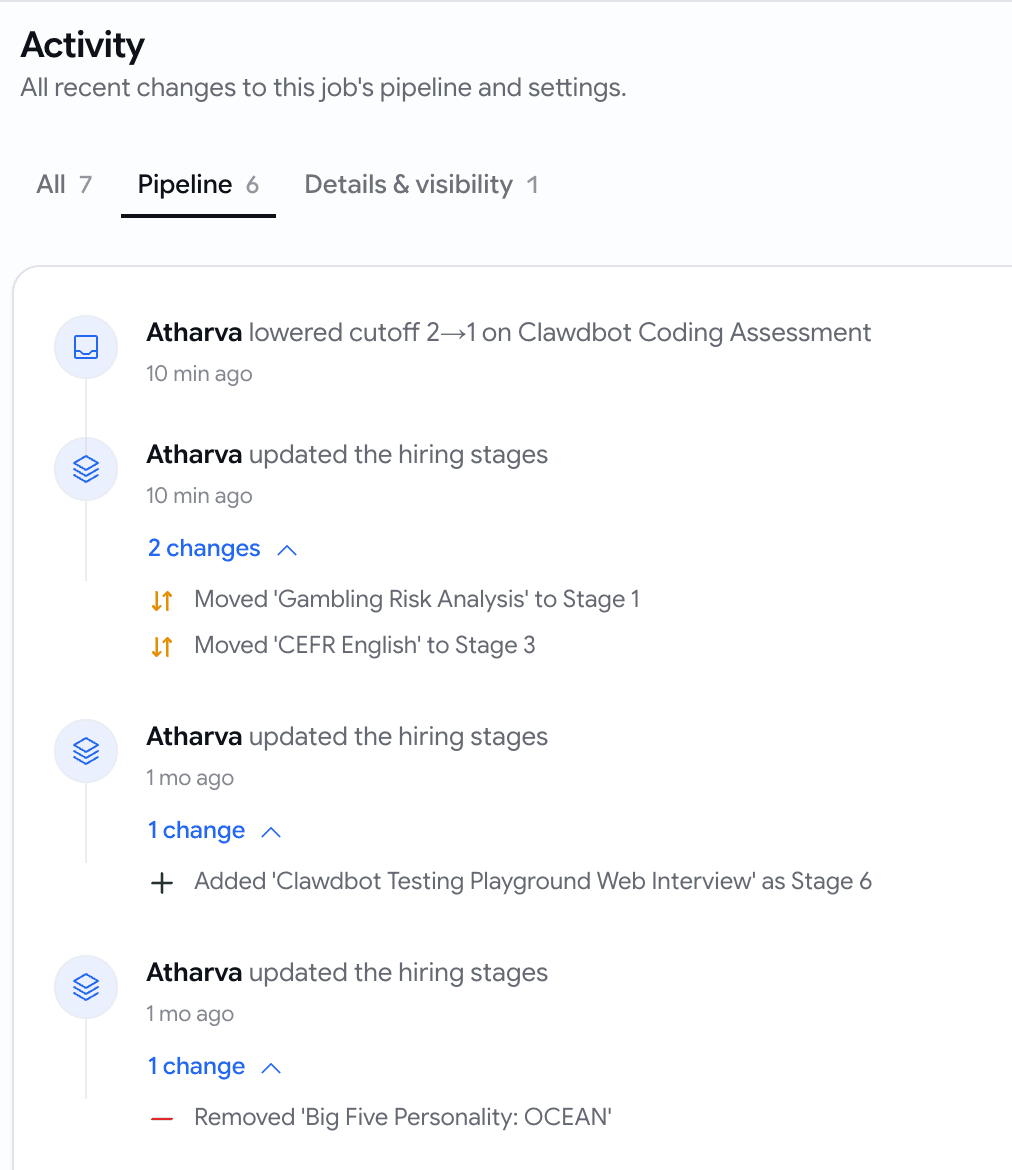
Someone dropped the cutoff on the coding round, or a stage vanished from the pipeline, and nobody could say who or when. Every job now has an Activity page that reads like a sentence.

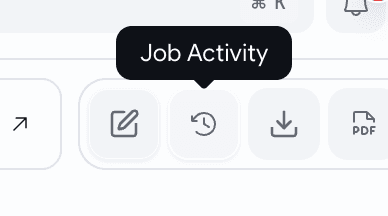
  • Open it from the clock icon on the job's applications board — a plain-English timeline of every change, newest first.
  • Pipeline changes read like people talk: "Lowered cutoff 2→1 on Clawbot Coding Assessment", "Added 'Web Interview' as Stage 6", "Moved 'CEFR English' to Stage 3". Open any row for the stage-by-stage detail.
  • Job changes are there too — published, closed, made public or private, details edited, duplicated.
  • Every row names the person who did it and the exact time, alongside a friendly "10 min ago".
  • Filter to Pipeline or Details & visibility when you're chasing one kind of change.
A job Activity page showing a timeline of changes, each with who made it, how long ago, and an expandable stage-by-stage detail
Every change to the job, in a sentence, with a name and a time against it.
The job applications board action strip with a new clock icon labelled Job Activity
One clock icon on the board you're already looking at.

Proctoring

Verify a candidate's ID straight from the government source with DigiLocker

Our photo check proves the candidate's face and name match the ID they're holding up — but not that the ID itself is real. DigiLocker closes that gap: the photo and name come from UIDAI, so the document can't be forged.

  • On the ID step, the candidate picks Connect DigiLocker (recommended) or Take a photo of your ID instead — the fallback stays for anyone who doesn't use it.

  • They give consent in DigiLocker, and we receive their Aadhaar photo and name from the government source. We match the photo against the selfie they just took and the name against the applicant on file.

  • A pass sends them straight into the interview. A mismatch is flagged for you to review — same as today.

  • You see it in the same verification panel you already use: a via DigiLocker badge and the photo labelled as pulled from DigiLocker.

June Week 4

Automatically review every voice interview for cheating after the call, capture who you hired the moment you close a role, start a coding test with questions already matched to the job, open any Insights report straight in Google Sheets, and let candidates save a role and come back to it later.

  • voice
  • proctoring
  • jobs
  • assessments
  • insights

Voice

Catch what slipped past the live camera

Voice interviews already watch the camera during the call, but a quick camera-flip to a friend, a phone just out of shot, or someone feeding answers can slip through. Now every voice interview gets a careful second look once it's over.

  • Every voice interview is reviewed automatically after it ends — nothing to switch on, nothing for the candidate to do, and zero effect on their call.
  • It looks for the things that actually matter: a different person answering, an extra person in frame, a phone or earbuds, reading off notes, or a photo held up to fool the camera.
  • A calm Video Proctoring summary lands on the candidate's voice assessment — a single reassurance line when nothing's off, and a clear verdict with the flagged moments when something is.
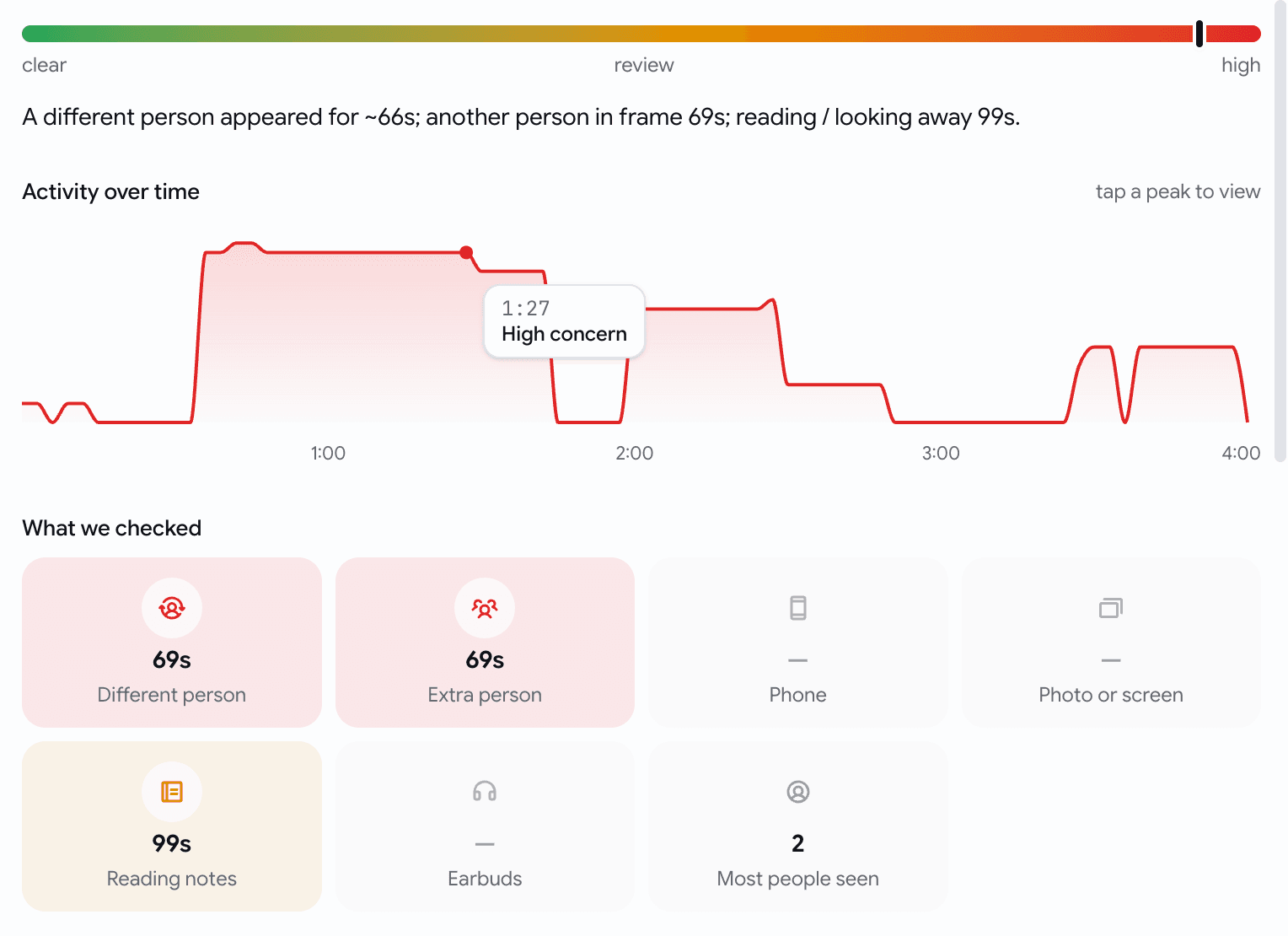
  • Open the full report for a timeline of the whole interview, what we checked, and the exact flagged frames — tap any moment to jump straight to it.
A Video Proctoring strip on a voice assessment — a colored verdict, a one-line plain-English summary, a row of signal chips like Different person and Phone, and a quiet View report link
A calm summary on the assessment — it stays quiet when nothing's wrong, and speaks up when something is.
A Video Proctoring report slide-over — a green-to-red suspicion meter, a plain-language summary, an Activity over time chart, What we checked tiles, the flagged time-segments, and a gallery of flagged frames
The full report — a timeline you can tap, what we checked, and the exact moments we flagged.
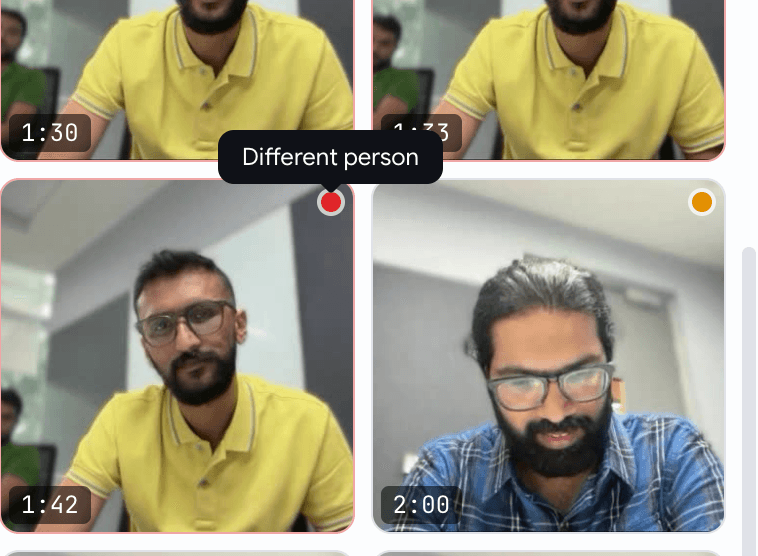
A gallery of flagged interview frames, each with a small severity dot and a timestamp, one hovered to reveal the signal it caught — Different person
Every flag comes with the frame behind it — hover for what it caught, click to enlarge and judge for yourself.

Jobs

Closing a job now asks who you hired

Closing a filled role used to just flip a status — and the hire never made it into your numbers. Now closing asks the one question worth asking, and pre-fills the answer.

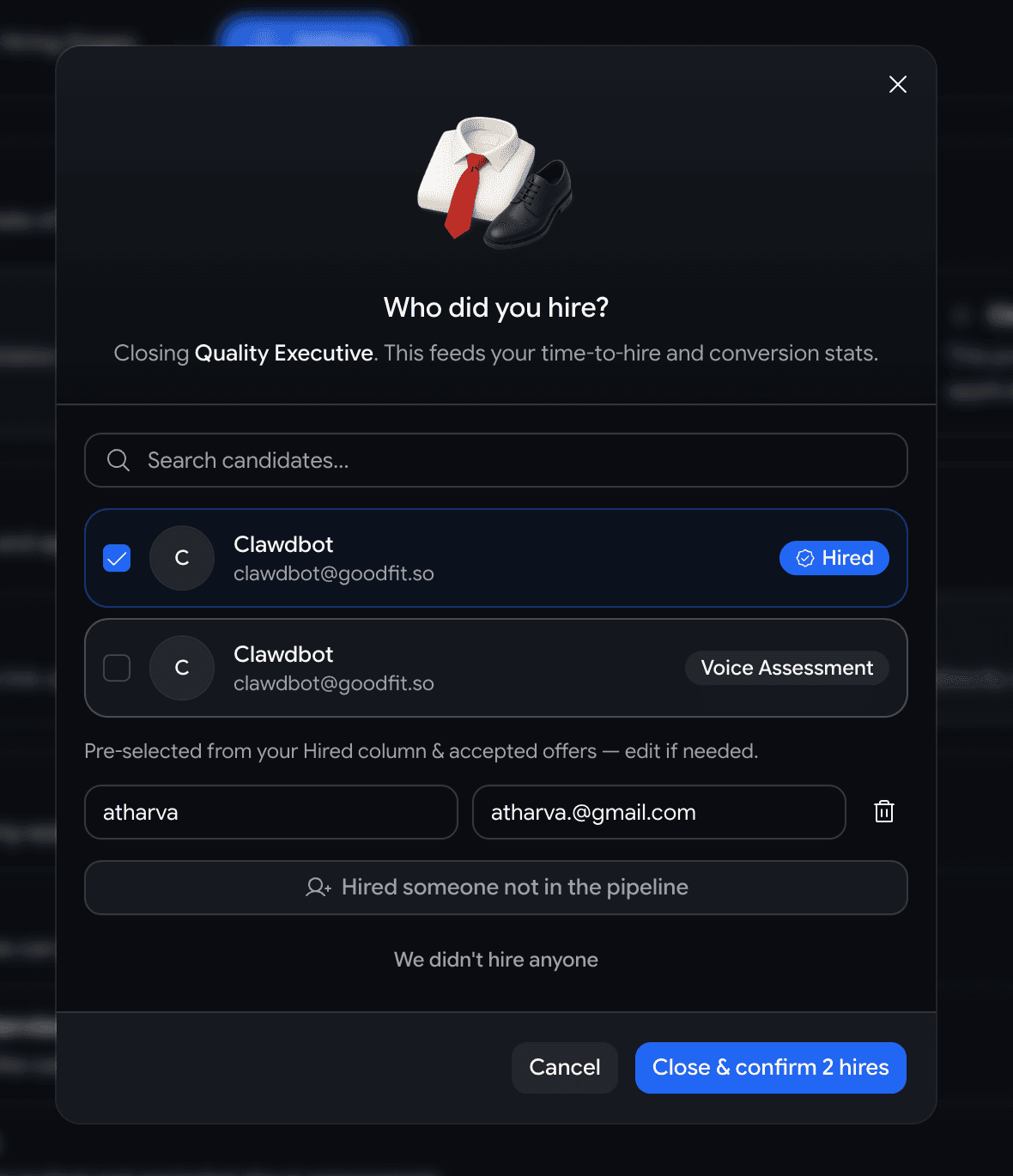
  • Hit Closed on a job and a short Who did you hire? dialog opens, pre-checked with anyone already marked hired or holding an accepted offer — best case, you confirm and you're done.
  • Hired someone from the pipeline? They're recorded as a hire, so time-to-hire, conversion, velocity, and sourcing stats fill in for free.
  • Hired someone off-platform? Add their name — and email if you have it — as many people as you need.
  • Didn't hire anyone? Pick a reason — filled internally, budget freeze, cancelled, still deciding — and leave a note.
A Who did you hire? dialog with a hero illustration, a pre-checked in-pipeline candidate, an add-someone-not-in-the-pipeline option, and a confirm button
Pre-filled for the common case — confirm the hire, record an off-platform one, or say why the role closed without a hire.

Assessments

Building a coding test for a role? It suggests questions to start with

A coding assessment built for a specific job used to open as a blank bank you searched by hand. Now it opens with three questions already matched to that role.

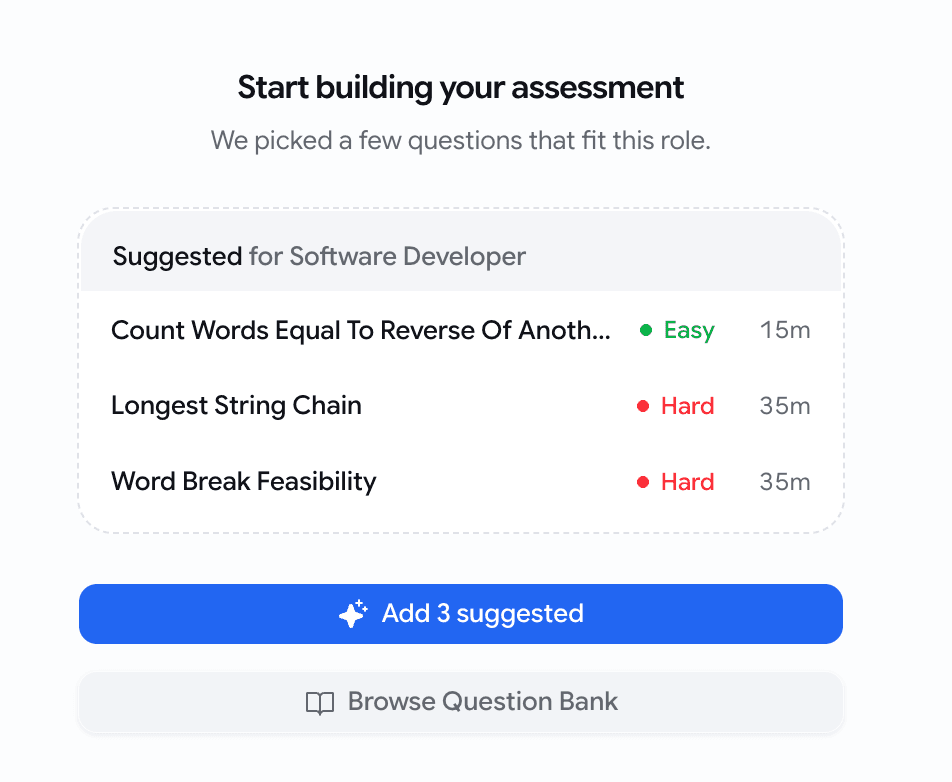
  • Create a coding assessment for a job and the empty state leads with 3 suggested questions, ranked against the job's title, description, and required skills.
  • One Add 3 suggested tap drops all three in — then add, swap, or edit like any other question.
  • Picks come straight from your existing question bank, so they're questions you already trust — surfaced up front instead of hunted for.
  • Building a standalone test with no job attached? The plain builder is exactly as it was.
A coding assessment builder empty state with a Suggested for this role card listing three questions, each with a difficulty dot and an estimated time, above an Add 3 suggested button
Three high-signal picks for the role, one tap to seed all three.

Insights

Open any Insights report straight in Google Sheets

Every Insights page already exported a CSV — but if you live in spreadsheets, that meant download the file, open Sheets, import it. Now it's one click.

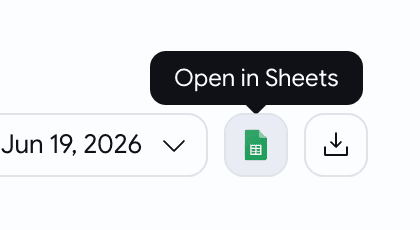
  • A new Open in Sheets button sits next to Download CSV on every Insights page — overview, pipeline, activity, and sourcing.
  • It opens the data you're looking at as a live Google Sheet — one tab per section, with bold, frozen headers.
  • It matches your filters and date range exactly — what's on screen is what lands in the sheet, nothing more.
  • The sheet opens shareable by link, so you can hand the numbers to anyone who needs them.
The Insights page actions row with an Open in Sheets button sitting just before Download CSV, after the filters and date picker
Right where the CSV button already lived — Open in Sheets, one click away.
A Google Sheet opened from an Insights export, with one tab per report section and a bold, frozen header row
A real Google Sheet — one tab per section, headers bold and frozen, ready to work in.

Jobs

Candidates can save a role and come back to it later

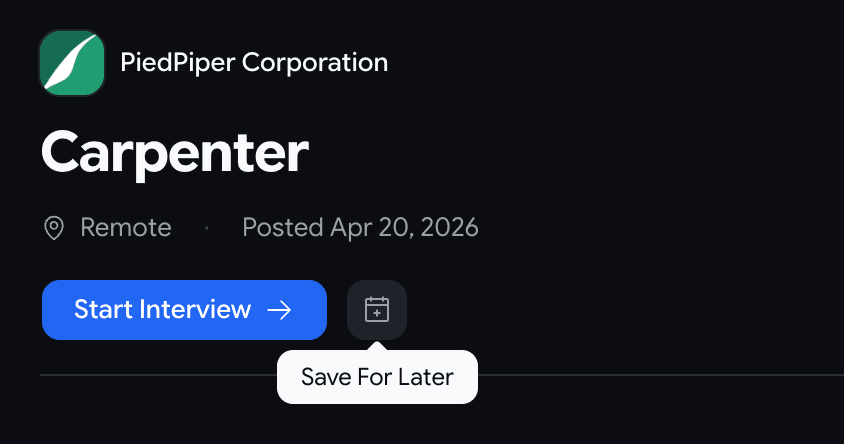
  • A new Save For Later button sits beside Start Interview on public job pages.
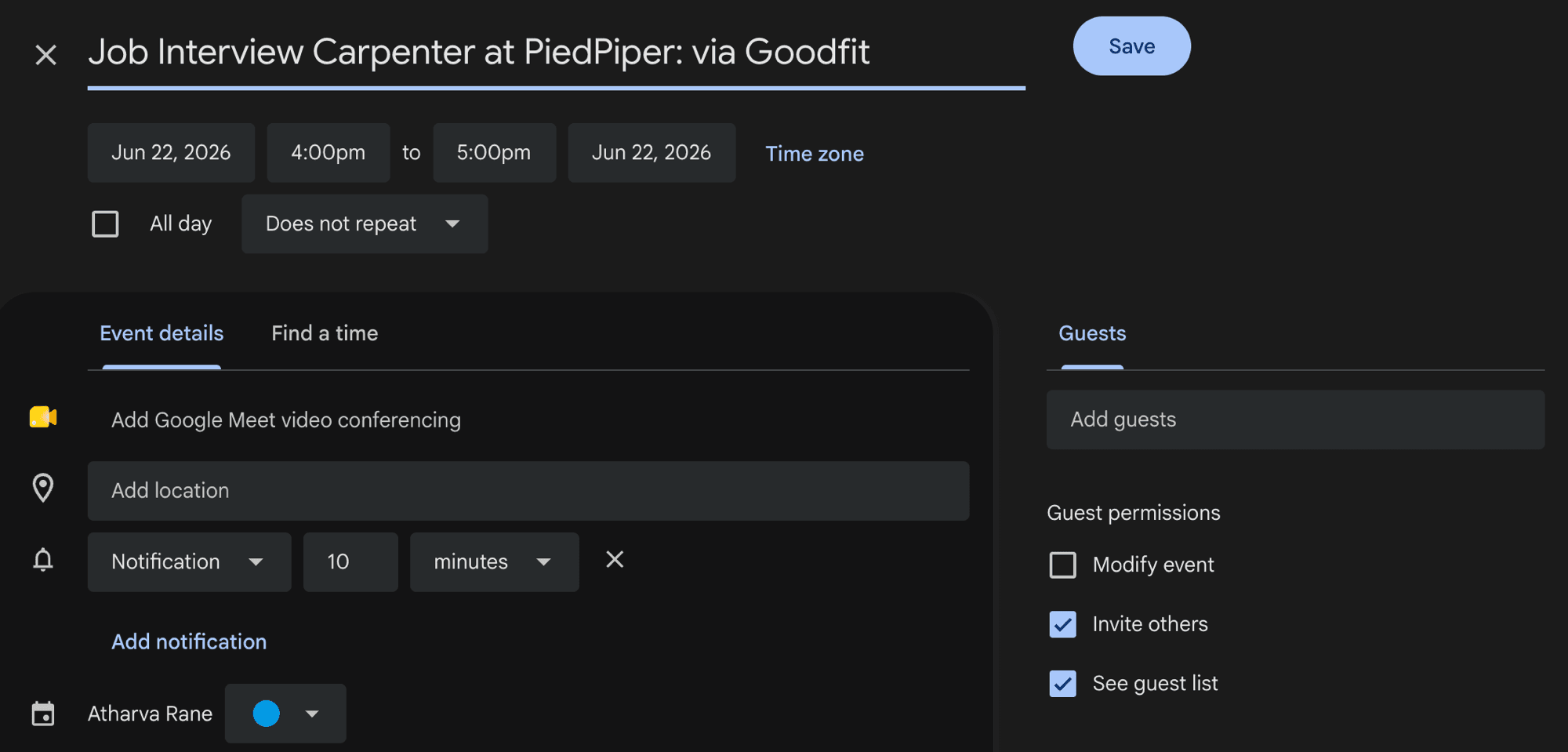
  • One tap opens a Google Calendar reminder, pre-filled and linking straight back to the role — the candidate picks whatever time works for them.
  • It's a personal reminder, not a booking — nothing is reserved and no one on your team is pinged.
A public job page action bar with a Start Interview button and, beside it, an icon-only calendar-plus button showing a Save For Later tooltip on hover
One quiet button beside Start Interview — for the candidate who can't interview right now.
A Google Calendar new-event editor opened from the job page, with the event title and a link back to the role pre-filled and the time left blank for the candidate to choose
The reminder arrives pre-filled with the role and a link back — the candidate just sets the time.

June Week 3

Score how well a candidate actually speaks the interview's language, hand a job and its notifications to the right teammate, drop a ready-made support video or getting-started banner into your invitation emails, walk candidates through what to expect before every assessment, light up the screens people get stuck on with guided walkthroughs, and stream your hiring events to your own systems in real time.

  • voice
  • scorecards
  • jobs
  • email
  • assessments
  • developers

Voice

See how well a candidate actually speaks the language

A voice scorecard told you what a candidate answered. Now it can also tell you how well they speak the language the interview ran in.

  • Flip on Score language proficiency in the voice assessment's settings.
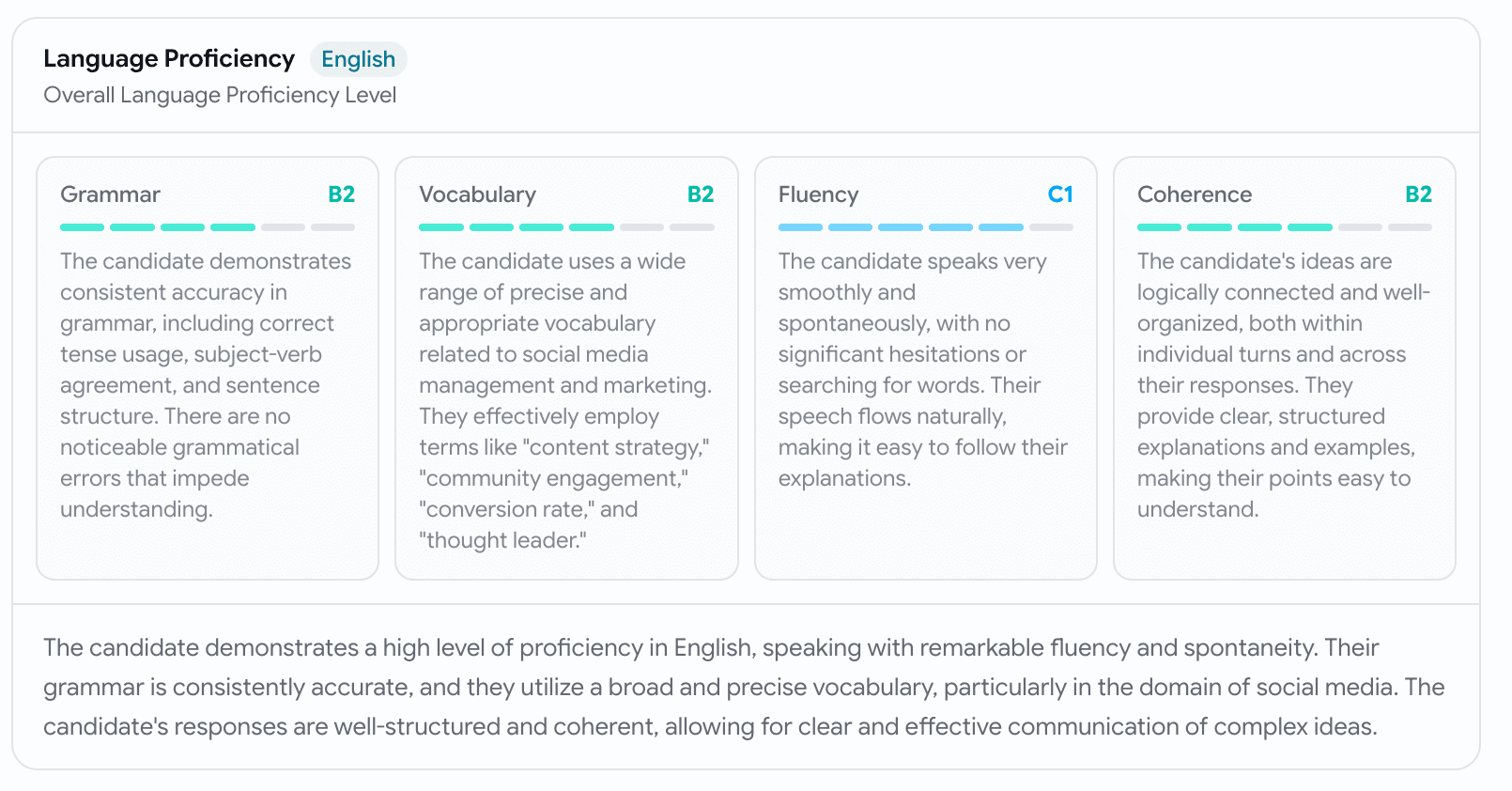
  • Broken out across grammar, vocabulary, fluency, and coherence, each with a reason and a short summary.
  • It's judged in the language the candidate actually spoke, answer fluently in Hindi and you're scored on Hindi, no English penalty.
  • The proficiency folds into the candidate's overall /10, so it counts toward the same cutoffs as every other skill.
A Score language proficiency toggle, switched on, with a translate icon and helper text reading: Adds a whole-interview grammar and fluency score to the candidate's result, judged in the language they spoke
One switch in the voice builder
A Language Proficiency card on an application — an English chip, an overall level, and a four-up Skills Breakdown of Grammar B2, Vocabulary B2, Fluency C1, and Coherence B2, each with a six-segment CEFR bar and a short justification, then a summary paragraph
Read on the whole interview — overall level, four sub-scores, and the reasoning behind each.

Jobs

Hand a job — and its notifications — to the right person

The person who first posted a job often isn't the one who should be fielding its activity a month later. Now you can hand it over.

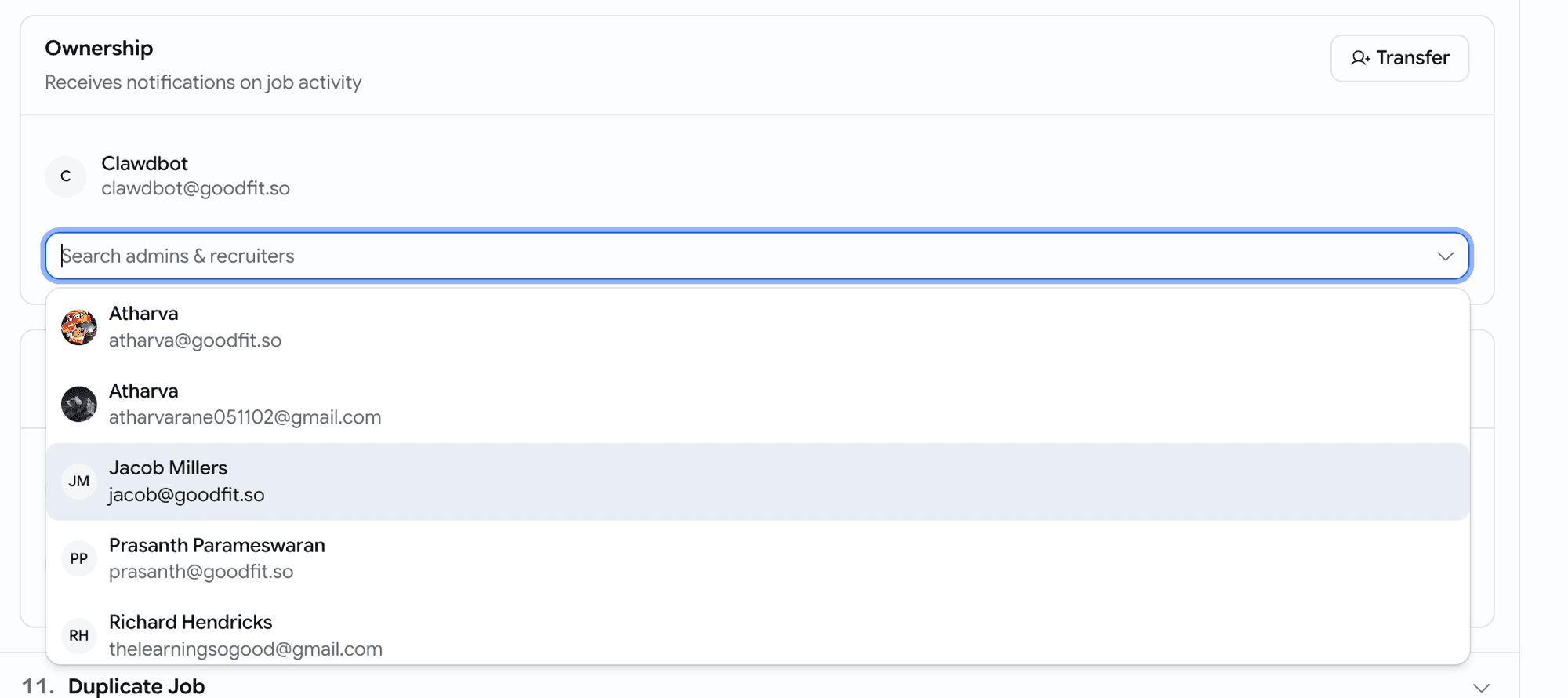
  • A new Ownership card on the job's edit page shows who currently receives the job's notifications, with a Transfer button.
  • Hit Transfer, search your admins & recruiters, pick the new owner, and confirm.
  • From that moment, every assessment-completed, hired, and rejected email for the job lands in their inbox instead — no more forwarding by hand.
An Ownership card on a job edit page — sub-text reading Receives notifications on job activity, a Transfer button, the current owner shown, and an open Search admins and recruiters combobox listing four eligible teammates to hand the job to
Search your team, pick the new owner, confirm — the job's notifications follow.

Email

One-click onboarding blocks for your invitation emails

Candidates often open an invite wondering how to even start. Now you can answer that right inside the email — without building it by hand.

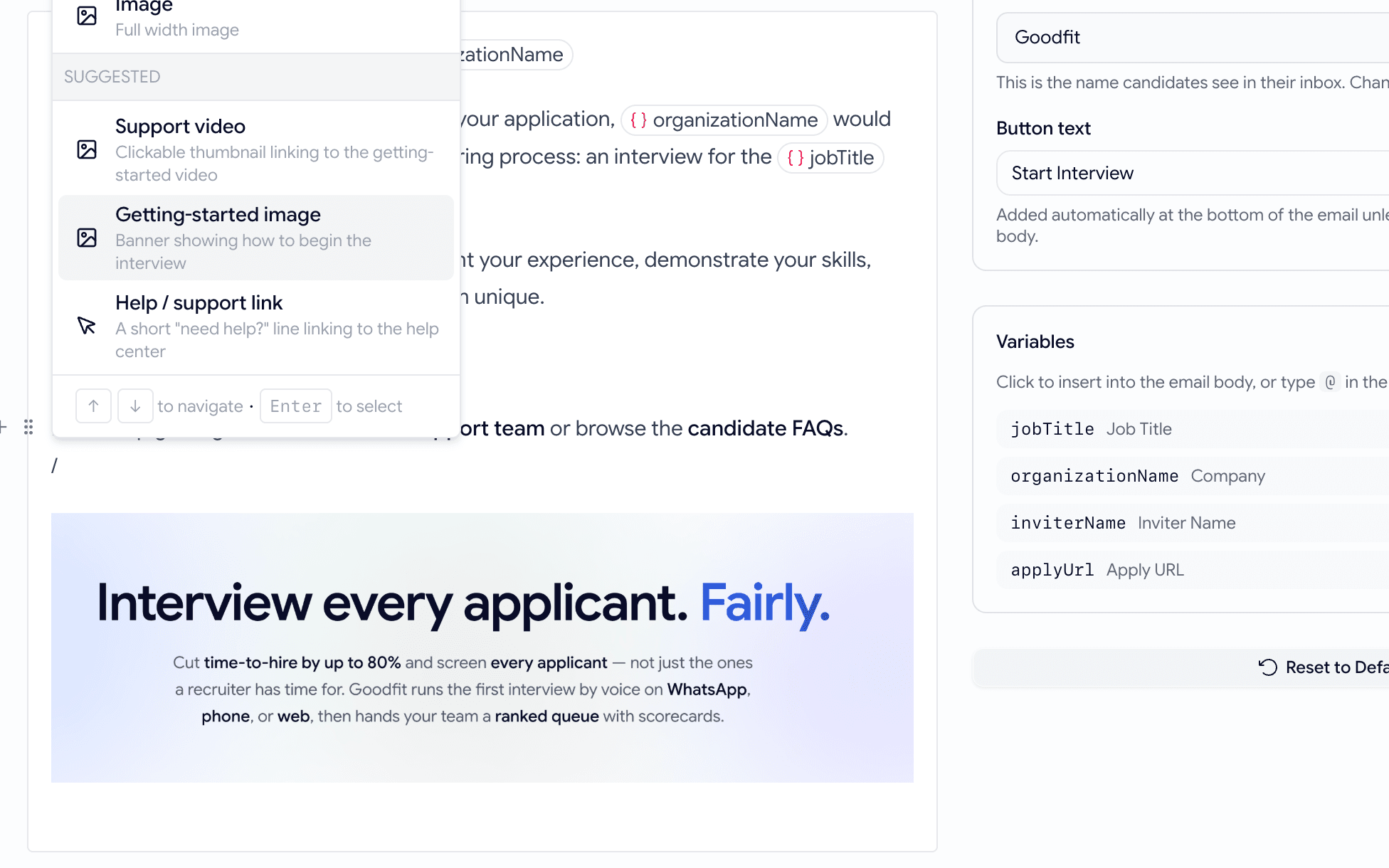
  • Type / in the email body, or use the insert menu, and you'll find a new Suggested group at the bottom.
  • Three ready-made, on-brand blocks: a Support video thumbnail, a Getting-started banner, and a short Help / support link.
  • Each drops in complete — thumbnail, link, and copy already filled — and you can edit it afterwards like any other block.
The email editor's slash-command menu open, showing a SUGGESTED group with three entries — Support video, Getting-started image, and Help / support link — each with a one-line description
A new Suggested group, one keystroke away in the body editor.
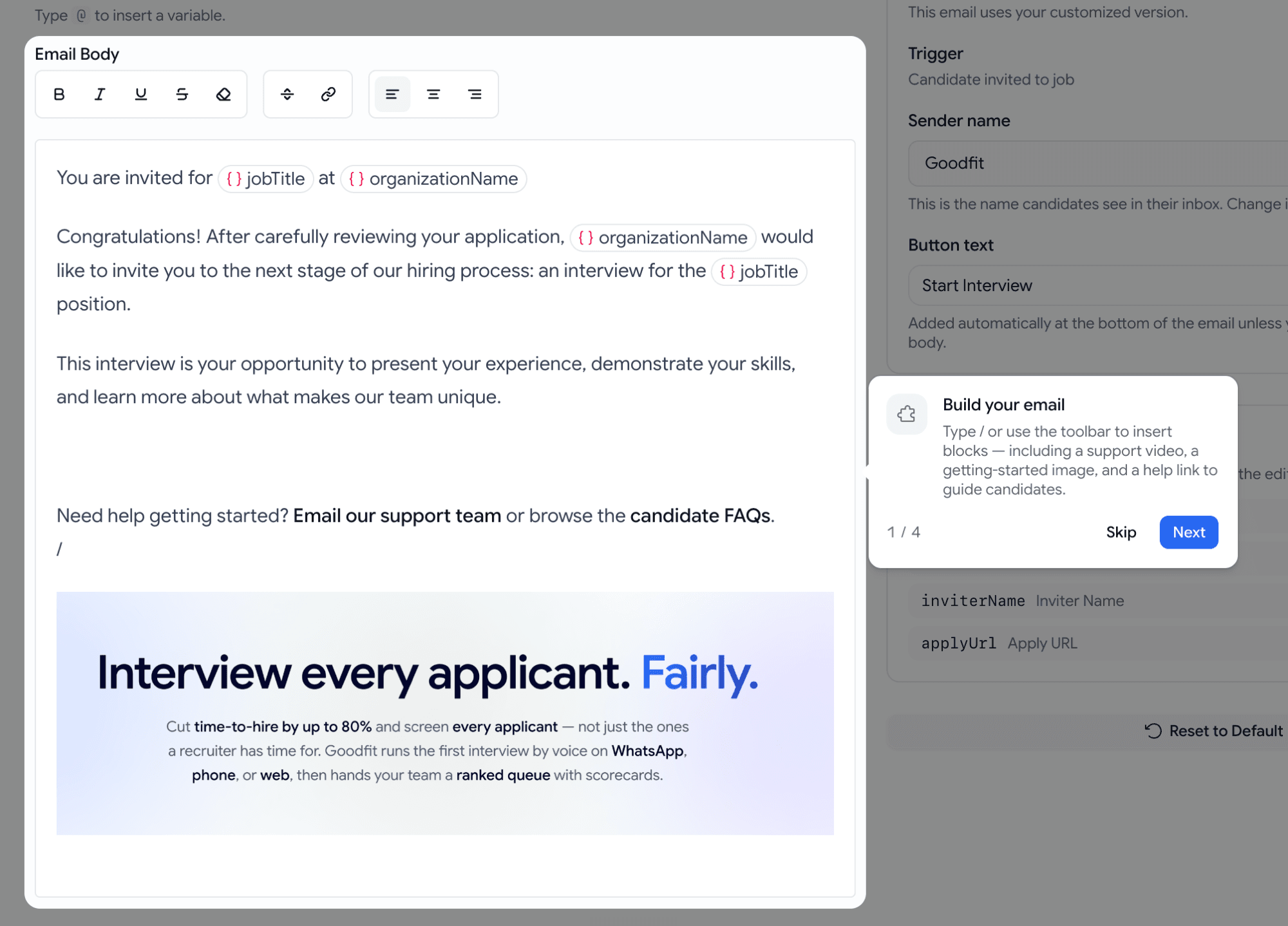
An email body after inserting blocks — a Need help getting started line with two links, then a full-width Interview every applicant. Fairly. getting-started banner with its sub-copy
One click and the block arrives complete — banner, links, and copy in place.

Assessments

A guided 'what to expect' before every assessment

Candidates used to skim the start screen, hit Begin, and get tripped up mid-test — by the timer, the camera, or thinking that finishing one question ended the whole thing. Now they walk through it first.

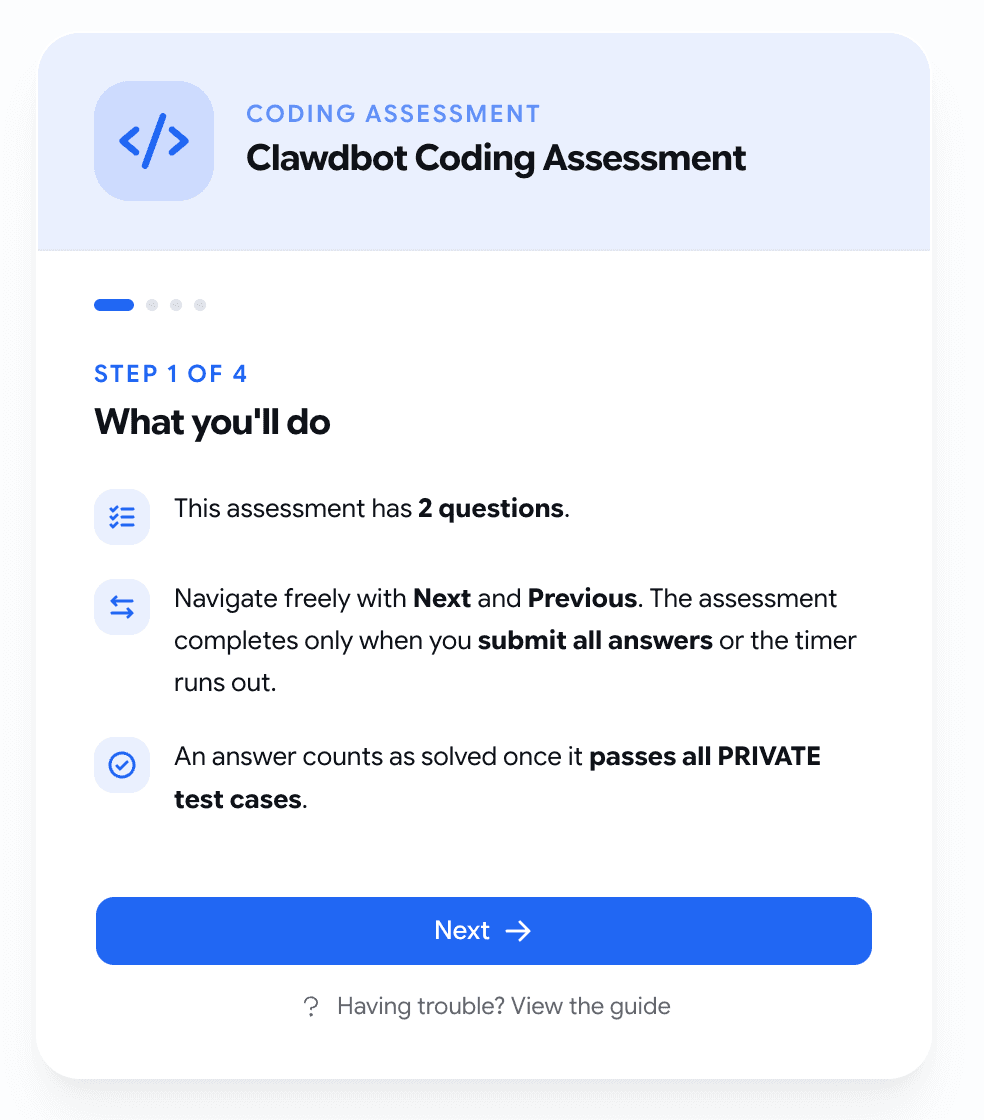
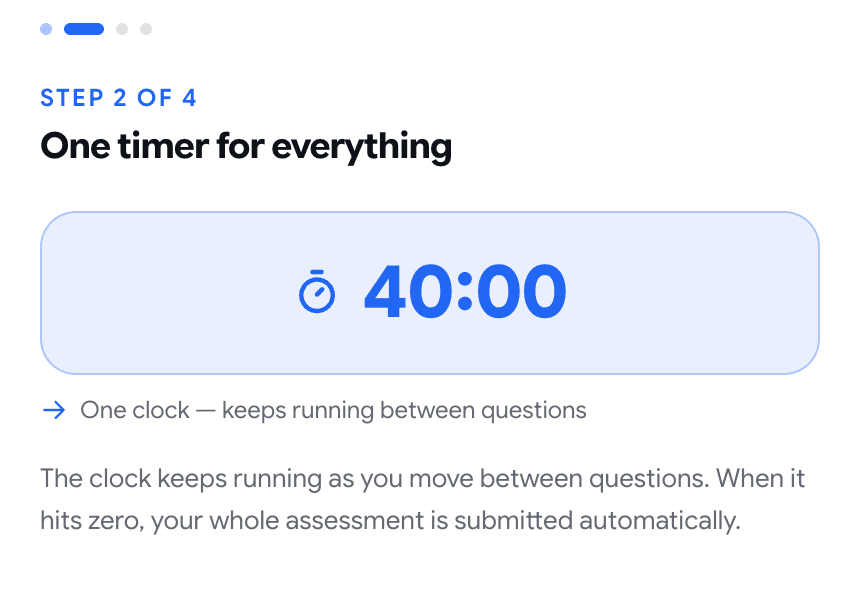
  • A short, stepped intro replaces the old wall of text: what you'll do → timing → camera & your space → ready, one idea per screen.
  • The timing step shows the real numbers and makes it unmistakable whether each question is timed on its own or one clock runs the whole way.
  • It states plainly that the camera and mic stay on and record the whole time, and asks the candidate to find a quiet, well-lit spot.
  • The camera turns on quietly in the background while they read, so there's no waiting around when they reach Begin.
Step 1 of 4, What you'll do, on a coding assessment — three fact rows with icons: this assessment has 2 questions, navigate freely and it completes only when you submit everything or time runs out, and an answer counts once it passes all private test cases, above a Next button
Step one sets the frame — and kills the 'did I just finish everything?' confusion up front.
Step 2 of 4, One timer for everything — a large 40:00 clock in a tinted panel captioned One clock, keeps running between questions, with text explaining the whole assessment submits automatically at zero
The timing step shows the real clock and exactly what happens when it hits zero.

Getting started

Guided walkthroughs for the screens people get stuck on

Some screens are dense enough that a first-timer just stares. Now the rest of the screen dims, one thing lights up, and a plain-language card explains it — one step at a time.

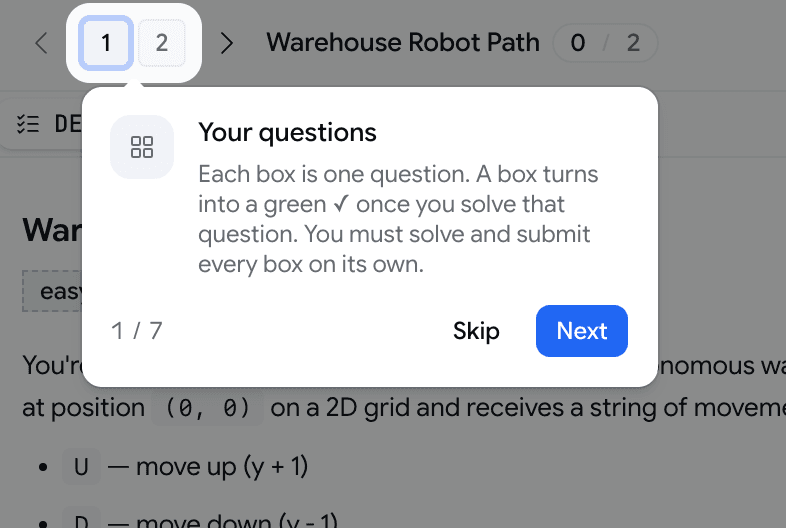
  • In the coding assessment, a walkthrough covers the numbered question boxes, the green ✓ that means solved, the difference between Run and Submit, and that you submit each question on its own.
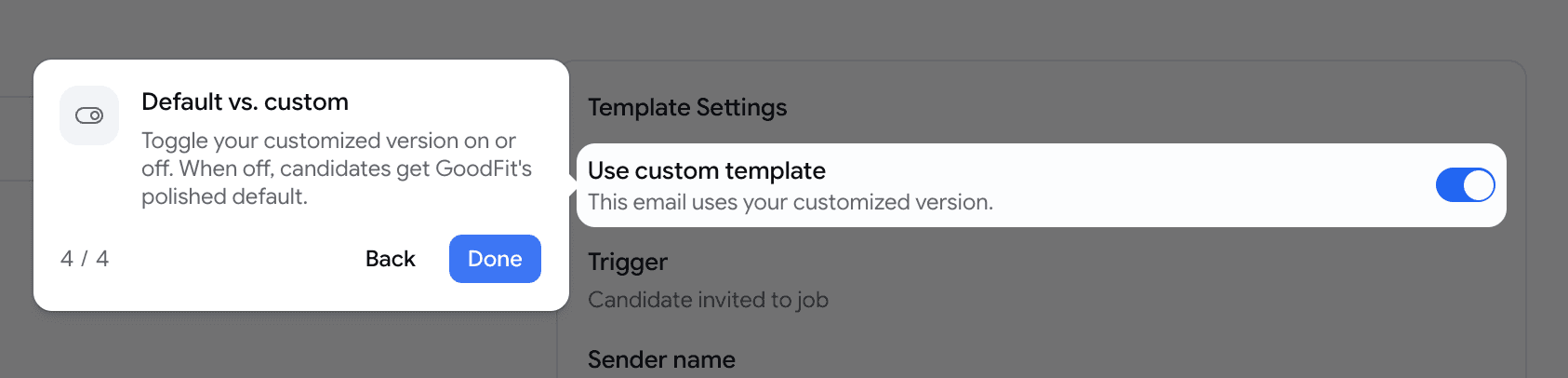
  • In the email template editor, a walkthrough covers building with blocks, personalizing with variables, sending yourself a test, and the toggle between GoodFit's polished default and your custom version.
  • Each shows up on its own the first time, and a ? button replays it whenever someone wants a refresher — it never replaces the option to reach a human.
A coding assessment with the page dimmed and the numbered question boxes spotlit, alongside a card reading: Each box is one question. A box turns into a green check once you solve that question. You must solve and submit every box on its own — with Skip and Next buttons
The page dims, one element glows, and a plain-language card explains it.
The email editor with a Use custom template toggle row spotlit and a card reading: Toggle your customized version on or off. When off, candidates get GoodFit's polished default — with Back and Done buttons
The same walkthrough, in the email editor — here on the default-vs-custom toggle.

Developers

Stream your hiring events to your own systems

The goodfit API could already drive your hiring end-to-end — but you had to keep asking it what changed. Now it can tell you the moment something happens.

  • Subscribe a URL to the events you care about — 16 of them, spanning jobs, applications, assessments, candidates, and prescreening.
  • When a matching event fires — a candidate finishes an assessment, gets hired, passes prescreening — goodfit POSTs a signed JSON payload to your endpoint within seconds.
  • Delivery is durable: it's queued, retried with backoff, and every attempt is logged, so you can replay anything your system missed while it was down.
  • Manage it all over the same x-api-key API you already use — create subscriptions, page the delivery log, or fire a test payload at any URL before going live.
// POST → your endpoint, on every matching event
{
  "id": "9f2c…",                 // unique per event — dedupe on this
  "event": "assessment.evaluated",
  "createdAt": "2026-06-15T12:00:00.000Z",
  "organizationId": "Qu1Dl…",
  "data": { "applicationId": "…", "assessmentType": "voice", "score": 8, "maxScore": 10 }
}
// signed with your secret in the X-Webhook-Signature header — verify before trusting

June Week 2

Find your best-matching candidates as ready-to-invite cards on the board, catch every mention, completion, and invite in a new notification bell, @mention teammates and read your panel's verdict at a glance, filter applicants in plain English, choose how each written answer is graded, diff a candidate's coding attempts, and connect your jobs and candidates to Claude in one paste.

  • hiring
  • notifications
  • assessments
  • scorecards
  • talent-pool
  • developers

Hiring

Meet your best-matching candidates right on the board

The strongest resume matches in your workspace now appear right where you work — ready to invite in one move.

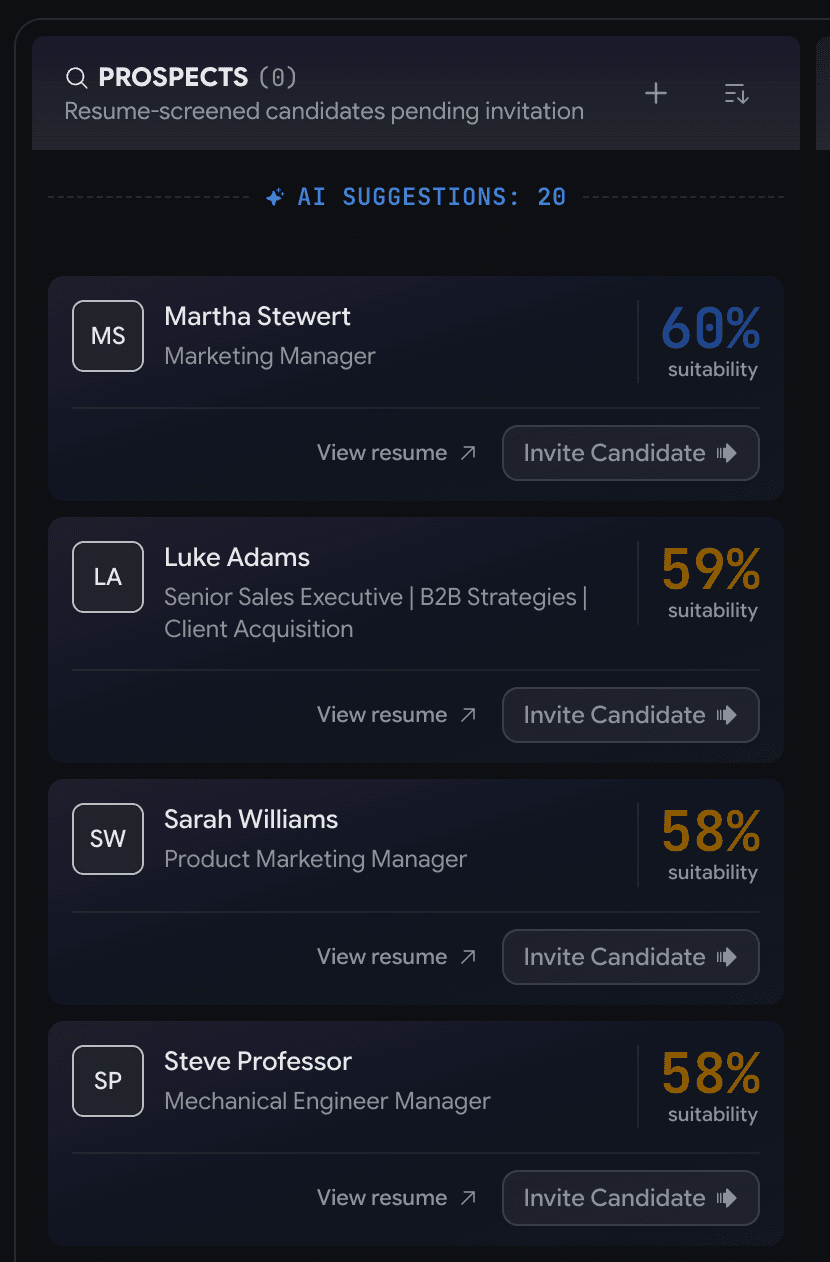
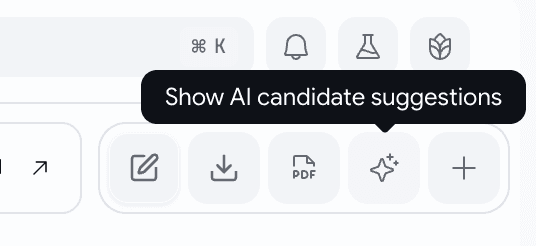
  • Flip on ✨ Show AI candidate suggestions and your closest resume matches appear under Prospects, each with a fit score.
  • Drag one onto Invitations or hit Invite Candidate — send the interview invite.
A job's Prospects column with a dashed AI Suggestions divider and faded candidate cards below — each with an avatar, name and headline, an open-resume arrow, a circular match-percent ring, and a full-width invite button
Your closest matches, surfaced under Prospects — invite any of them in one move.
The job board toolbar with edit, download, PDF, a highlighted sparkle button, and plus; a tooltip over the sparkle reads Show AI candidate suggestions
One sparkle button turns it on — and it's off until you ask for it.

Notifications

Notification bell, so nothing slips past you

Mentions, completions, and invites used to live only in your inbox. Now they also live as in-app notifications.

  • Grouped Today / This Week / Earlier.
  • It pings you when a teammate @mentions you, a candidate finishes their pipeline, or you're invited to an organization.
  • A gentle pop-up for the moments worth interrupting you; a silent badge for the rest.
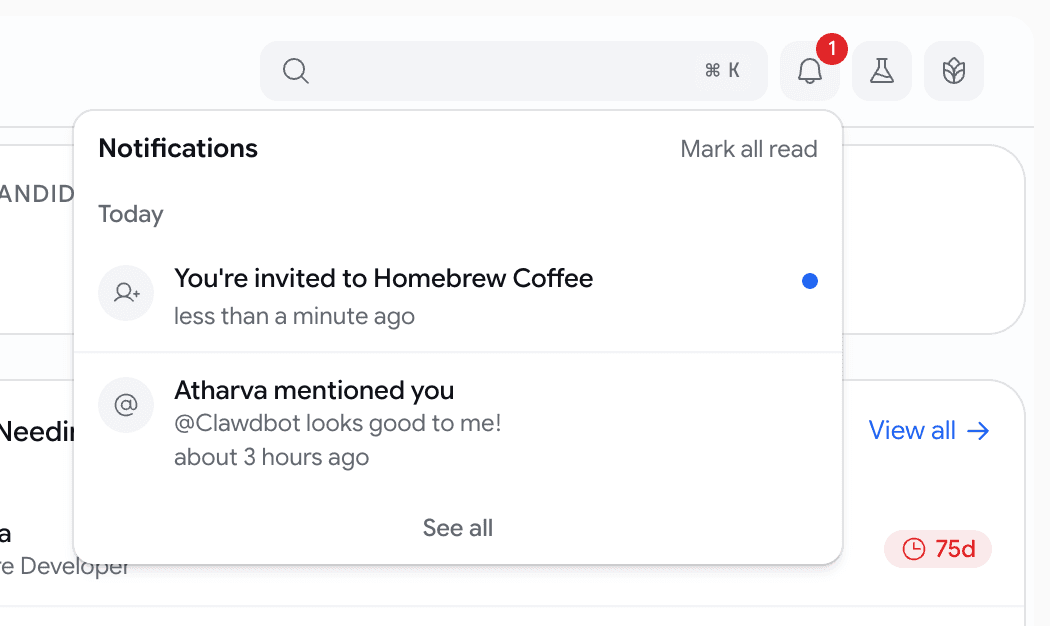
A bell with a red unread badge in the navbar, and an open panel headed Notifications with a Mark all read action, a Today bucket, an org-invite row, a mention row with an unread dot, and a See all footer
One glance tells you what happened while you were away.
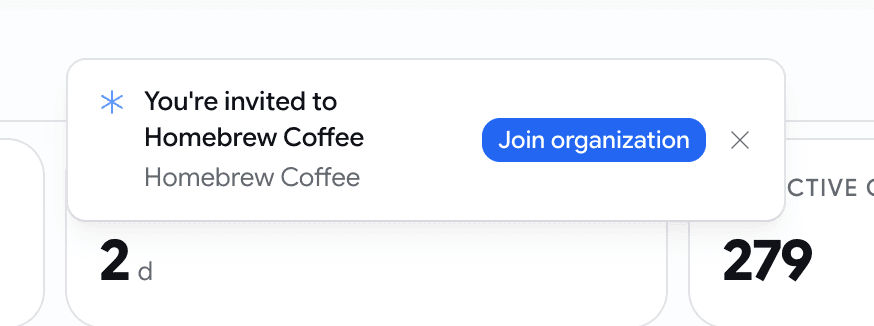
A notification pop-up reading You're invited to Homebrew Coffee with the org name as a subline and a blue Join organization button
The moments worth a pop-up come with a button straight to the action.

Hiring

Loop in a teammate, and read your panel's verdict at a glance

Two upgrades on a candidate's feedback panel: pull a colleague in, and see where your interviewers landed without doing the math.

  • Type @ in a comment to tag a teammate.
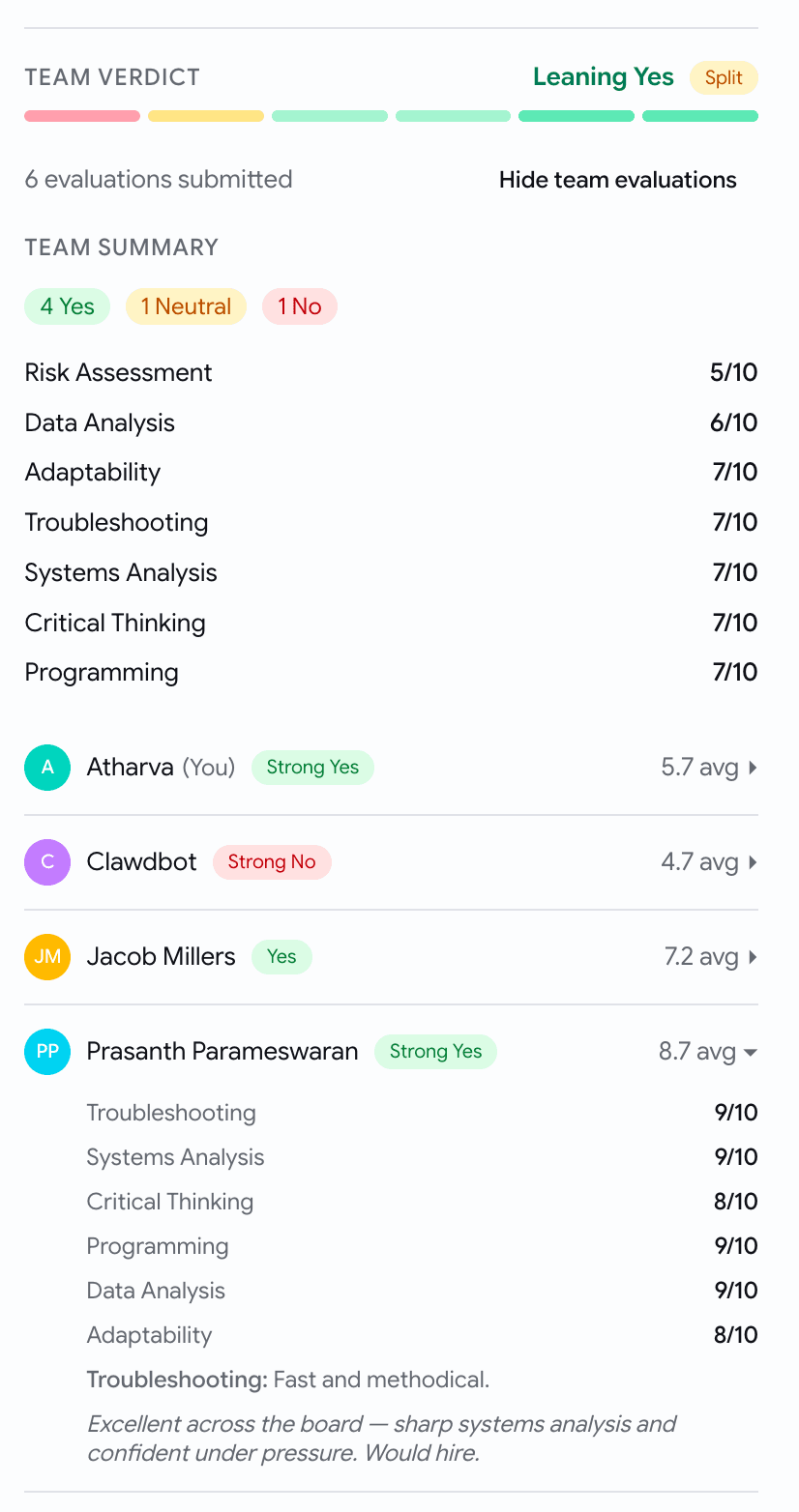
  • A new Team verdict header turns every scorecard into one read: a lean like Leaning Yes, a bar with a segment per interviewer, and a Split badge when they disagree.
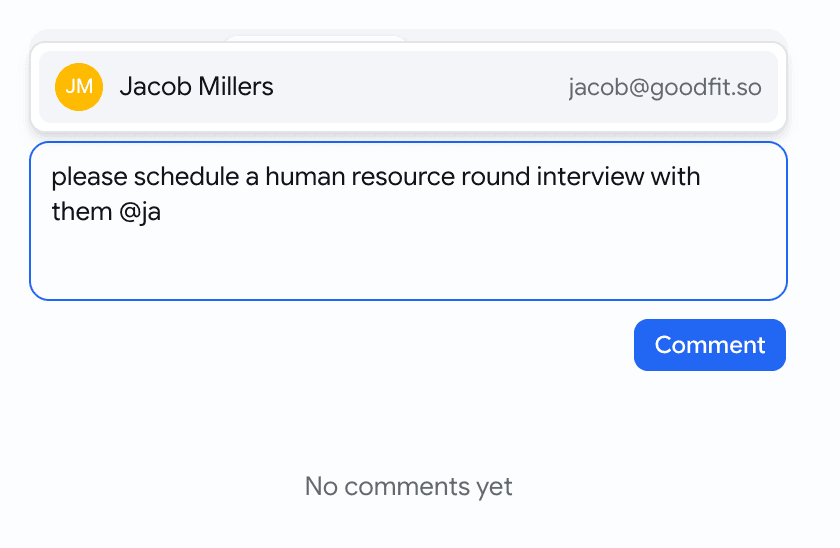
A comment composer with the @-mention autocomplete open — typing @ja surfaces a teammate with avatar, name, and email in a dropdown above the box
Type @ and pick a teammate — they get an email that lands them on the candidate.
A Team verdict header — a Leaning Yes label with a Split badge, a per-interviewer pastel segment bar, a 4 Yes / 1 Neutral / 1 No summary, per-skill averages, and a breakdown with the viewer's own row marked You
Where your panel landed, in one line — lean, split, and a segment per interviewer.

Hiring

Filter a job's applicants by typing what you mean

Last release the talent pool learned to read plain English. Now a single job's applicants board does too.

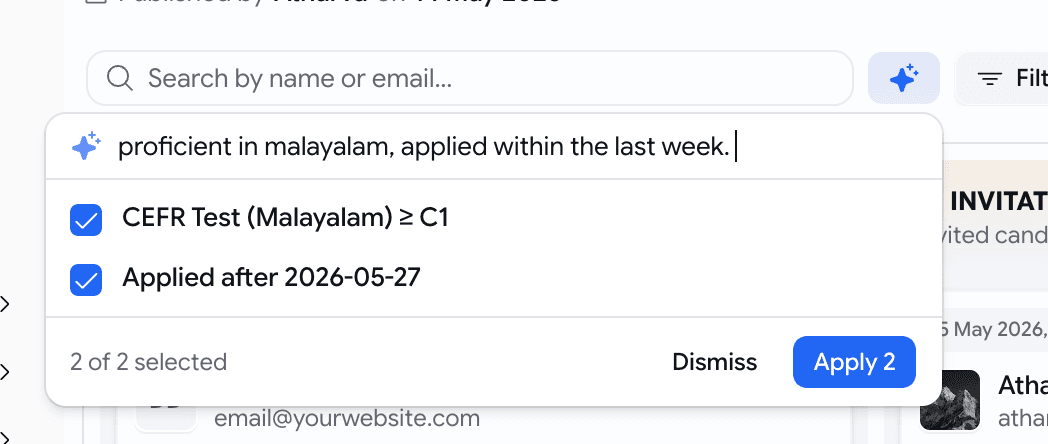
  • Hit ✨ AI and type something like proficient in Malayalam, applied within the last week.
  • It builds the matching filters; you tick the right ones and apply.
  • Can't express something? It tells you in plain words — never a silent wrong guess.
The AI search popover over a job's applicants board — the query proficient in malayalam, applied within the last week resolved to two ticked suggestions with a Dismiss and Apply footer
Type a sentence, review the filters it suggests, apply the ones you want.

Assessments

Choose exactly how each written answer is graded

Add subjective questions for skill based assessments. Now each one carries its own grading method, so you decide what "correct" means.

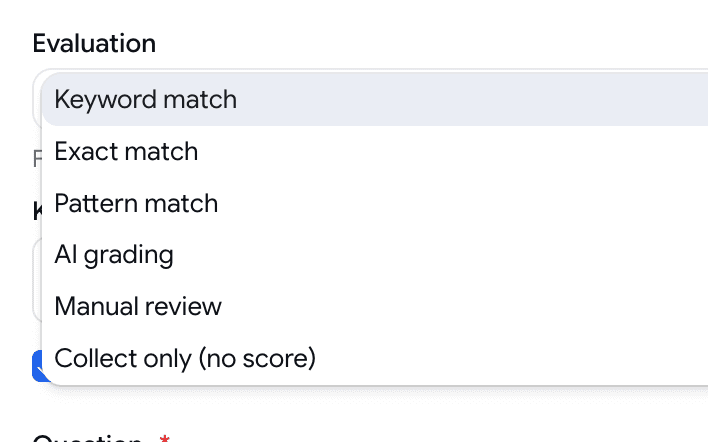
  • Pick how a Subjective question scores: keyword, exact, or pattern match, AI grading against an ideal answer, manual review, or collect-only.
  • The match methods score instantly, no AI; manual review lets you read and score it yourself on the report.
The Evaluation dropdown on a Subjective question, open — six options: Keyword match, Exact match, Pattern match, AI grading, Manual review, Collect only
Six ways to grade a written answer, chosen per question.
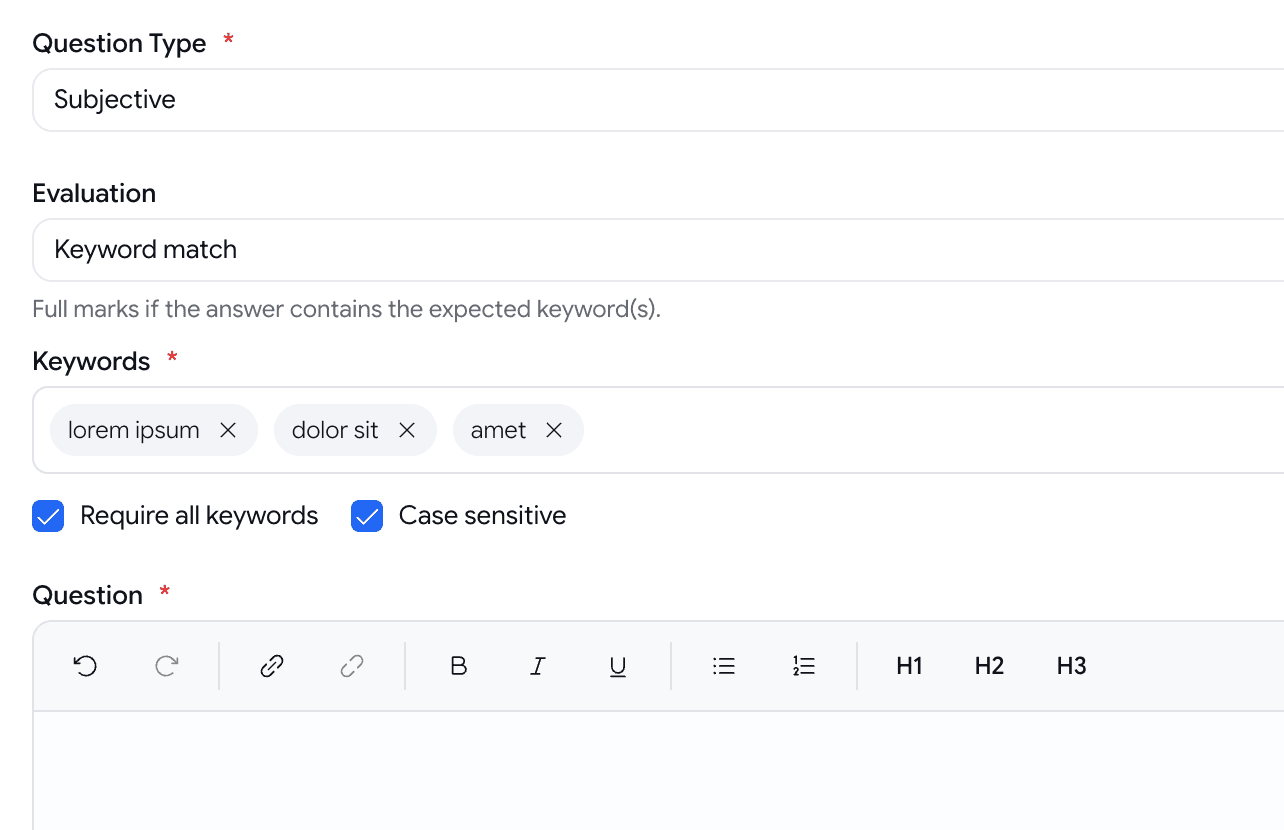
A Subjective question in the builder with Evaluation set to Keyword match, a keyword tag input, and Require all keywords and Case sensitive checkboxes
Each method reveals just its own settings.

Assessments

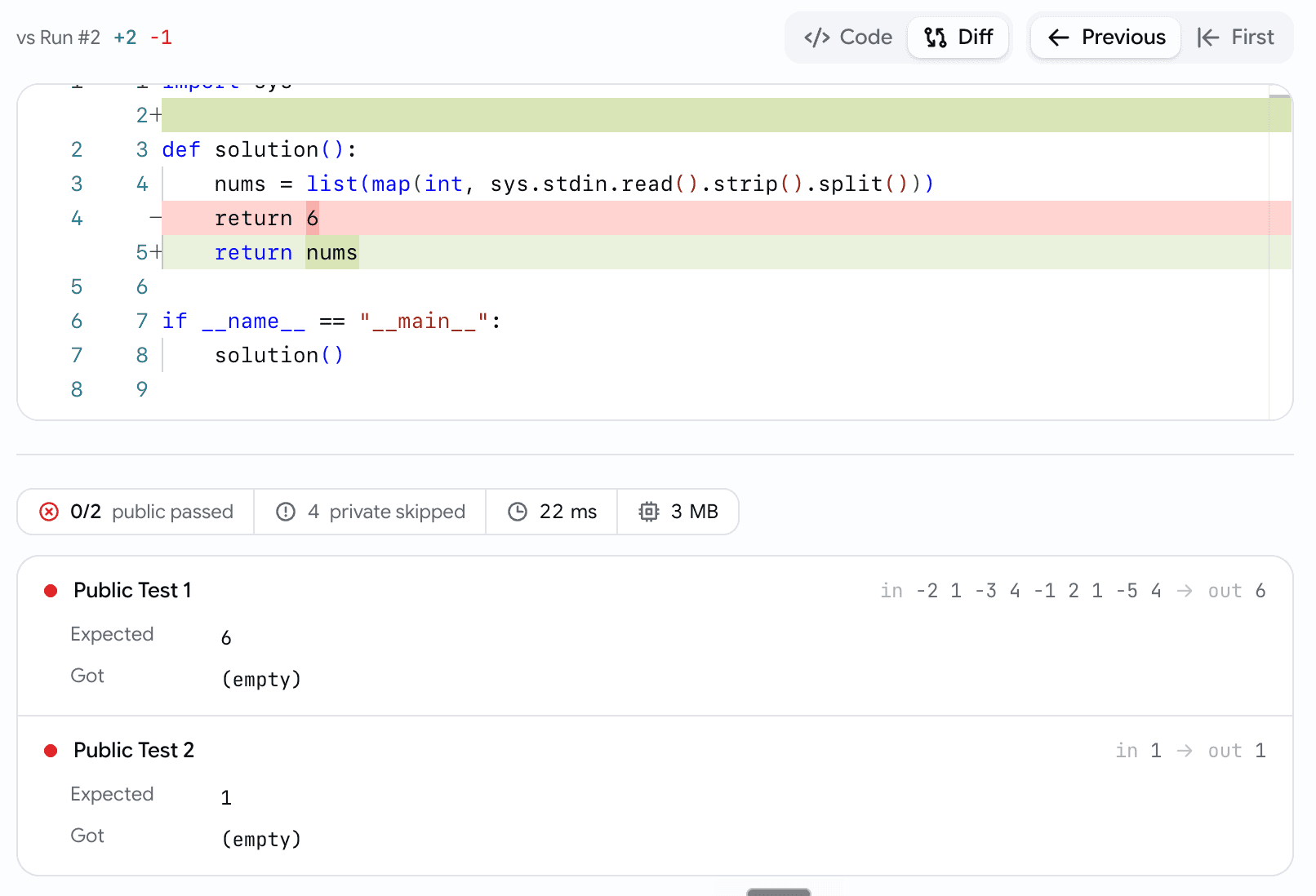
See what changed between a candidate's coding attempts

A candidate runs, fails, edits, submits again. Now you can see what they changed to finally pass.

  • A Code / Diff toggle diffs any submission against the Previous, First, or Accepted one — added and removed lines called out.
  • Unchanged code collapses away, so the change is front and centre.
The coding submission viewer in Diff mode — a vs Run header with green added and red removed line counts, a Code / Diff toggle, an inline diff of a changed return line, a connected pass/runtime/memory strip, and two failed test cases with Expected and Got
The diff puts the change front and centre.

Getting started

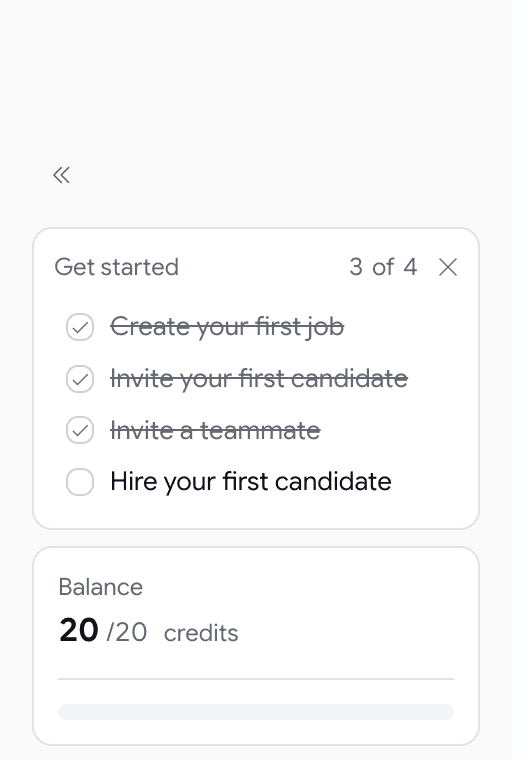
A quiet 'Get started' checklist for new workspaces

New to Goodfit? A small checklist in the sidebar shows the first four steps — then bows out.

  • Create a job → invite a candidate → invite a teammate → hire — each step links to where it happens.
  • It ticks itself off as you work; no wizard, no tour.
  • Dismiss it whenever, and it vanishes on its own once all four are done.
A minimal Get started card in the sidebar footer with a 3 of 4 counter and a dismiss X, above four rows — three completed and struck through, one open for Hire your first candidate
A periphery nudge through the first four steps — it fills in as you go, then retires.

Developers

Goodfit MCP is here! Connect Goodfit to Claude

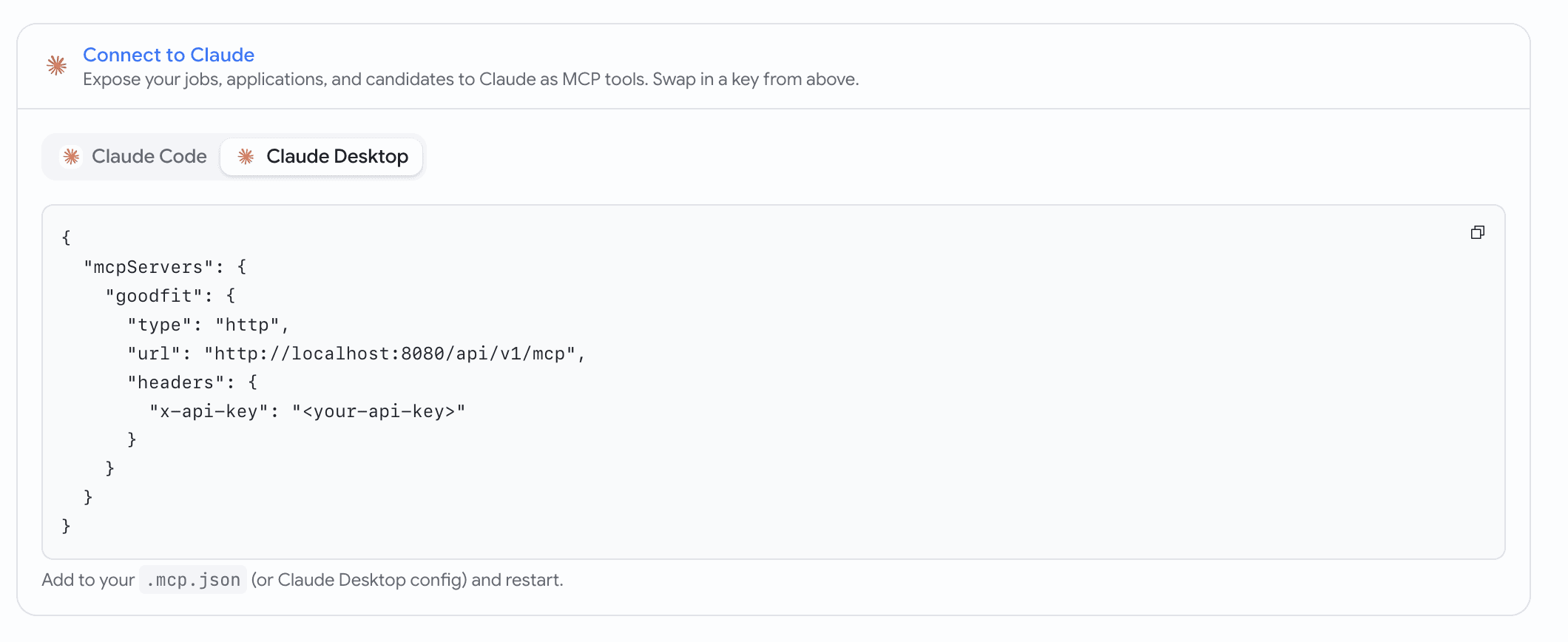
We’ve launched Goodfit MCP — now you can connect Goodfit directly using the Goodfit MCP itself, or set it up within Claude.

  • Generate a key and copy a ready-to-run command for Claude Code or a config block for Claude Desktop.
  • Paste it, and Claude can read and act on your jobs, applications, and candidates.
A Connect to Claude reference card with the Claude mark, a segmented Claude Code / Claude Desktop tab strip, and the generated command in a monospace block with a corner copy button
The setup recipe lives right on the API Keys page — copy, paste, done.
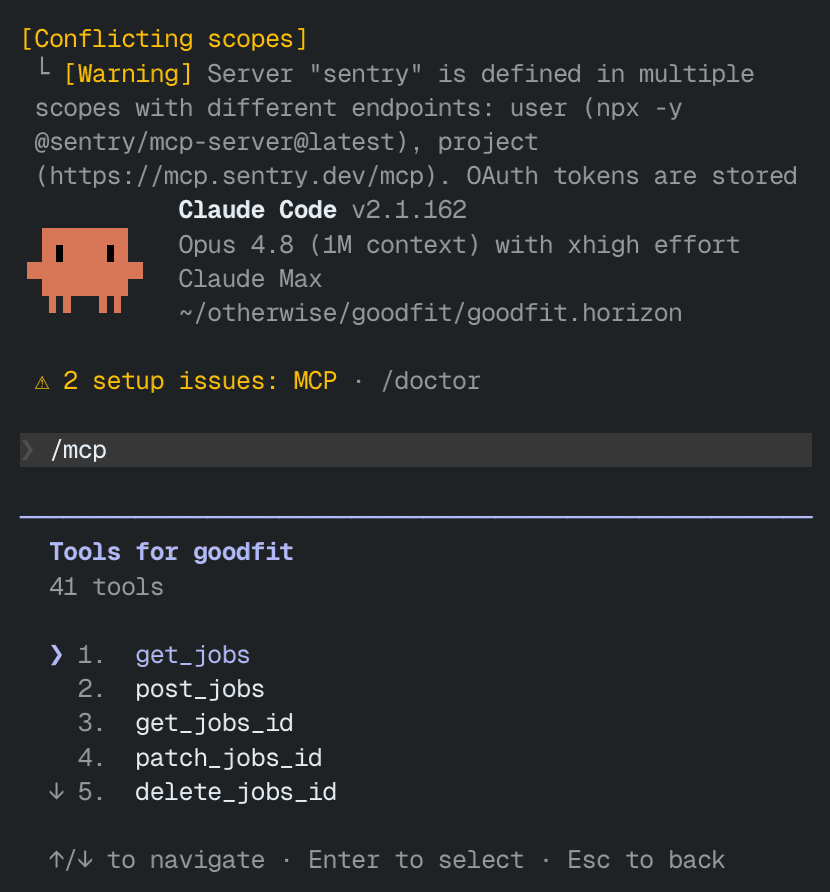
Claude Code after running the generated command — the goodfit server connected and listing its tools for jobs, applications, and candidates
After one paste, Claude sees your whole Goodfit toolset.
June Week 1

Slice the talent pool by every signal you collect — assessment scores, language levels, resume details, and quality flags — or just describe who you want in plain English and let AI build the filters, style your public careers page from a gallery of templates with a live desktop-and-mobile preview, and hand a hiring manager a shareable walkthrough of every screen a candidate will see.

  • talent-pool
  • careers
  • hiring
  • jobs
  • assessments

Talent pool

Filter the talent pool the way you actually think about candidates

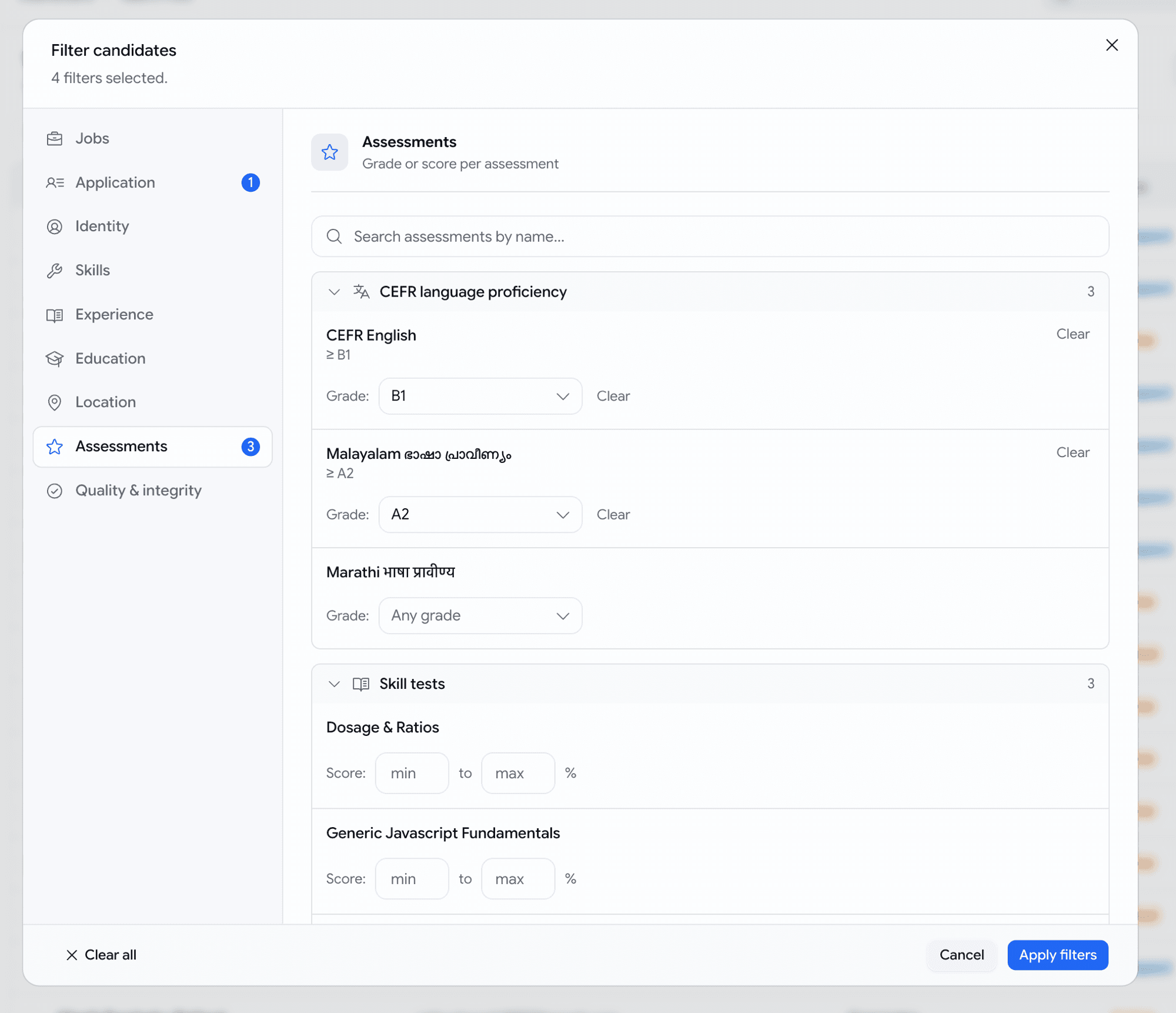
Last month the talent pool let you narrow on three things. Now it answers the questions you actually have — "who scored at least B2 on our English test, passed the JavaScript assessment, has React on their resume, and applied in the last month" — as one search.

  • A new Filters dialog with sections down the side — Jobs, Application, Identity, Skills, Experience, Education, Location, Assessments, and Quality — each showing how many filters you've set so you never lose your place.
  • Filter on every assessment you run, by name: set a score range (70–100%), or for language tests a minimum level (English at least B2). The list grows with your assessment library — language tests included, which the old filter couldn't even show.
  • Slice by what's genuinely on a resume — a specific skill, the candidate's current employer, a past role, school, degree, city, country, years of experience — matched against the real details, not a stray word buried in a job description.
  • Add quality and integrity signals: resume score, AI-writing percentage, and proctoring flags. Or paste a list of emails to pull up exactly those people.
  • Stack as many as you like and we get the logic right — "B2 English and 70% coding" means one candidate who did both on the same application, never two unrelated results stitched together.
Filters dialog over the talent pool — a sectioned left rail with per-section counts, the Assessments section open showing language tests with minimum-level dropdowns and skill tests with score ranges
Every signal you collect, in one place — set a score range or a minimum language level per assessment.
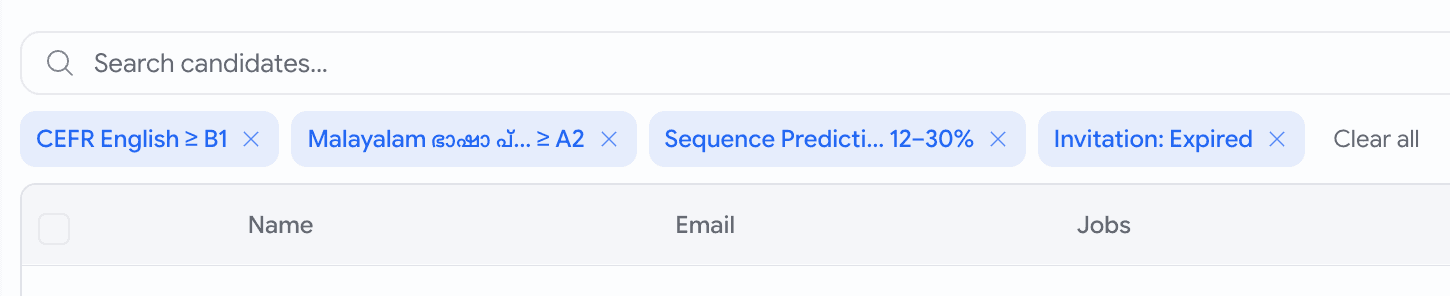
Active filter chips above the talent pool table — CEFR English at least B1, a Malayalam level, a score range, an expired-invitation chip, and a Clear all action
Every active filter shows as a chip above the table — click one to jump back to it, or clear them all at once.
Talent pool

Describe who you want in plain English

Not sure which filter says what you mean? Type it as a sentence and let Goodfit set the filters for you.

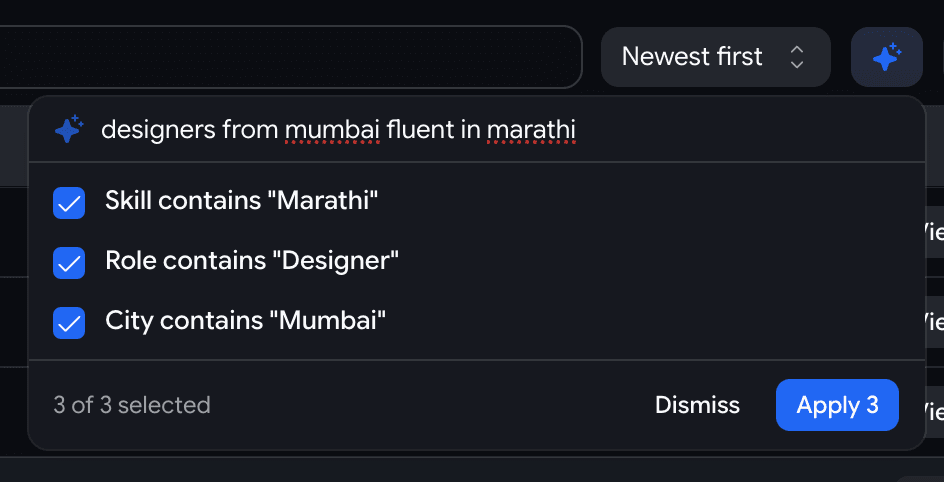
  • Click the ✨ AI button next to Filters and type something like designers from Mumbai fluent in Marathi.
  • It proposes the matching filters — Role contains "Designer", City contains "Mumbai", Skill contains "Marathi" — and you tick the ones that are right before applying.
  • It never guesses silently: anything it can't translate lands in a Couldn't handle list with a plain reason, so your results always mean exactly what you asked.
  • Confident matches come pre-ticked; the iffy ones — a state typed where we only have a city field, say — come unticked, so you stay in control.
The AI search popover over the talent pool — the query 'designers from mumbai fluent in marathi' resolved to three ticked suggestions with a Dismiss and Apply 3 footer
Type a sentence, review the filters it suggests, apply the ones you want.
Hiring

Let a hiring manager walk your pipeline before you turn it on

Built a job's hiring stages and need a manager's sign-off? Send them a link that walks every screen a candidate will see — no screenshare, no taking the assessments themselves.
  • A new Preview as candidate button in the pipeline editor — and Preview before publishing on the publish step — opens a read-only walkthrough.
  • Step through the whole flow in order: the application form, each assessment, the voice interview, the coding problems — exactly as a candidate would, with nothing submittable.
  • Every stage carries a Recruiter settings strip — pass score, what happens automatically, whether the stage is mandatory — so the manager can vet the questions and the thresholds in one place.
  • Hit Share to copy a link; teammates land on the saved pipeline, making for a clean Slack handoff.
  • Reorder or tweak stages without saving and the preview reflects your unsaved draft.
The pipeline editor save bar with a new Preview as candidate button next to Reset and Update Hiring Stages
One button in the editor opens the candidate's-eye walkthrough in a new tab.
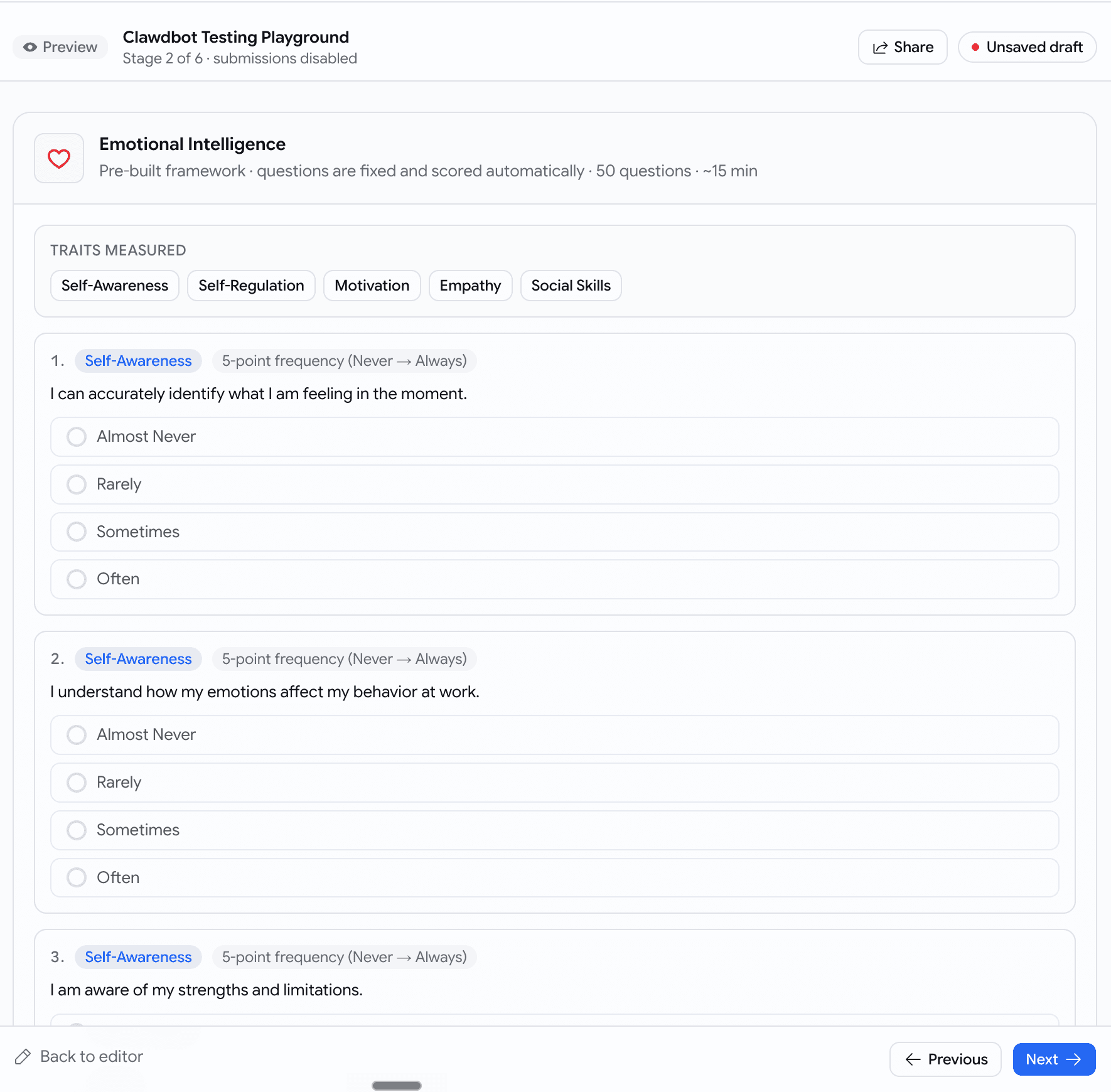
A read-only preview of a psychometric stage — traits and answer options shown but disabled, a top banner reading Preview, Stage 2 of 6, submissions disabled, with Share and Previous/Next controls
Every screen the candidate meets, stage by stage — nothing can be submitted.

May Week 4

Accept applications by email, write your own branded email templates with file attachments and send them straight from a job's pipeline, see a candidate's face and their work side by side, brief the AI interviewer with each candidate's resume, evaluate against the same rubric the interview used, slice the talent pool by resume keyword and assessments completed, and download just the slice the kanban shows.

  • email
  • prescreening
  • voice
  • talent-pool
  • recordings
  • scorecards
  • insights
  • jobs

Prescreening

Accept applications by email

Every job now has its own intake email address — candidates apply just by emailing their resume.

  • Turn the address on for a job and share it on LinkedIn, X, WhatsApp, or anywhere else.
  • A candidate emails their CV from anywhere; we parse the resume, score it against the JD, and create a prospect card with a 📧 Email Inbound badge.
  • Click View email on the application to read the original message and download every attachment.
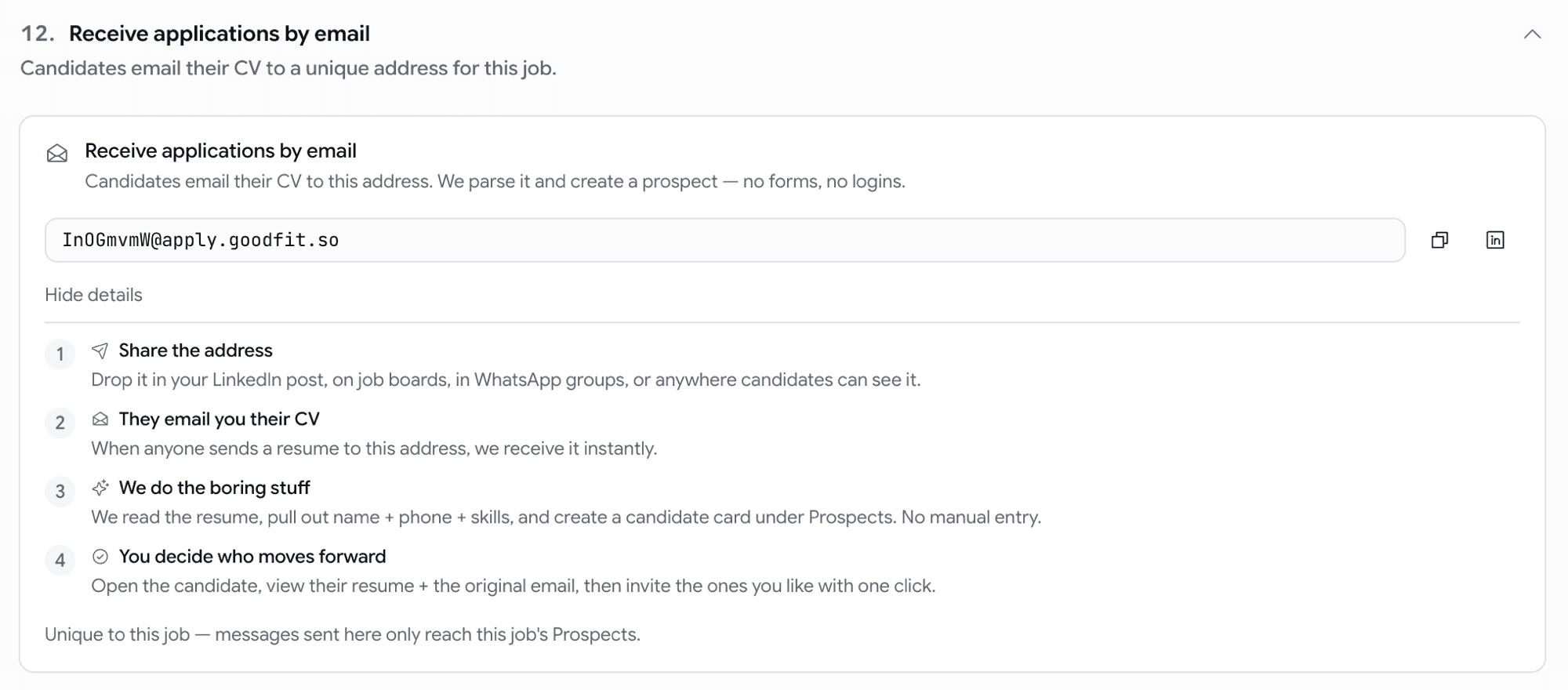
Inbound email intake card on the job settings page with copy-to-clipboard address and 'Share on LinkedIn' shortcut
Give a job an address — applications arrive as scored prospects.
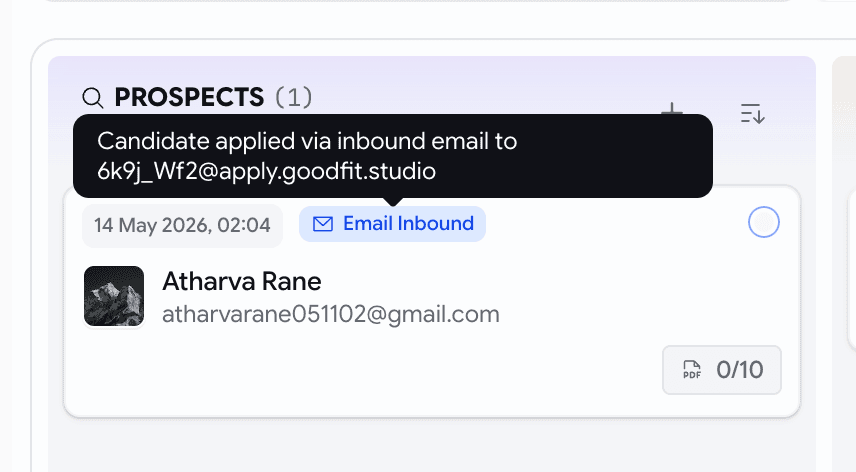
Prospect card with an Email Inbound badge on the pipeline board
Emailed applications land on the board, clearly tagged.
View email dialog showing the candidate's message, headers, and attachments with download buttons
Open the original email and attachments straight from the application.

Email

Custom email templates, now with attachments

Until now you had four built-in emails (invitation, assessment, rejection, hired) and nothing else. You can now write your own — interview confirmations, take-home briefs, offer letters, polite nudges, reference-check requests — and send them straight from a job's pipeline.

  • Settings → Email Templates → + New template. Author a subject and body with click-to-insert variables for candidate name, job title, company, and the sender.
  • Every template renders inside your branded layout — your logo on top, your brand color on every button — so what you preview in-product is exactly what the candidate sees in their inbox.
  • Send from the kanban: select candidates on a job's board, open the Send email dialog, pick a template, hit send. One email, branded, audit-logged, done — no copy-paste from Gmail.
  • Attach real files to any template. Flip Requires attachment on (e.g. "Offer Letter" or "Take-home brief"), and the kanban will only let you send it to one candidate at a time up to 3 files, 3 MB each: PDF, DOCX, PNG, JPG.
  • The candidate gets a branded email with a real paperclip. The application's activity timeline records the template name and the files that went out — so "what did we send Bob three months ago?" stops being a mystery.
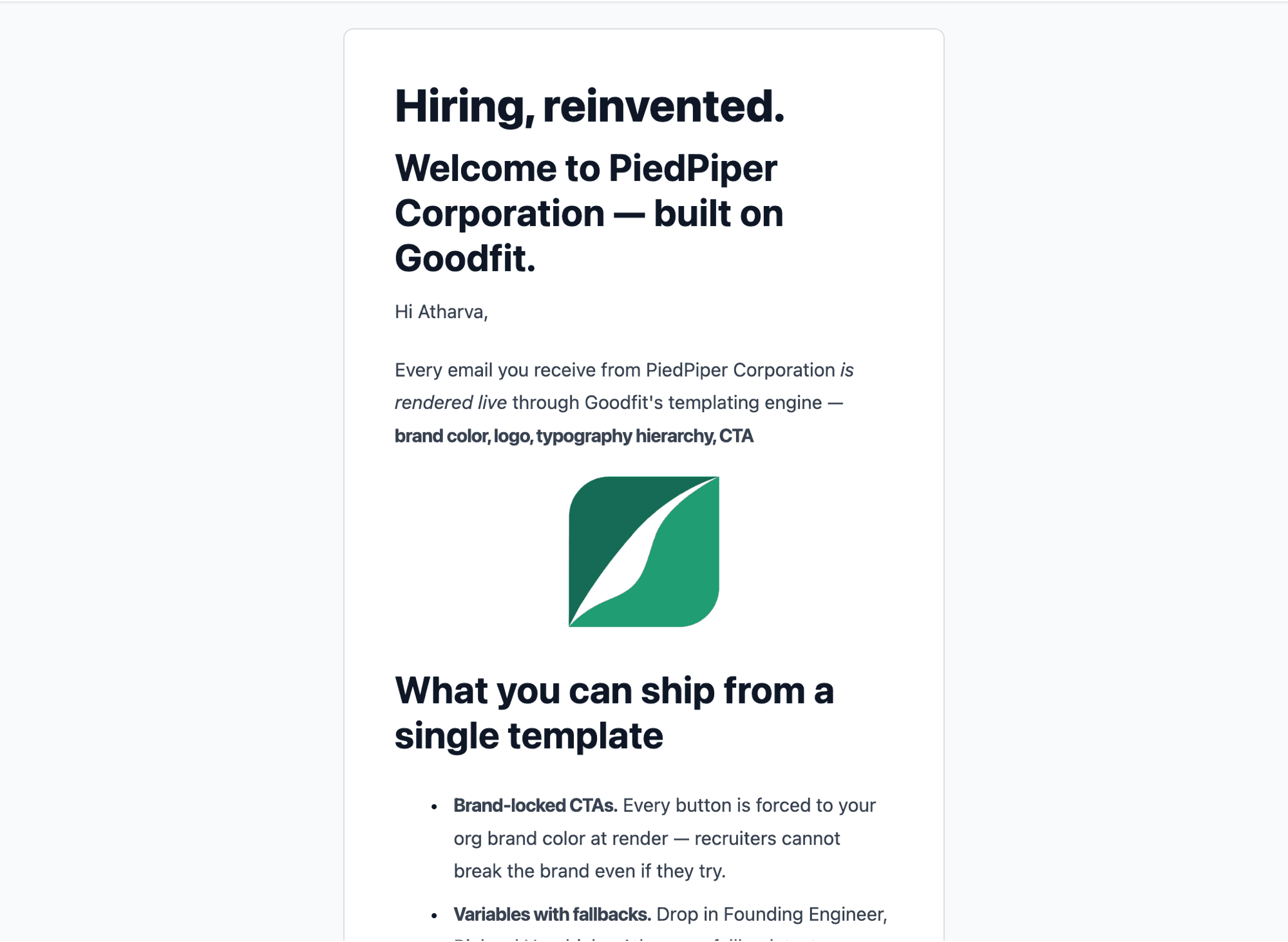
Custom template rendered in Gmail — org logo header, headings, bold marks, centered image, bullet list, brand-colored CTA button, all inside the branded layout
Same brand wrap as the built-ins — your logo on top, your brand color on every button.
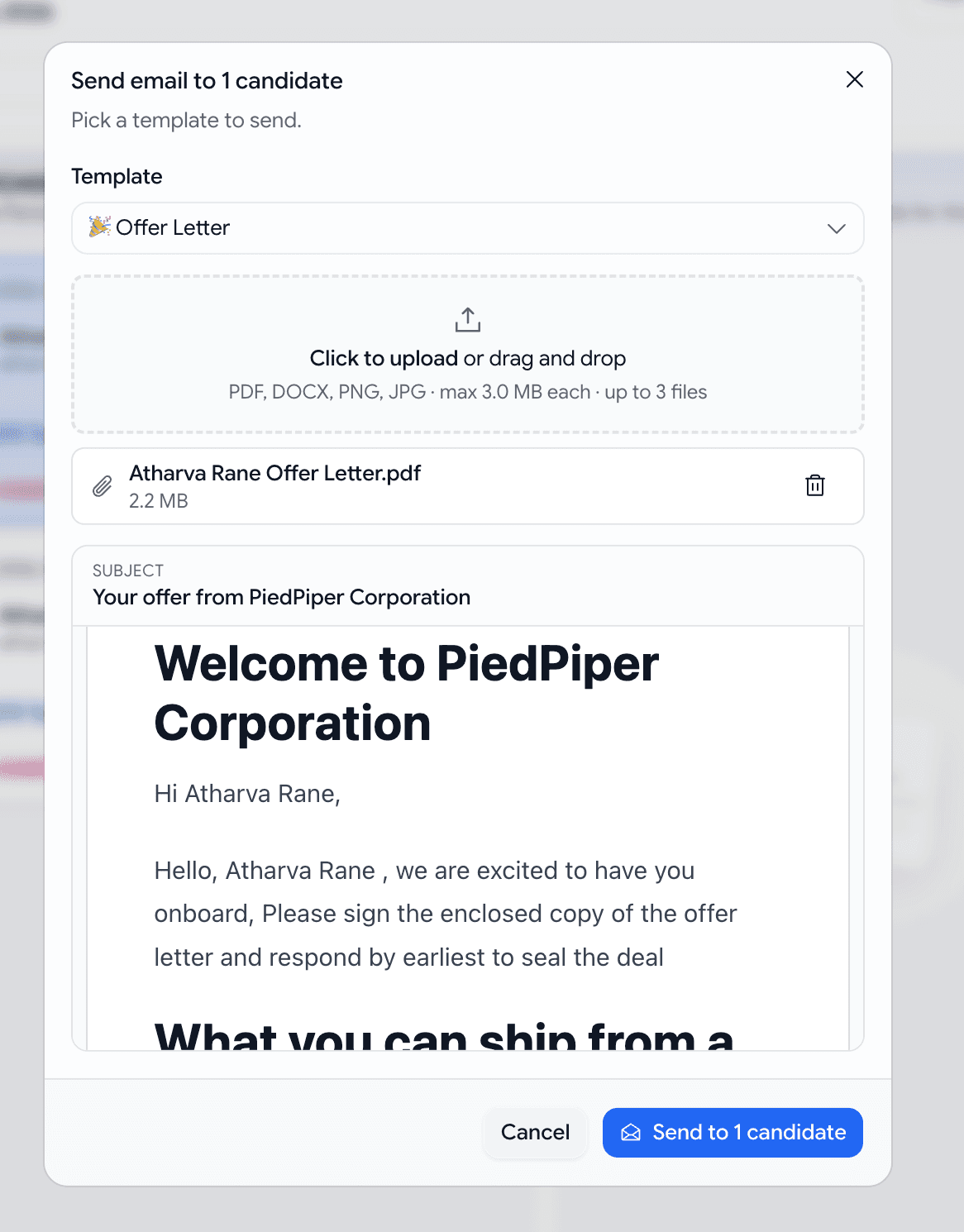
Bulk-send dialog with the Offer Letter template selected, a dashed dropzone holding a 2.2 MB PDF, and a branded preview rendering below
Pick the template, drop the file, send. Body copy can assume the attachment is there.

Email

Get emailed when a candidate finishes an assessment

Don't want to keep refreshing the pipeline? Let the job email you the moment a candidate completes.

  • On the job edit page, flip Settings → Email on assessment completion (off by default).
  • When on, the person who created the job gets an email per completed attempts. View full report button straight to the application.
Email on assessment completion toggle on the job Settings tab, with the recipient's address spelled out
One toggle per job — opt in to completion emails.
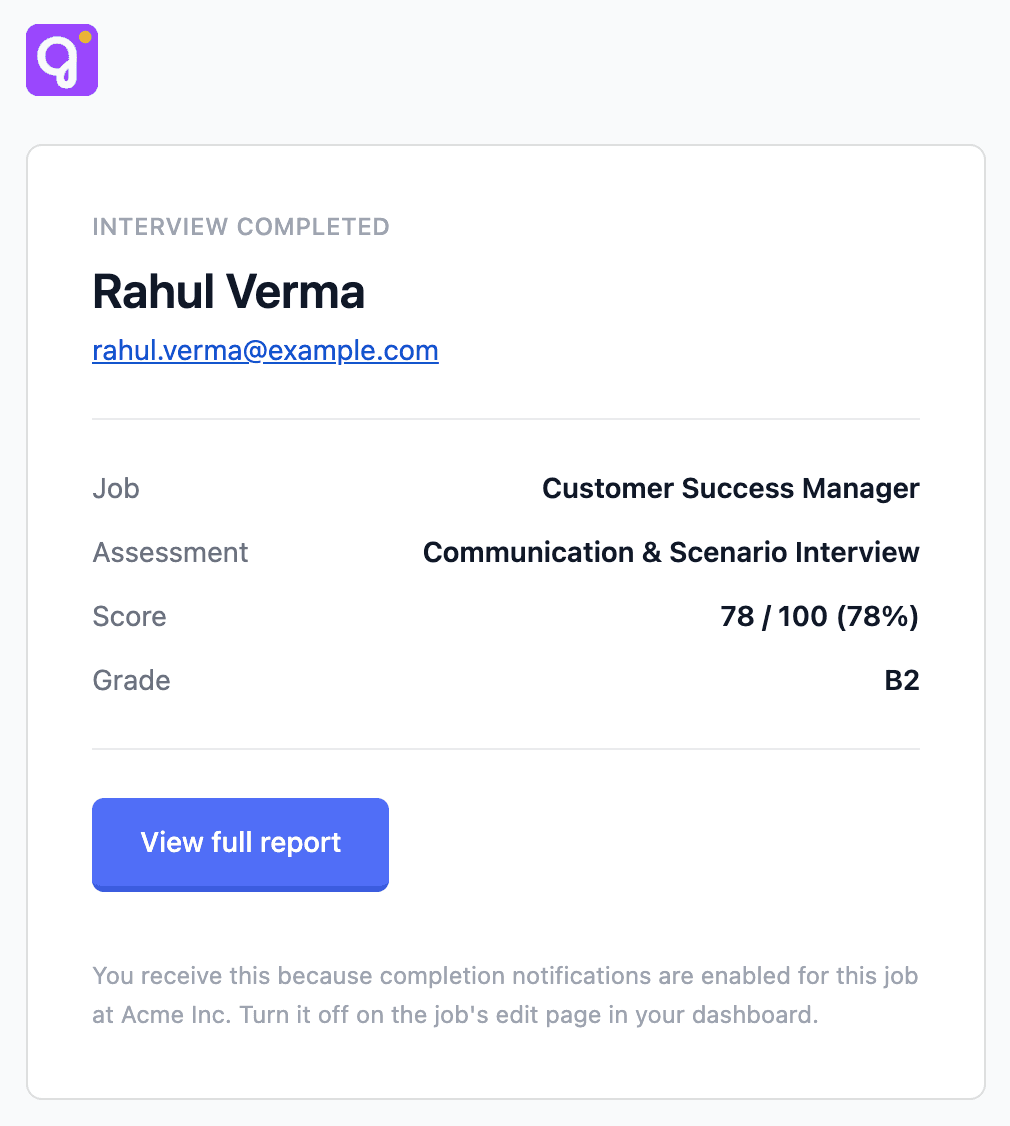
Branded assessment-completion email — INTERVIEW COMPLETED eyebrow, candidate name and email, a Job / Assessment / result block, View full report CTA
A clean summary with a direct link to the full report.

Voice

Give the AI interviewer your candidate's resume

Turn on Resume-aware AI Interviewer on a job and the voice bot reads each candidate's resume before the call — then uses it during the interview.

  • It anchors on what's on the CV ("Your resume shows ~6y with React — how do you approach state management?")
Mid-interview transcript — bot anchors on the first resume role, candidate redirects, bot re-anchors on the second resume role
When a candidate redirects, the bot follows their lead AND stays anchored to the resume.

Assessments

See the candidate's face and their work, together

Reviewing a proctored attempt used to mean flipping between two separate recordings — one of the candidate, one of what they were doing — and trying to line up the timing by eye. Now they play together.

  • When a candidate pauses for forty seconds, you can see at a glance whether they were thinking, looking away, or no longer at their desk — without ever leaving the page.
  • The candidate's video sits as a small circle in the corner of their work. Hover it to enlarge; click it to open in a new tab.
A candidate's work on screen with their video as a small circle in the corner, both playing in sync
One playback. The candidate's face and their work, always at the same moment.

Hiring

Scorecards now follow the voice interview rubric

Evaluations on the application's Evaluation tab used to rate against the job-level skill list — which often drifted from what the voice interview actually assessed. Now the scorecard mirrors the interview.

  • The skills you see on the scorecard are pulled straight from your voice interview skills for that stage. If the job has more than one voice round, we combine them and drop duplicates.
  • When there's no voice round, the scorecard falls back to the job's skill list and lets you add a custom skill row.
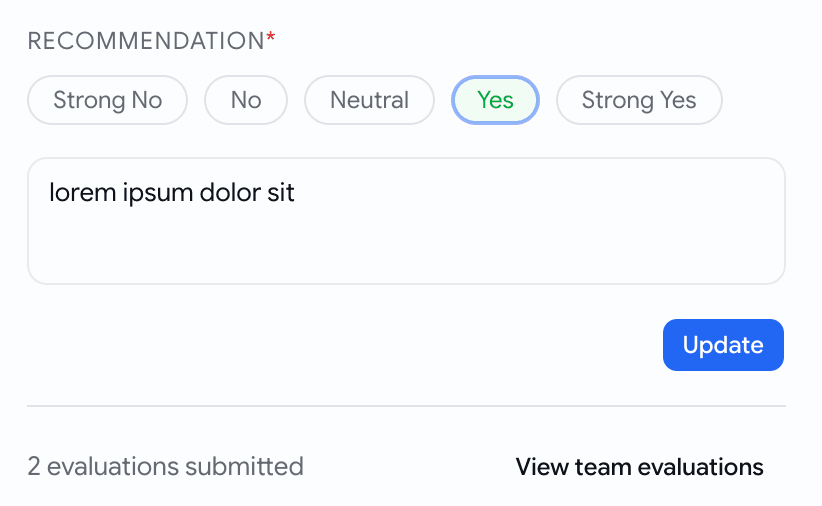
  • Your teammates' scores are hidden by default — no more anchoring on "2 Yes, 1 No" before you've written your own. Click View team evaluations when you're ready, Hide team evaluations to collapse them again.
  • Forget to rate a skill or pick a recommendation? You get a clear message saying what's missing, instead of a silently disabled button.
Evaluation tab — recommendation scale with Yes selected, overall notes textarea, Update button, and a collapsed team summary footer showing 2 evaluations submitted
Same rubric the interview used. Teammates' scores stay hidden until you ask for them.

Talent pool

Advanced filters on the candidate pool

The Talent Pool gets a new Filters button next to the search / job / status / sort row, with three deeper ways to narrow down candidates.

  • When they applied — pick a date range with the two-month calendar.
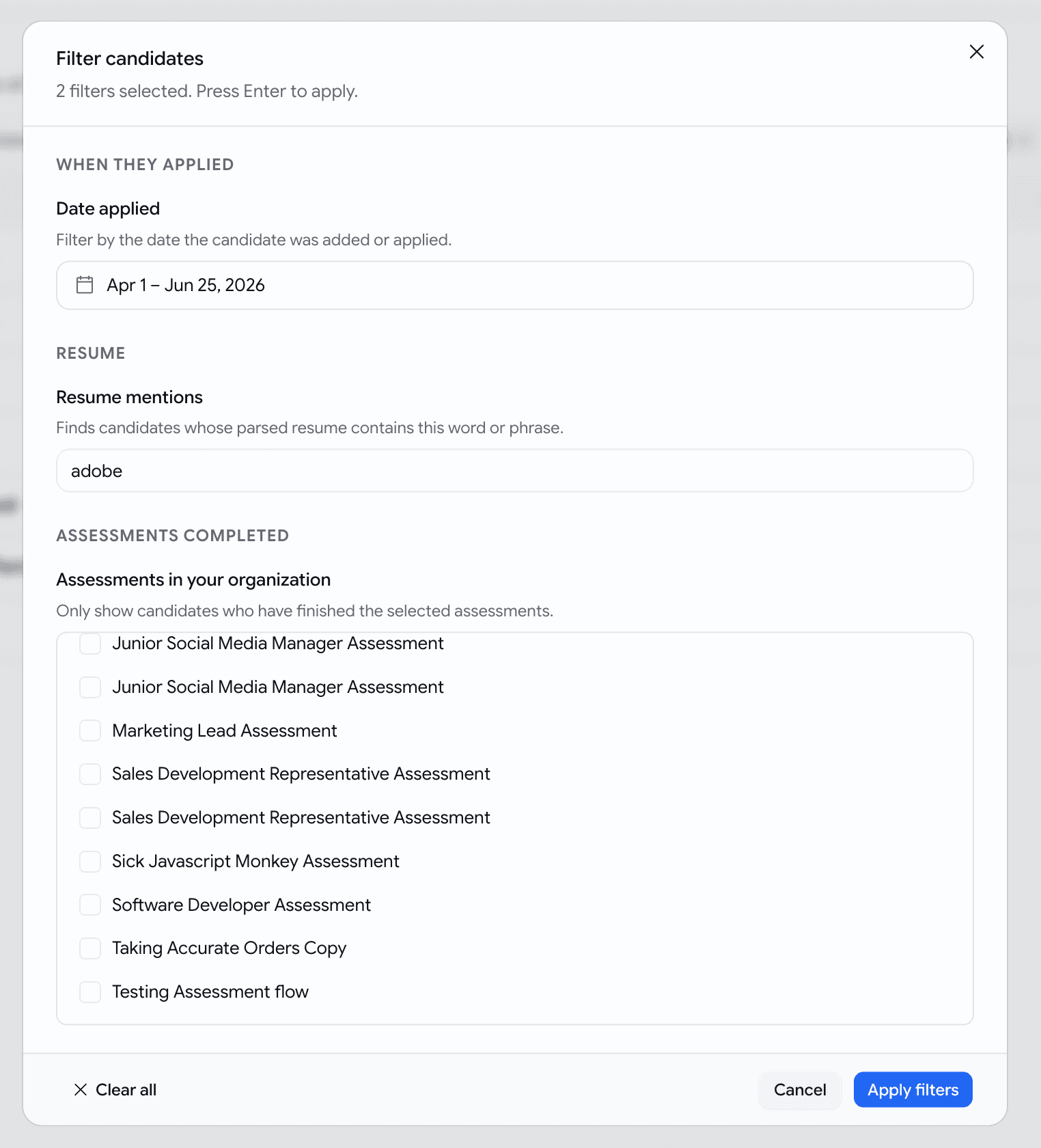
  • Resume mentions — type a keyword (e.g. react, adobe, gst). We search the parsed contents of every resume. Each matching candidate shows the surrounding snippet right under their email with the keyword bolded — so you can tell real Java from JavaScript-only at a glance.
  • Assessments completed — pick from a list of your organisation's actual assessments by name (not generic types). Selecting one means "this candidate has finished and been evaluated on this specific assessment."
  • Filters live in the page address — bookmark a useful slice, share it with a teammate, reload the page and it's still there.
Advanced Filters dialog open over the Talent Pool with a date range, a resume keyword 'adobe', and a list of the org's actual assessments by name
Three sections — date applied, resume mentions, assessments completed.
Talent Pool rows with inline resume-match snippets under each email, keyword bolded, snippet shown only when the resume filter is active
Resume snippet under each row — see why the keyword matched without opening the CV.

Hiring

Export only what the kanban shows

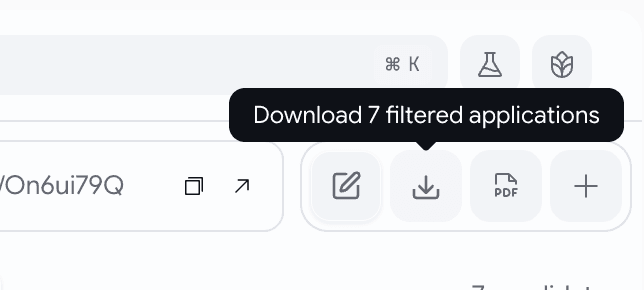
The Download Applications button on a job's kanban now respects your active filters. The CSV contains exactly what's on screen — not the whole job.

  • No filters active? You'll get the full applications list, as before.
  • Filters active? Hover the download button and it tells you exactly how many applications are about to leave with you — Download 12 filtered applications — and the CSV mirrors that.
  • If your filters narrow the board to zero candidates, the button stays disabled — never a silent full-job export when you thought you were narrowing.
Download CSV button on the kanban showing 'Download 7 filtered applications' while filters are active
What you see on the kanban is what lands in the CSV.
  • Hover the Download CSV button on Overview, Pipeline Health, Sourcing Analytics, or Team Activity and you'll now see Download filtered data — a small, clear confirmation before you click.
  • Narrow to "Q1 2026, recruiter X" and the CSV is that slice, every time.

Jobs

A calmer job edit page

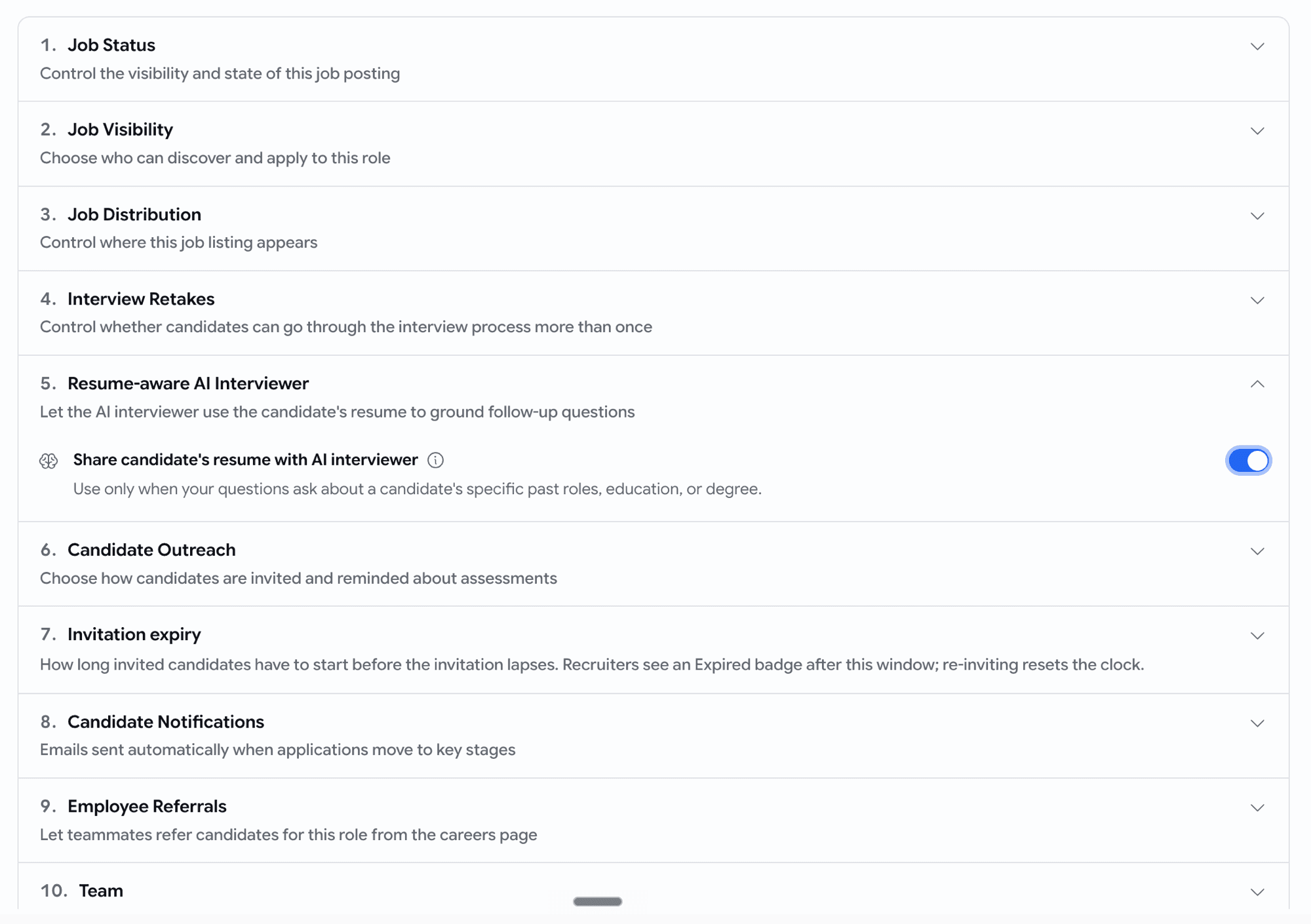
Creating or editing a job used to throw fourteen open cards at you in one wall — overwhelming, hard to scan, and easy to lose your place in. We've cleaned that up.

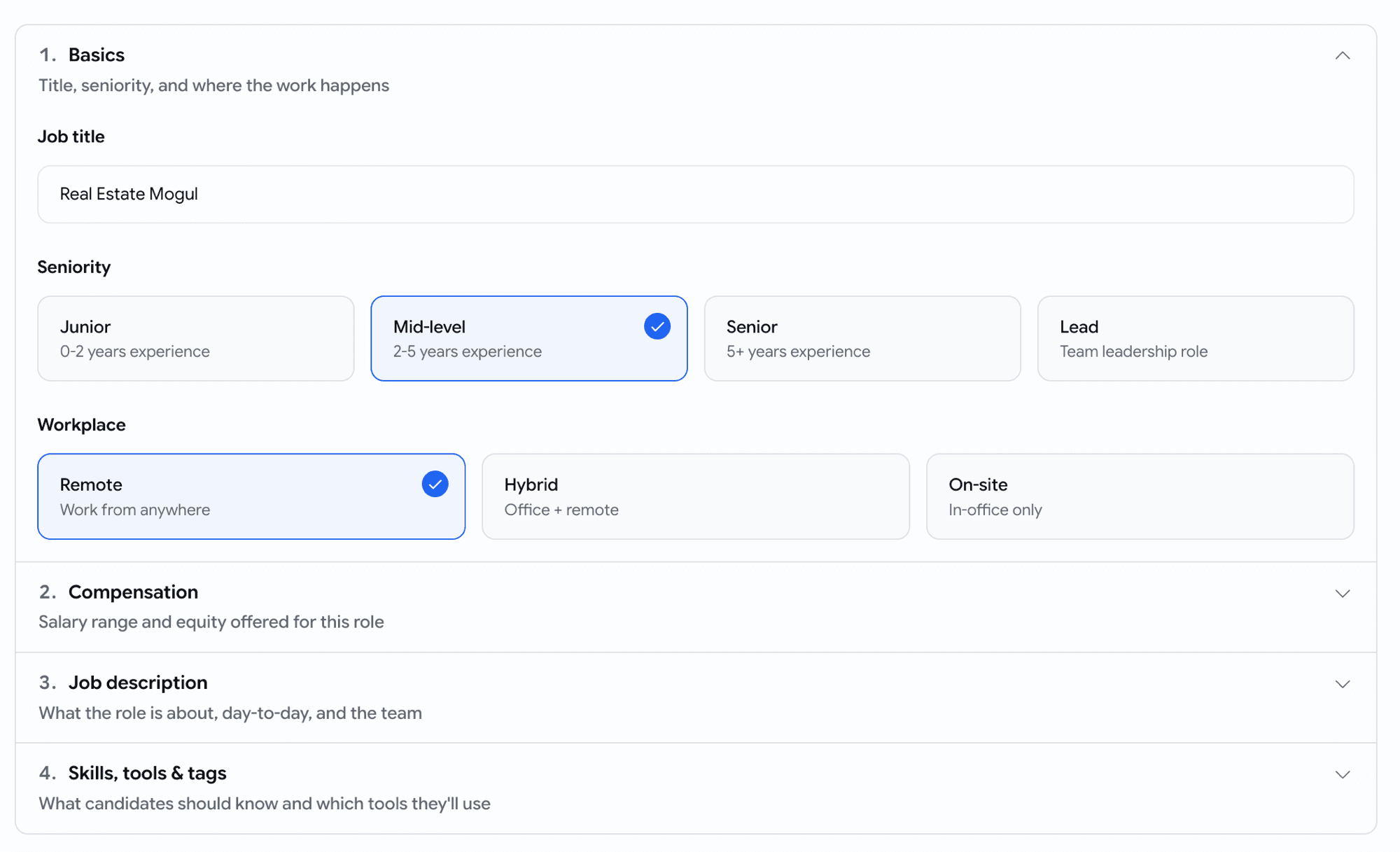
  • The most important sections are open when you arrive — job status, visibility, basics, job description — and everything else sits one click away, in order, ready when you need it.
  • No more scrolling through settings you don't care about to reach the one you do.
Job settings page — collapsed sections in order, with status and visibility open by default
The settings you reach for first are already open. The rest stay tidy until you need them.
Job details page — basics and job description open by default
Same on the Details tab — Basics and Job description ready to go.

May Week 3

Accept applications by email, pick from a 500+ verified coding bank and ~10k reusable skill questions, personalise voice scripts, run language tests in 10+ languages, send mail through Microsoft 365, and stop silently losing emails.

  • voice
  • assessments
  • question-bank
  • cefr
  • prescreening
  • email
  • comms

Voice

Personalise the greeting and the sign-off

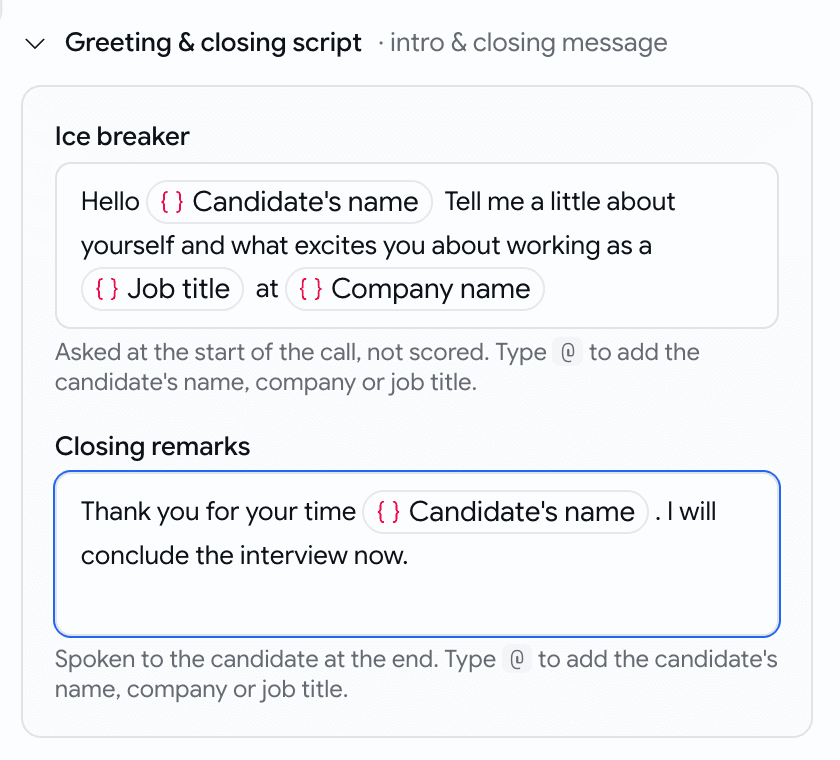
The voice interview's opening and closing lines can now address each candidate by name.

  • In the Ice breaker and Closing remarks fields, type @ to insert a chip: Candidate's name, Company name, or Job title.

  • At call time the bot speaks the finished line — "Hello Alice, thanks for your time interviewing for the Senior Engineer role at Acme."

    Greeting and closing script editor with name, company and job-title chips
    Type @, pick a chip

Assessments

A larger, smarter, and more usable coding bank

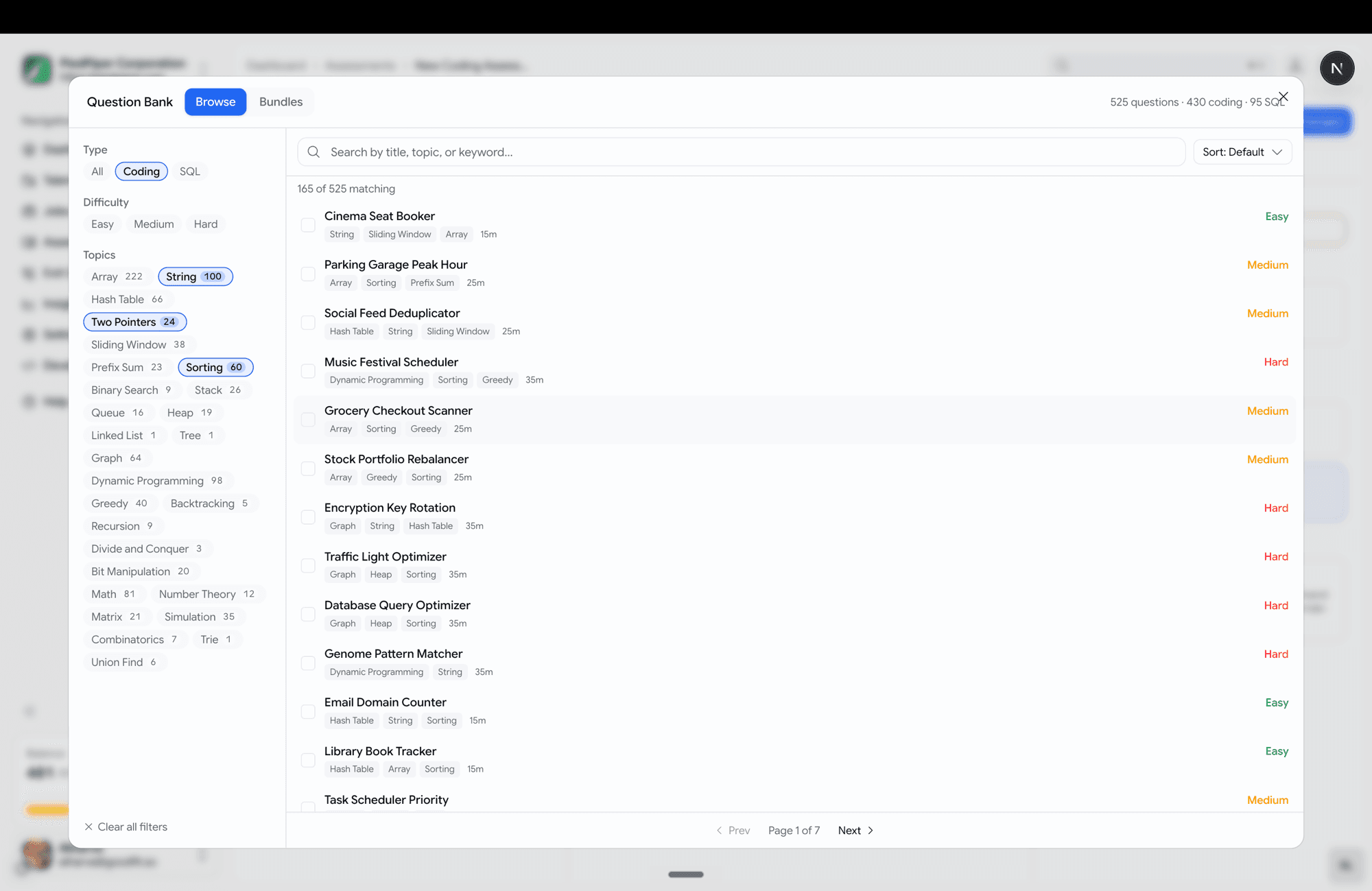
Choosing coding questions is now a full-screen, browse-and-filter experience. The prebuilt coding bank is now 430 coding problems across 10 languages and 95 SQL problems.

  • Topics span data structures, algorithms, backend logic, and real SQL analytics (revenue deltas, org hierarchy, quartile buckets).
  • Filter rail down the left — Type, Difficulty, and Topics, each with a live count.
  • Search, sort (default / title / easy→hard / shortest).
  • Click a question to preview it in a side pane before adding.
  • Multi-select with a review strip at the bottom — see everything queued, remove any, then "Add N questions".
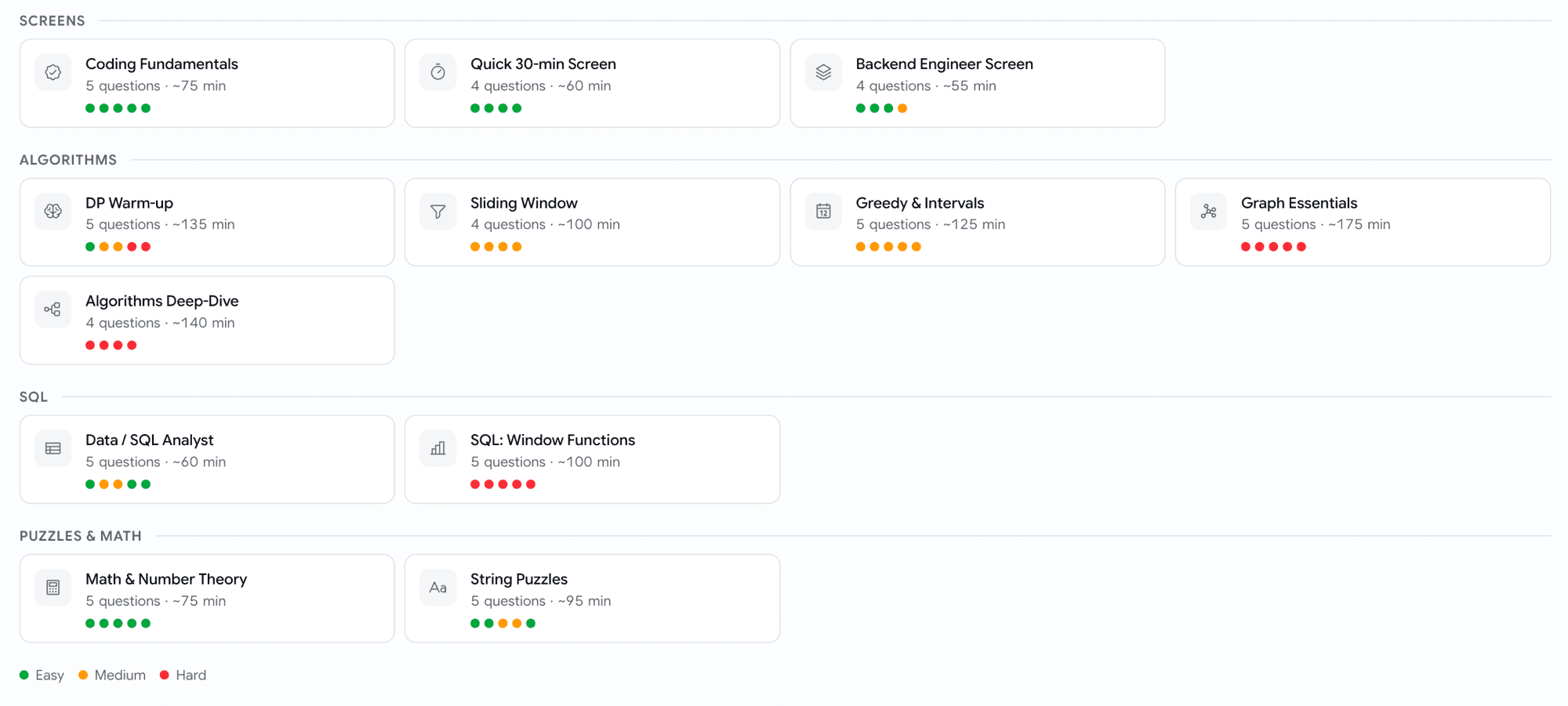
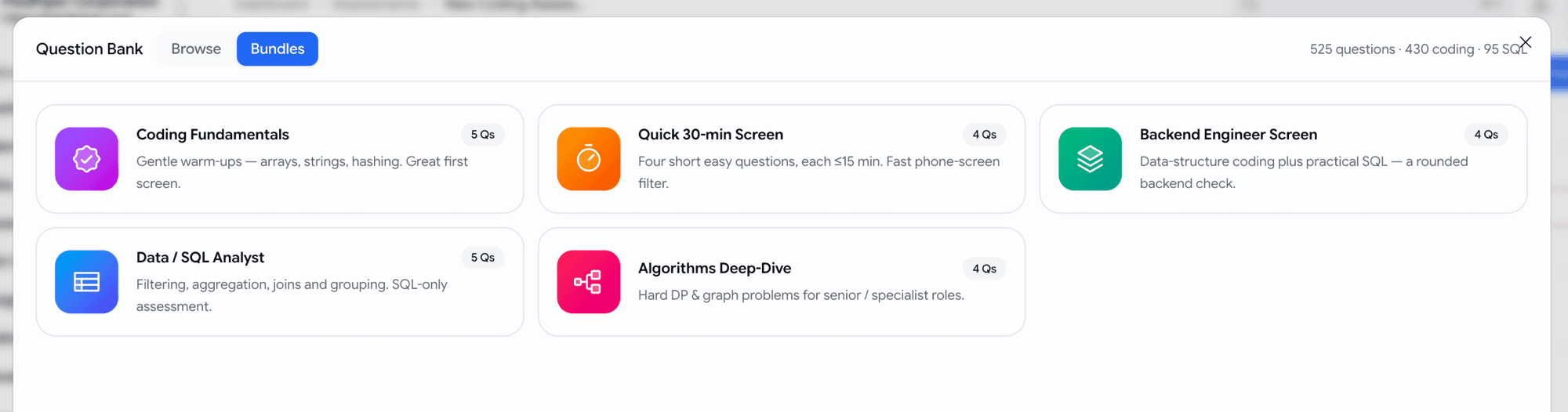
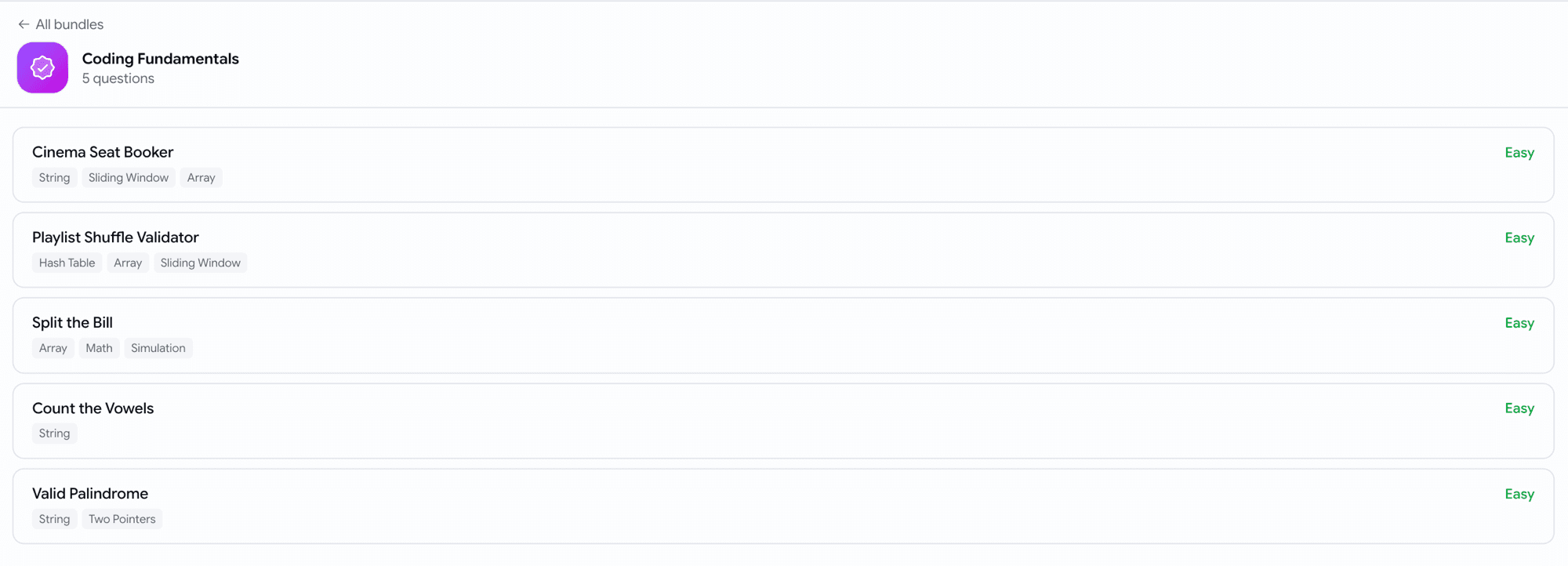
  • Curated bundles — five ready-made starter packs (Coding Fundamentals, Quick 30-min Screen, Backend Engineer Screen, Data / SQL Analyst, Algorithms Deep-Dive) as one-click cards.
Wide question-bank picker with filter rail, search, sort and preview pane
Filter, search, preview — then add in bulk.
Curated bundle cards: Coding Fundamentals, Quick 30-min Screen, Backend Engineer Screen, Data/SQL Analyst, Algorithms Deep-Dive
Don't want to hand-pick? Start from a curated bundle.
Coding Fundamentals bundle detail with numbered questions, topic tags and difficulty
Open a bundle to see exactly what's in it before you add it.

Assessments

Reuse individual skill-assessment questions

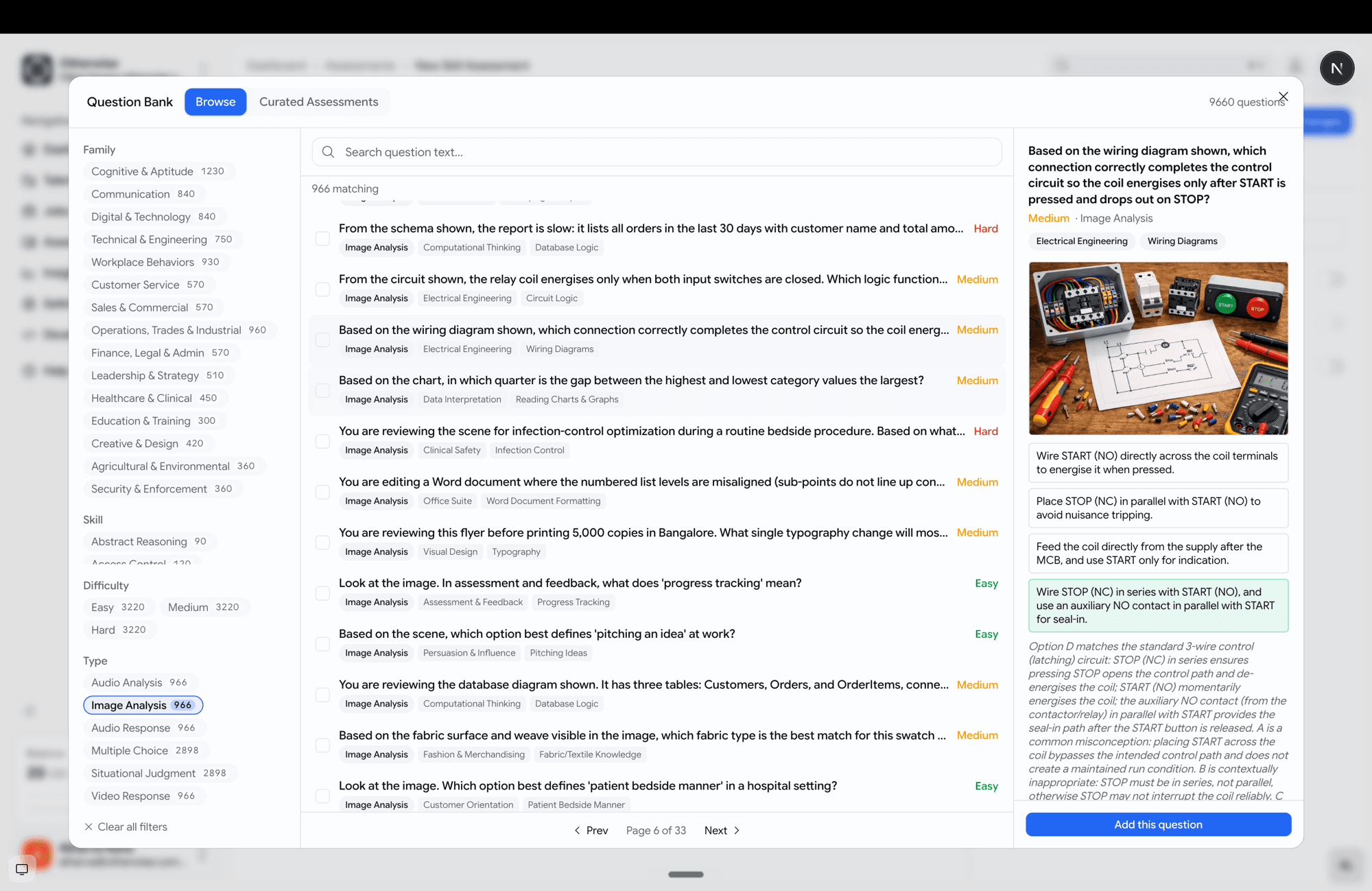
You can now pull single questions from a library of ~10k prebuilt skill questions — not just adopt a whole assessment.

  • Browse and filter by family, skill, difficulty and type, with full-text search.
  • Preview each question — including its image or audio media — with the options and the rationale.
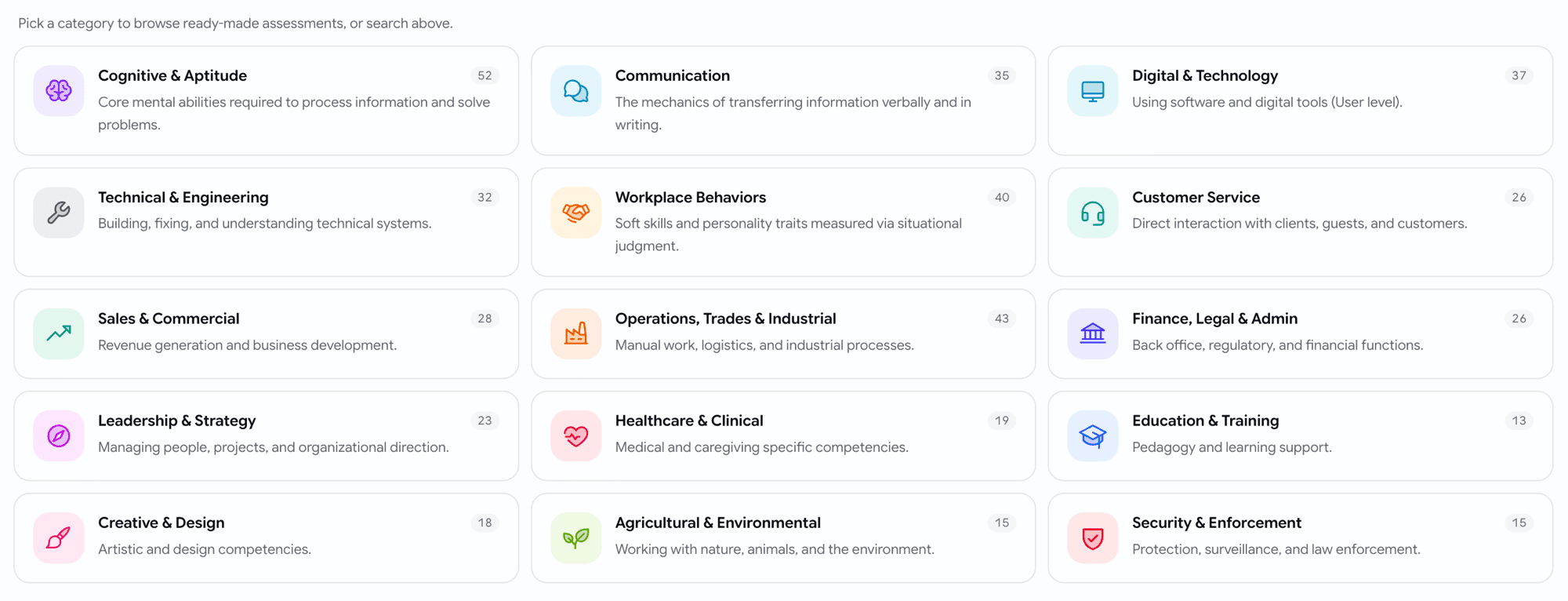
  • Pick questions one at a time and mix them with your own, or add a curated pack (organised into 16 family categories → packs → questions).
Generic question-bank browser with filter rail and an image-based question preview
Browse almost 10,000 questions, preview the media, pick exactly the ones you want.
Curated assessment categories shown as 16 family tiles with icons and counts
Or start from a curated pack, grouped by skill family.

Assessments

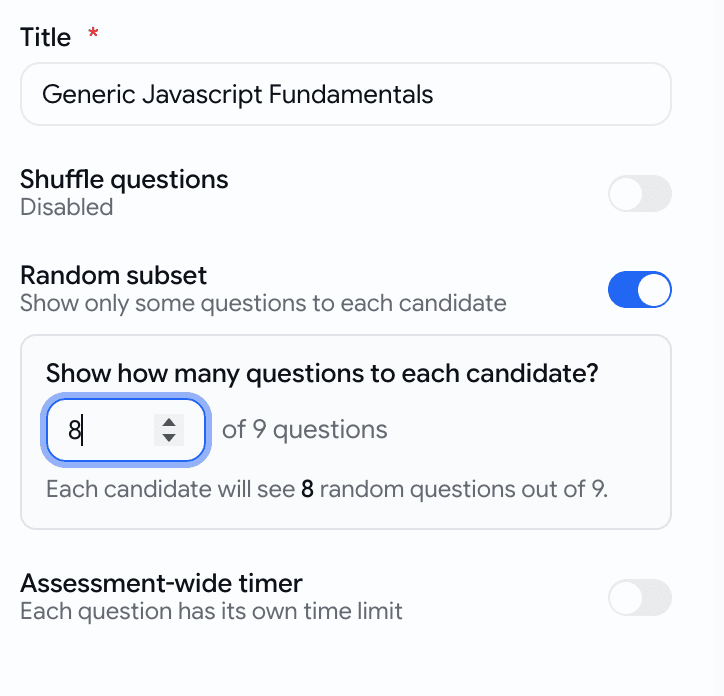
Show each candidate a random subset

A skill assessment can now serve a random handful of its questions to each candidate — so the same questions don't leak between candidates.

  • Turn on Random subset in the assessment settings and set how many questions to show.
Random subset toggle in the assessment settings with a live count preview
Pick how many each candidate sees — the rest stay unseen.

Assessments

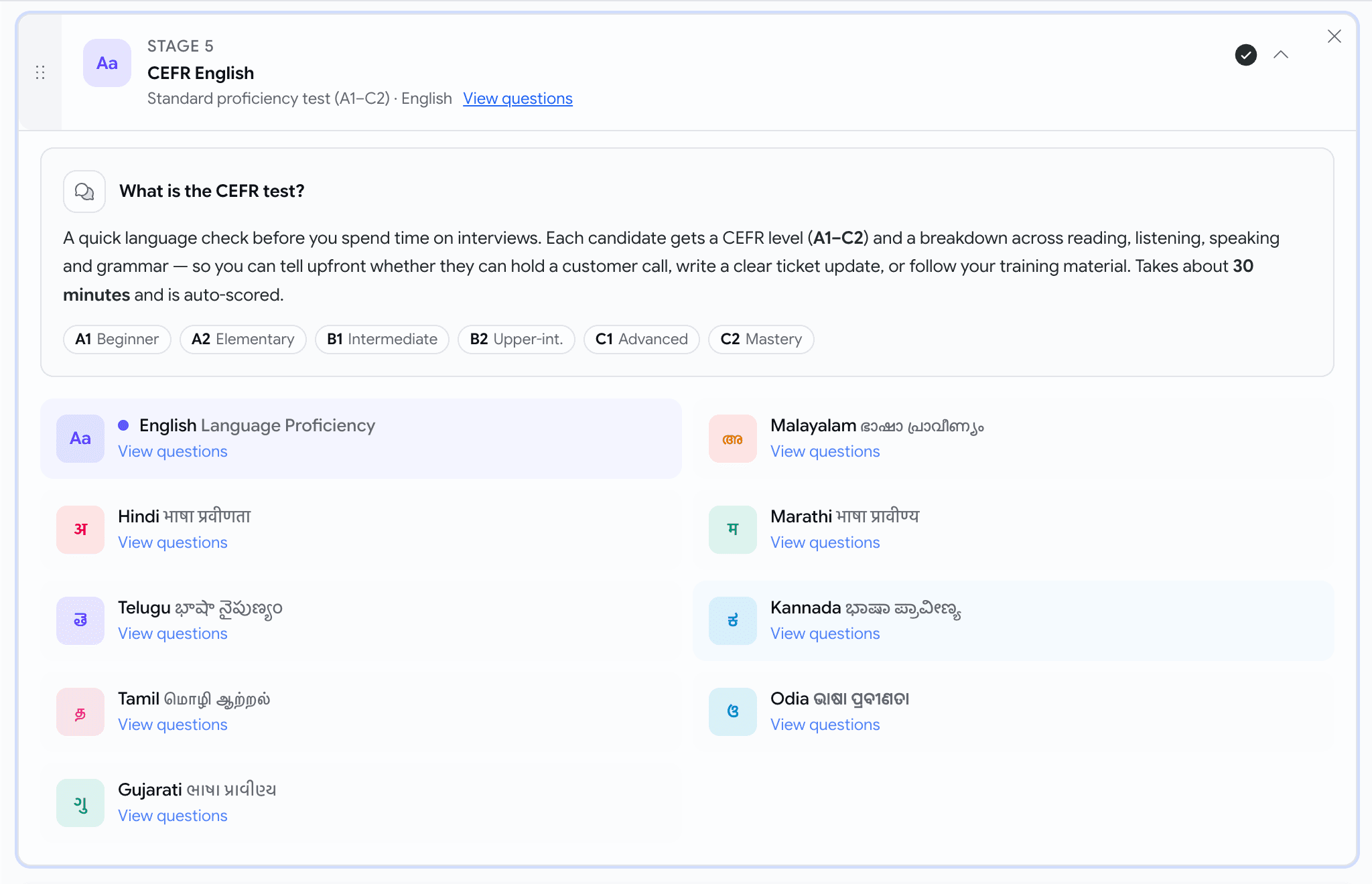
Language tests, now in 9 languages — with a preview

Language-proficiency tests are no longer English-only, and you can read every question before you assign one.

  • Available languages now include:
    • English
    • Hindi (हिंदी)
    • Telugu (తెలుగు)
    • Tamil (தமிழ்)
    • Gujarati (ગુજરાતી)
    • Malayalam (മലയാളം)
    • Marathi (मराठी)
    • Kannada (ಕನ್ನಡ)
    • Odia (ଓଡ଼ିଆ)
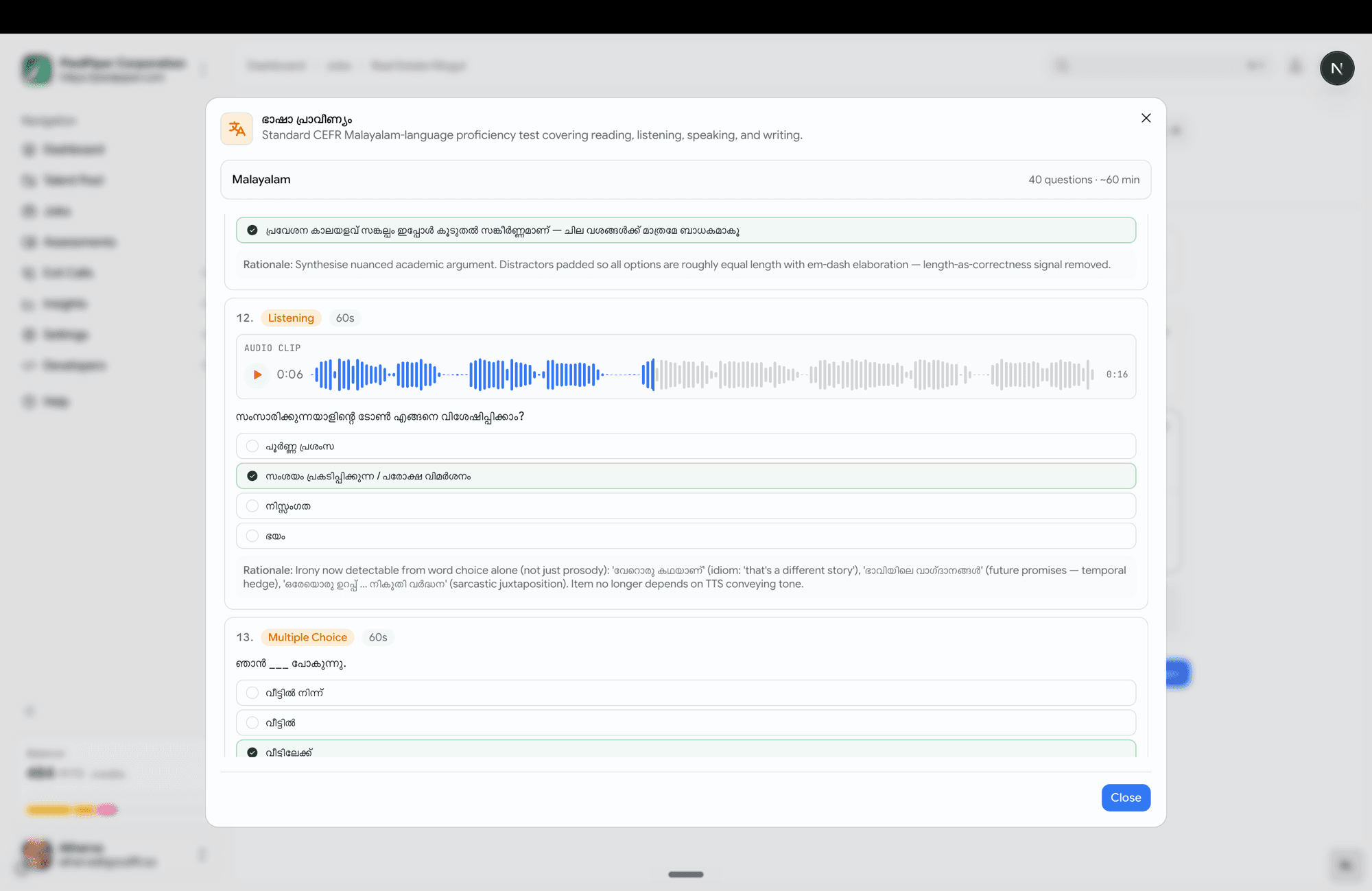
  • Hit View questions on any language to open a full read-only preview — reading passages, audio clips, every option, and the answer key — exactly what the candidate will see.
CEFR stage card with an inline language picker showing localised language tiles
One stage, every supported language — each in its own script.
CEFR preview dialog for Malayalam showing questions, audio, passages and the answer key
Read the whole test — passages, audio, answer key — before you assign it.

Voice

Generate the ideal answer for a custom question

When you write your own voice question, you no longer have to hand-write the scoring guide.

  • A Generate with AI button now sits next to each ideal-response slot — both the primary question and the follow-up.
Generate with AI buttons next to the primary and follow-up ideal-response slots
Type the question, click Generate

Prescreening

Add talent-pool candidates as prospects, in bulk

Found good people in your talent pool? Drop a batch straight onto a job — already scored.

  • Select candidates, click Add as Prospect, pick one target job.
  • Each candidate is scored against that job's description and added as a prospect with the score visible.
  • A summary toast tells you what happened — "3 added, 1 already on this job, 1 skipped (no resume)".
Add as Prospect popover with a job picker in the candidates bulk bar
Pick a job, add up to 10 talent-pool candidates as scored prospects.

Behind the scenes

Stop silently losing candidate emails

Candidate email is now durable and observable — and you find out fast when your mail is misconfigured.

  • If your custom SMTP is broken, Email Settings shows a red "Delivery failing" banner with the exact provider error and provider-specific fixes (including Microsoft 365).
  • Application cards and the activity timeline now show per-message delivery status alongside stage moves.
Red Delivery failing banner in Email Settings with a plain-language reason and fixes
Broken mail config? You see it here — with the fix — instead of losing emails.
Application card showing per-message delivery status
See whether each candidate email actually went out.
Activity timeline interleaving comms delivery status with stage moves
Delivery status sits right in the activity timeline.

May Week 2

Score candidates inside application forms, branch questions based on earlier answers, preview psychometric frameworks before assigning them, see if a bad voice interview was a bad connection, flag suspicious reports, and inline help on every page.

  • prescreening
  • scored-mcq
  • conditional-logic
  • psychometric
  • voice
  • help
  • flags

Prescreening

Score answers inside the application form

Application forms can now grade candidates with points — not just pass / reject.

  • New question type: Scored multiple choice. Each answer carries 0–100 points (better answers = more points).
  • Set a Minimum total points under the form's settings — anyone below it is auto-rejected, the same way knockout questions already work.
  • Live helper shows the best possible total as you build, so the minimum is never set higher than what's achievable.
  • Candidates only see the answers — never the points.
  • Recruiters see the score on the report — total, max, and a green +points chip next to the answer the candidate picked.
Scored multiple choice editor with Answer and Points columns
Build a scored question — type the answer, give it points. Candidates see only the answer.
Admin report showing score badge, below-minimum banner, and +points chip on each answer
On the report — total score, the minimum needed, and the points earned on every answer.

Prescreening

Show a question only when it actually matters

Application forms can now branch — a question can be set to appear only when an earlier answer matches.

  • On any question, open Advanced → Conditional logic and pick an earlier question + the answer that should trigger it.
  • Works with: yes/no, dropdown, scored multiple choice, multi-select, number, and date questions.
  • Hidden questions are completely ignored — not asked, not required, and they can't reject anyone.
  • Candidates see a clean, shorter form tailored to their earlier answers.
Picking the parent question for a conditional rule inside the Advanced panel
Pick the earlier question and the answer that should make this one appear.
Advanced panel showing conditional logic on a Scored multiple choice question
Conditional logic sits inside the Advanced panel — alongside auto-reject — on every editable question.

Assessments

Preview the psychometric test before you assign it

Picking a psychometric stage is now a visual choice — and you can read every question before committing.

  • All 5 frameworks now appear as cards with number of traits measured and a description. With an ability to view every question, the trait it measures, and the response scale used
Psychometric framework picker as a 2-column card grid with icons and metadata
The five frameworks side by side — Big Five, MBTI, DISC, Work Values, Emotional Intelligence.
Preview dialog showing traits summary and full ordered question list
Click View questions on any card to see every prompt, its trait, and the response scale.

Voice

Was it the candidate — or their internet?

Voice interview reports now tell you, whether the candidate's connection held up during the call.

  • A small Connection tag appears next to "Time Taken" on every voice attempt — Spotty Connection (amber) or Bad Connection (red).
  • Hover the tag for a narrative explanation: what the candidate experienced ("about half the call's voice data was lost in transit"), what network they were on, and — for bad connections — a clear recommendation.
  • Clean calls show nothing — the tag only appears when it's worth your attention.
Connection health hover on the assessment results bar showing a narrative breakdown
Hover the tag — get a plain-English breakdown, not a technical dashboard.

Reports

Flag a report when something looks off

Spotted a wrong score, a broken transcript, a missing recording, or anything that doesn't add up? Flag it in one click.

  • New 🚩 Flag icon at the right of the report's results strip — on both assessment and prescreening reports.
  • Click it, type a short note, hit Flag.
  • The flag goes straight to the GoodFit team's internal channel — so we can investigate without going back and forth.
Flag report popover on the candidate report page with a textarea and Flag button
One button, one short note — straight to the team for triage.

Help

Help articles, right where you need them

Every important page now has a question-mark icon next to its title — click it to open the matching help article.

  • Icon appears on Create Job, Email Settings, Careers Page, Members & Permissions, Employee Referrals, and more (we'll keep adding).
Help button tooltip on the Email Settings page header
Stuck on a setting? The icon next to the page title takes you straight to the right article.

May Week 1

Metered billing goes live, pipeline health waterfall, invitation expiry per job, AI Phone Interview as a standalone product, sharable reports, and more.

  • billing
  • insights
  • phone-interview
  • voice
  • reports
  • filters
  • proctoring

Billing

Metered billing is live for new customers

Pay-as-you-go billing now powers every new company on GoodFit.

  • Every organization created on or after Saturday, 25 April 2026 is on metered billing
  • 20 free credits to start with — no card required
  • One credit per assessment (coding, voice, phone, psychometric, skills)
  • Top-ups available at ₹100 + GST per credit, minimum 100 credits per purchase

Insights

Pipeline Health — drop-off waterfall

See exactly where candidates drop off in your hiring funnel.

  • Pipeline Health view under Insights
  • Waterfall chart showing how many candidates moved from one stage to the next
  • Final conversion to Hired or Rejected at a glance
  • Spot the stage that's leaking the most candidates
Pipeline Funnel waterfall chart showing candidate drop-off across stages
Pipeline Funnel — see exactly where candidates drop off and your overall conversion rate

Jobs

Invitation expiry per job

Invitations now have a shelf life.

  • Default expiry: 3 months from the day the invitation is sent
  • Configurable per job — minimum 1 hour, maximum 1 year
  • Once a candidate starts the interview, the expiry no longer applies — they can finish at their own pace
  • Invitation emails now show the deadline ("Please respond by DD MMM YYYY")
  • Expired invitations show a red Expired pill on the Kanban tile
  • Re-inviting a candidate resets the clock.

Assessments

AI Phone Interview is now a separate product

AI Interview is now split into two clear products at every step.

  • AI Web Interview — candidate joins from a browser link
  • AI Phone Interview — our bot calls the candidate directly on their phone

Phone interview rules

  • A phone-interview job can only have phone-interview stages — no other stages can be added before or after
  • No application form can be attached to a phone-interview job
  • For public jobs, candidates pick the date and time they want to be called — right on the job page

Voice

Multiple questions per competency

Voice interviews can now go deeper on each competency.

  • One voice interview can have multiple competencies
  • Each competency can have multiple primary questions plus their follow-up questions
  • Each primary and follow-up question carries its own ideal response for the AI to score against

Reports

Sharable reports with privacy controls

Reports are now private by default. Share deliberately, share safely.

  • Reports can no longer be viewed publicly unless you generate a Share URL
  • Choose who can see a shared report:
    • Specific people by email
    • Specific company domains (e.g. anyone at @yourcompany.com)
    • Fully public link
  • Toggle visibility on or off any time

Per Share URL, you can configure:

  • General access — who's allowed to open the link
  • Link expiry — set a date when the link stops working (or "No expiry")
  • Hide from viewers — pick what to redact from the report:
    • Hide candidate PII — name, email, phone, location, photo
    • Hide screening form responses
    • Hide internal evaluations (scorecards, hiring-manager notes)
Share Candidate Report dialog — general access, link expiry, hide-from-viewers options, and the share URL with copy button
Share Candidate Report — control access, expiry, and what's hidden, all in one dialog

Useful for blind reviews, external interview panels, or sharing with clients without leaking your private notes.

Hiring

Softer rejection at the finish line

Candidates no longer see a harsh rejection screen when there's nothing left to evaluate.

  • If a candidate falls below the cutoff at the last stage — or if everything left is a psychometric, they finish the pipeline normally and see the same completion screen as anyone else
  • Recruiters still see the truth on the Kanban board — the candidate still lands in Poor Fits with the real score
  • No change for failures earlier in the job stages pipeline — those still show the rejection screen as before

Proctoring

Relax the coding editor for low-stakes runs

A new per-assessment toggle: Disable Editor Locking.

  • Off (default) — strict editor: no copy/paste, no right-click, no autocomplete. Same as before.
  • On — relaxed editor: copy/paste, IntelliSense, right-click, command palette all work normally

Useful for when the standard lockdown feels too aggressive.

April Week 4

Accent controls for voice interviews, unified application & pre-screening, salary and equity ranges, resume evaluation filters, and onboarding.

  • voice
  • jobs
  • applications
  • onboarding
  • filters
  • kanban

Voice

Per-language interviewer voice

Recruiters can now pick the voice (and accent) the AI voice interviewer uses, per interview language — giving teams finer control over how interviews sound for different candidate cohorts.

  • English — 12 voice options across US / UK / India / AU
  • Indic languages — 6 voice options per language

Jobs

Salary and equity ranges

Jobs can now carry structured compensation ranges at create or edit time.

  • Salary range with minimum and maximum values
  • Equity range with minimum and maximum values
  • Improves listing quality when Google Jobs distribution is enabled

Applications

Unified application & pre-screening flow

Application and pre-screening are now a single form flow. Candidates can submit the form even on a private job — including when they haven't been invited — as long as a form is attached.

Form outcome behavior hierarchy

Form outcome decision flow

Auto-Advance from Prospects

Prospects who completed the application form (passed or held for review, but not failed) now show an Auto Advance button on their Kanban card. One click skips the invitation stage and moves the candidate straight into the first assessment — assessment invites (email + WhatsApp if enabled) are sent automatically.

Onboarding

Optional onboarding flow

Recruiters who haven't completed onboarding now see a lightweight onboarding screen. The step is optional and can be skipped at any time.

Collects:

  • Name
  • Phone number
  • Designation
  • Team size
  • Goals

Applications

Revoke prospects and invitations from the Kanban board

Recruiters can now revoke a candidate from the Prospects or Invitation stage directly on the Kanban board.

  • For private jobs, a revoked candidate can no longer start the interview.
  • Revoking is a board-level action — it does not recall or delete any email or WhatsApp invitation already sent to the candidate.

Hiring

Resume evaluation filters on the Kanban board

Recruiters can filter applications on the Kanban board using structured resume-evaluation fields:

  • Worked At
  • Current Company
  • Past Role
  • Studied At
  • Degree
  • Field of Study
  • Skill
  • Certification
  • Language
  • Country
  • City
  • Years of Experience
  • Avg Years / Company
  • Frequent Job Hopper

March Week 3

Turbocharged candidate referrals, proctoring, one-click downloads, and a souped-up scorecard system.

  • proctoring
  • referrals
  • scorecards
  • careers

Hiring

Candidate referral system

End-to-end referral pipeline to streamline candidate sourcing through your team.

  • Whitelist specific company domains to allow internal referrals
  • Enable referrals at the job level
  • Employees can share and refer candidates through the Goodfit job board
  • Referred candidates automatically land in the Invitation stage on the Kanban board
  • Referral invitation emails are sent with an application link
  • Filter and track referred candidates directly on the Kanban board

Proctoring

Lip-sync detection

Helps spot if someone might not be honestly answering voice interview questions by checking if their spoken words match their lip movements in video recordings.

After you finish a voice interview, the tool reviews the recording, checks when the candidate is speaking, and makes sure their lips and voice match up.

  • Flags moments where something seems off between lips and voice
  • Shows if the candidate's video and audio are in sync for different parts of the interview
  • Gives a simple result: Genuine, Borderline, or Suspicious, so you know if you need to look closer

Reports

Bulk report export

  • Bulk download interview reports directly from the Kanban board
  • Reports are delivered via email as a ZIP of PDFs — no waiting on the UI

Evaluation

Scorecards (hiring-manager notes)

Structured evaluation system for hiring teams.

  • Rate candidates on a scale from Strong No → Strong Yes
  • Evaluate against job-specific skills
  • Add notes per skill
  • Add a final overall note for the candidate

Distribution

Careers page & job distribution

  • Embed jobs directly on external websites
  • Job distribution via Google Jobs (listings may take 2–3 days to appear after publishing)
  • Choose distribution targets per job: company careers page, Goodfit careers page, Google Jobs

Voice

Voice assessment improvements

AI now generates ideal responses (scored 1–10) during question creation for both primary and follow-up questions, giving evaluators a reference to compare against.

Auth

Microsoft (Outlook) sign-in

Microsoft Outlook authentication is now supported alongside existing providers.