Integrations
Connecting Keka Hire to Goodfit
Sync candidates from your Keka jobs into Goodfit assessments, and send every result back to their Keka profile automatically.
Connect once, link a job, and the loop runs on its own. You keep working in Keka; Goodfit handles the assessing.
How it works
- You link a Keka job to a Goodfit assessment job.
- Candidates sync from the Keka job every 5 minutes and appear in your Prospects column, with their resume pulled and screened.
- Invites go out on the trigger you choose: on arrival, on a pipeline stage, or by hand.
- Results return to Keka as notes on the candidate's profile: the resume score first, the full assessment result when it's ready.
Before you start
| You'll need | Where it comes from |
|---|---|
| Keka global admin access | To generate API credentials |
| Keka subdomain | The first part of your Keka URL, e.g. goodfit in goodfit.keka.com |
| Client ID, Client Secret, API key | Generated in Keka (Step 1 below) |
| A Goodfit admin or owner login | Only they can open integration settings |
Step 1: Generate API credentials in Keka
- In Keka, open Global admin settings → Integrations and Automations → API access.
- Create an API key. Select the Hire scopes.
- Copy the Client ID, Client Secret, and API key.
Step 2: Connect Goodfit to Keka
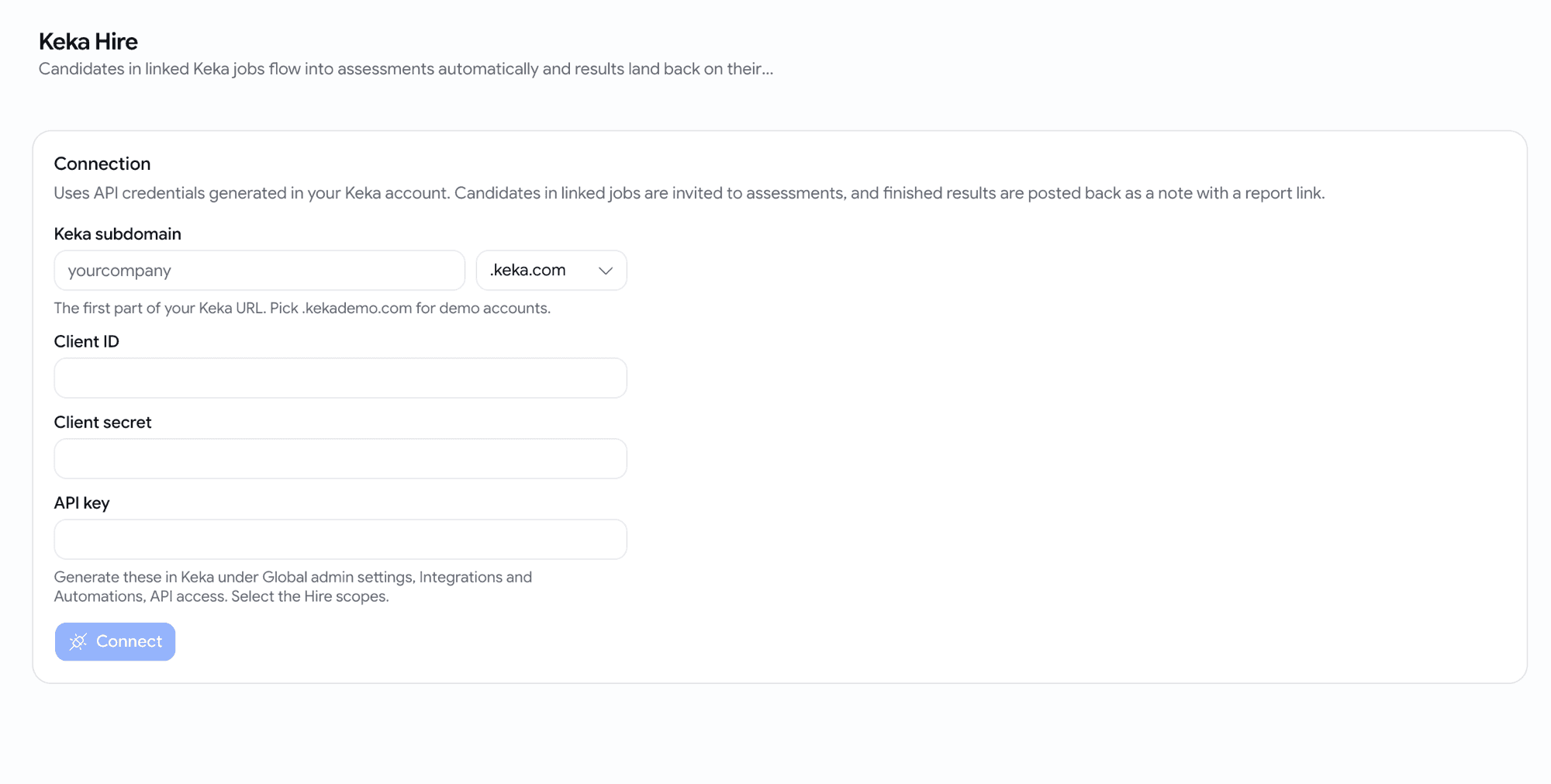
- In Goodfit, open Settings → Integrations → Keka Hire.
- Enter your subdomain, pick the environment, and paste the three credentials.
- Click Connect. Goodfit verifies the credentials against Keka before saving, so a typo surfaces immediately.
Step 3: Link a Keka job
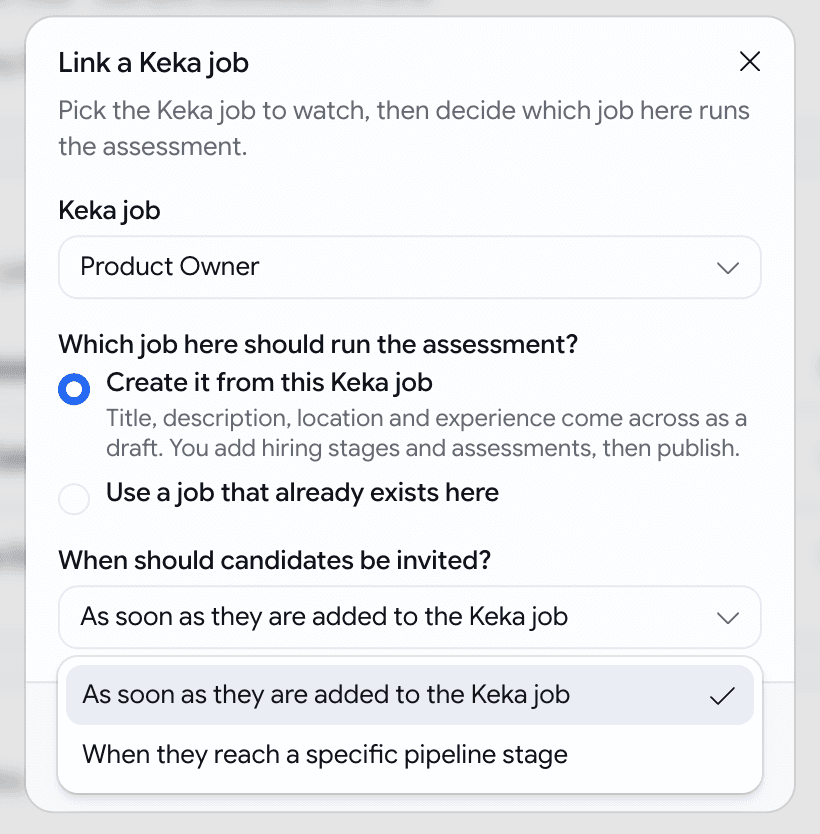
Click Link a job, pick the Keka job to watch, then make two choices:
Which job runs the assessment?
| Option | Best when |
|---|---|
| Create it from this Keka job | You don't have the role on Goodfit yet. Title, description, location and experience arrive as a draft. You add hiring stages and assessments, then publish. |
| Use a job that already exists | The role is already set up on Goodfit with its assessments. |
When should candidates be invited?
| Trigger | What it does |
|---|---|
| As soon as they are added to the Keka job | Every new candidate is invited automatically. |
| When they reach a specific pipeline stage | Only candidates you move into that Keka stage (e.g. Screening) are invited. |
| Invite now | Manual, per candidate, from the Recent activity table. Works with either trigger. |
What happens after you link
- Every synced candidate lands in the job's Prospects column with their Keka resume pulled and screened: a score out of 10 with the reasoning.
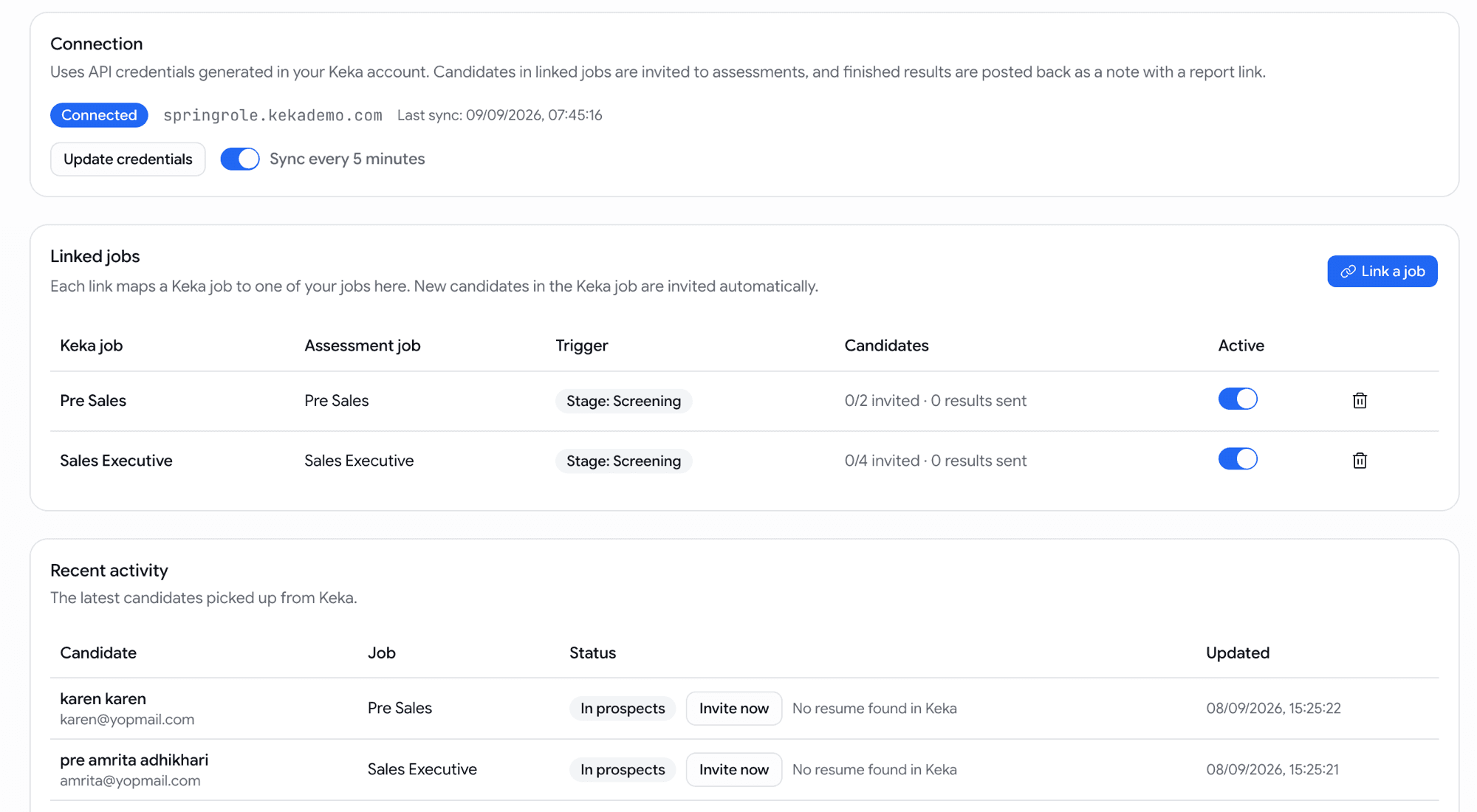
- The Recent activity table on the integration page shows each candidate's progress:
| Status | Meaning |
|---|---|
| Syncing | Picked up from Keka, being processed |
| In prospects | On your board, screened, waiting for a trigger or Invite now |
| Queued | Invite trigger fired, email on its way |
| Invited | Invite email sent, assessment in progress |
| Result sent | Final result posted back to Keka |
| Skipped | Not synced, usually no email on the Keka profile |
| Failed | Something went wrong; hover the row for the reason, then use Retry invite |
What lands back in Keka
On each candidate's Keka profile, under their notes:
- Resume screening score:
Goodfit resume screening: 7/10with the reasoning, as soon as screening finishes. - Assessment result: section scores, proctoring flags if any, a verdict tag (Qualified, Not qualified, Hired, Rejected), and a link to the full candidate report. Anyone on your team can open the report link, no Goodfit login needed.
Troubleshooting
- "Keka rejected these credentials": re-check the subdomain and environment, and confirm the API key has the Hire scopes.
- A candidate shows Skipped: their Keka profile has no email address. Add one in Keka; they're picked up on the next sync.
- "No resume found in Keka": the candidate syncs anyway and can still be invited. If a resume is uploaded to Keka later, Goodfit attaches and screens it automatically.
- A pipeline stage is missing from the picker: the picker lists stages seen on this job's candidates plus Keka's standard ones. A brand-new stage appears once any candidate has reached it: move one there in Keka, then use Refresh in the picker.
- Invites aren't going out on an imported job: the job arrived as a draft. Add hiring stages and assessments, then publish it; pending candidates are invited on the next sync.
- Pausing: the switch on a linked job pauses everything for that job (invites and result notes). The connection-level switch pauses the whole integration. Nothing is lost; syncing resumes where it left off.
Need help? Chat with us via the icon in the bottom right. Share the candidate's name and the status you see, and we'll sort it out.
Related articles: