May Week 3
Accept applications by email, pick from a 500+ verified coding bank and ~10k reusable skill questions, personalise voice scripts, run language tests in 10+ languages, send mail through Microsoft 365, and stop silently losing emails.
- voice
- assessments
- question-bank
- cefr
- prescreening
- comms
Voice
Personalise the greeting and the sign-off
The voice interview's opening and closing lines can now address each candidate by name.
-
In the Ice breaker and Closing remarks fields, type
@to insert a chip: Candidate's name, Company name, or Job title. -
At call time the bot speaks the finished line — "Hello Alice, thanks for your time interviewing for the Senior Engineer role at Acme."
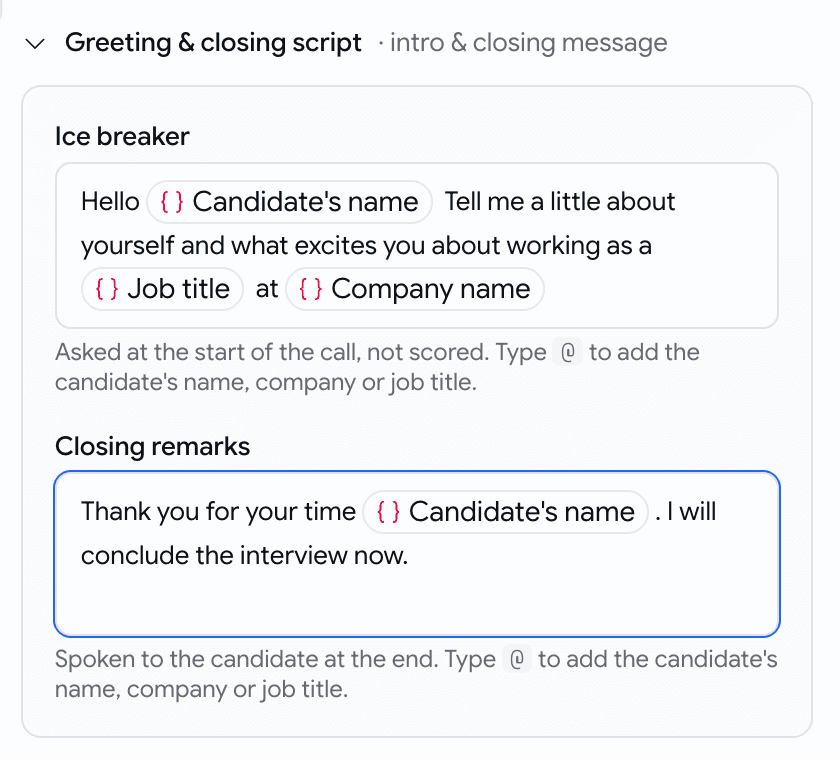
Type @, pick a chip
Assessments
A larger, smarter, and more usable coding bank
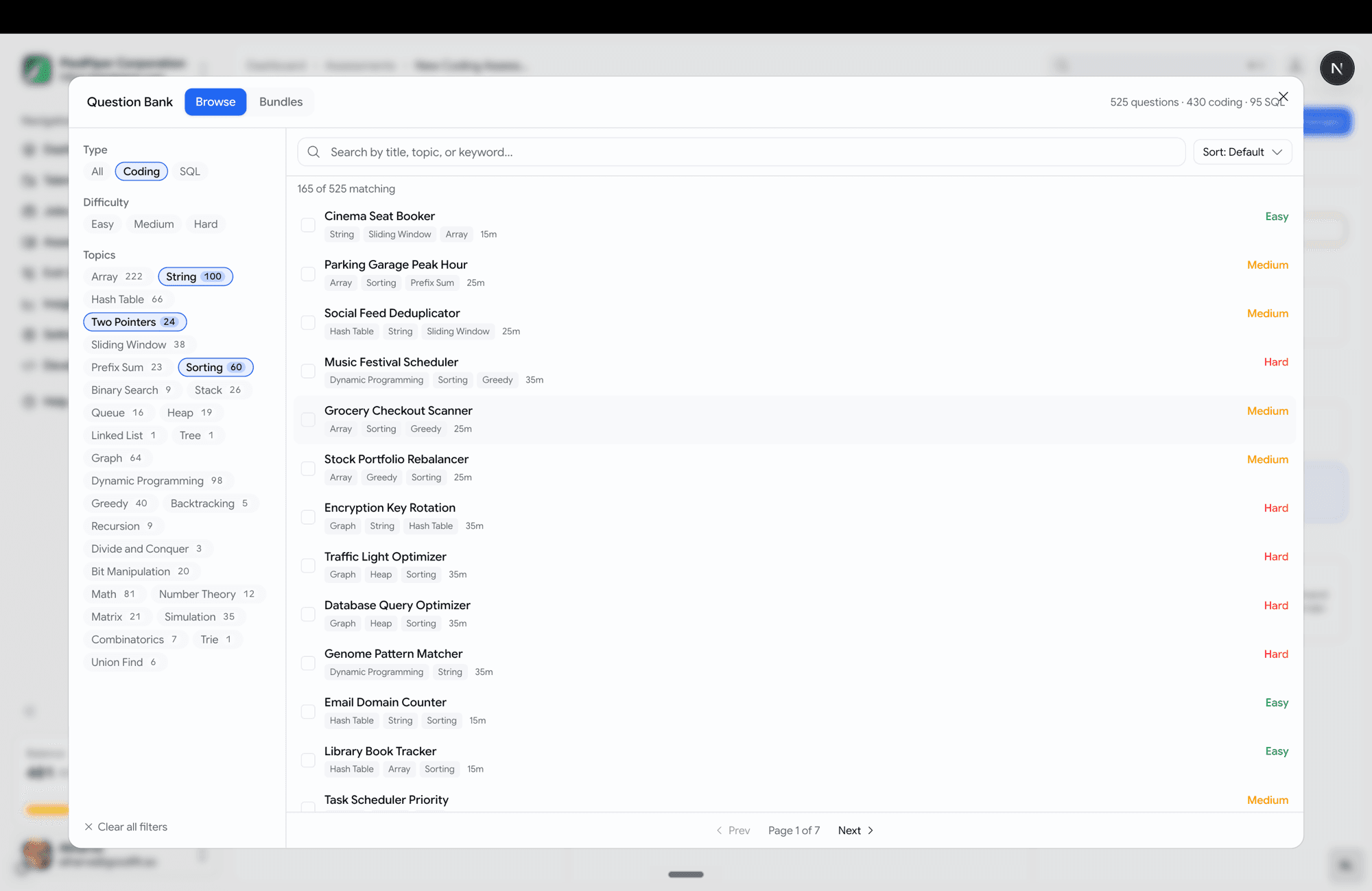
Choosing coding questions is now a full-screen, browse-and-filter experience. The prebuilt coding bank is now 430 coding problems across 10 languages and 95 SQL problems.
- Topics span data structures, algorithms, backend logic, and real SQL analytics (revenue deltas, org hierarchy, quartile buckets).
- Filter rail down the left — Type, Difficulty, and Topics, each with a live count.
- Search, sort (default / title / easy→hard / shortest).
- Click a question to preview it in a side pane before adding.
- Multi-select with a review strip at the bottom — see everything queued, remove any, then "Add N questions".
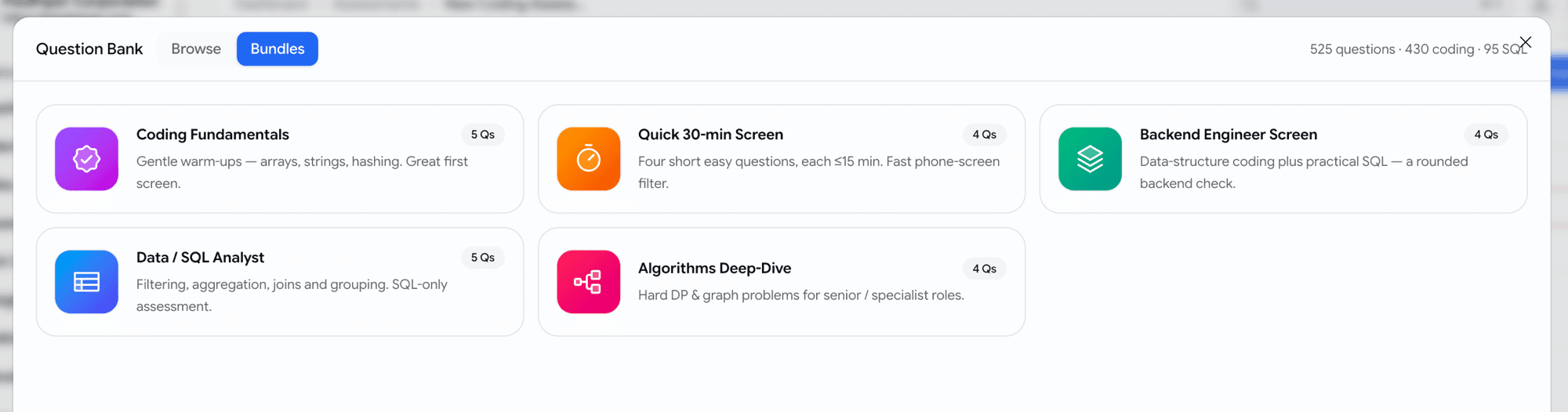
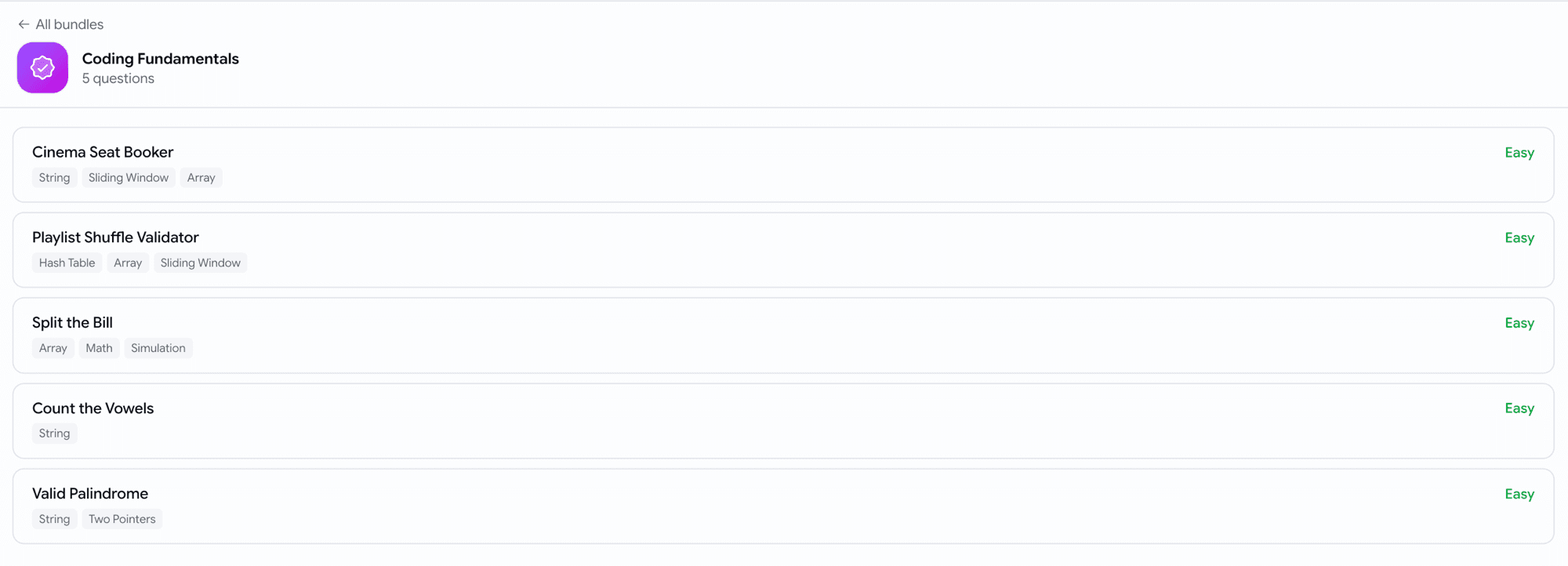
- Curated bundles — five ready-made starter packs (Coding Fundamentals, Quick 30-min Screen, Backend Engineer Screen, Data / SQL Analyst, Algorithms Deep-Dive) as one-click cards.
Assessments
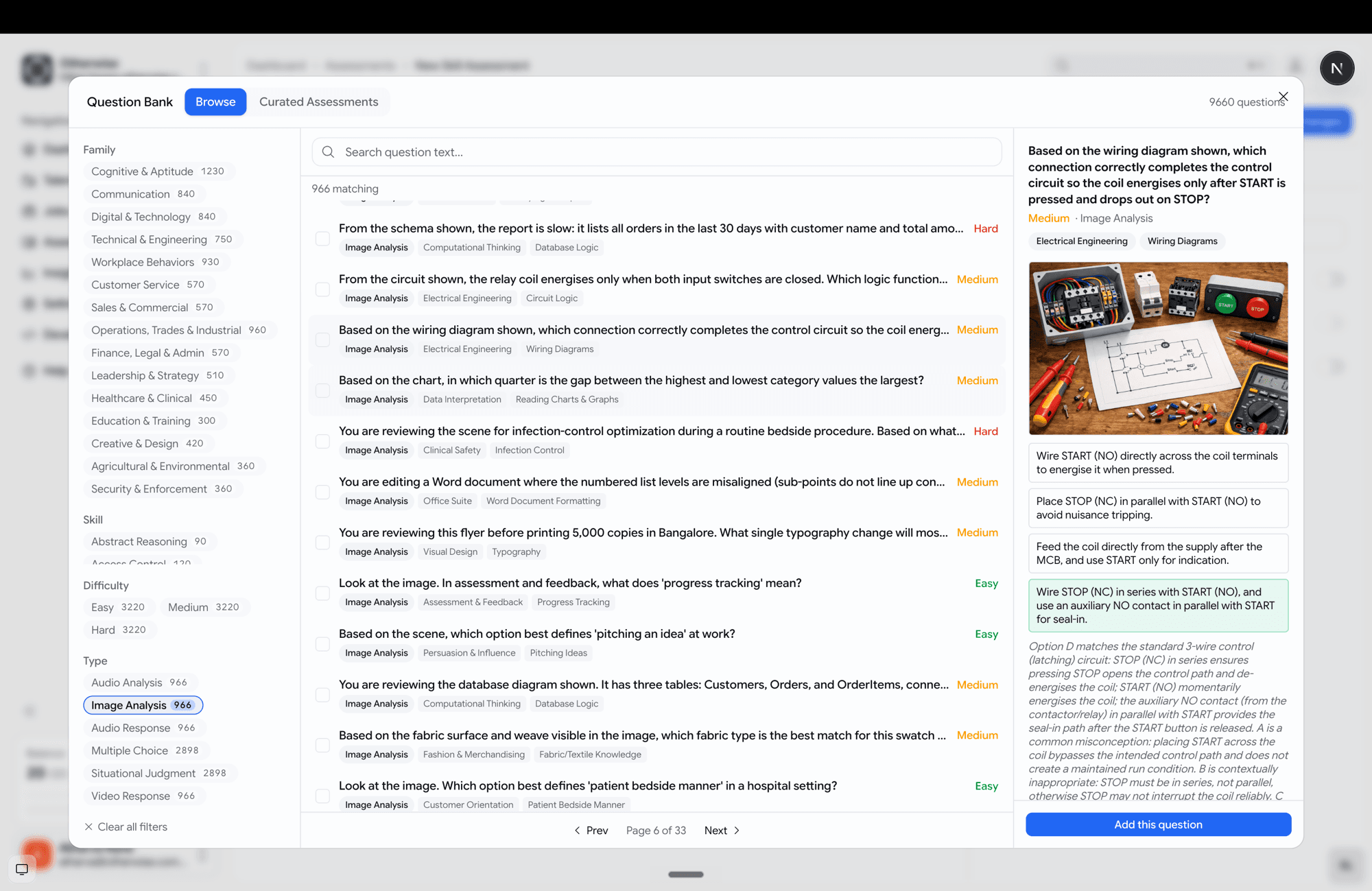
Reuse individual skill-assessment questions
You can now pull single questions from a library of ~10k prebuilt skill questions — not just adopt a whole assessment.
- Browse and filter by family, skill, difficulty and type, with full-text search.
- Preview each question — including its image or audio media — with the options and the rationale.
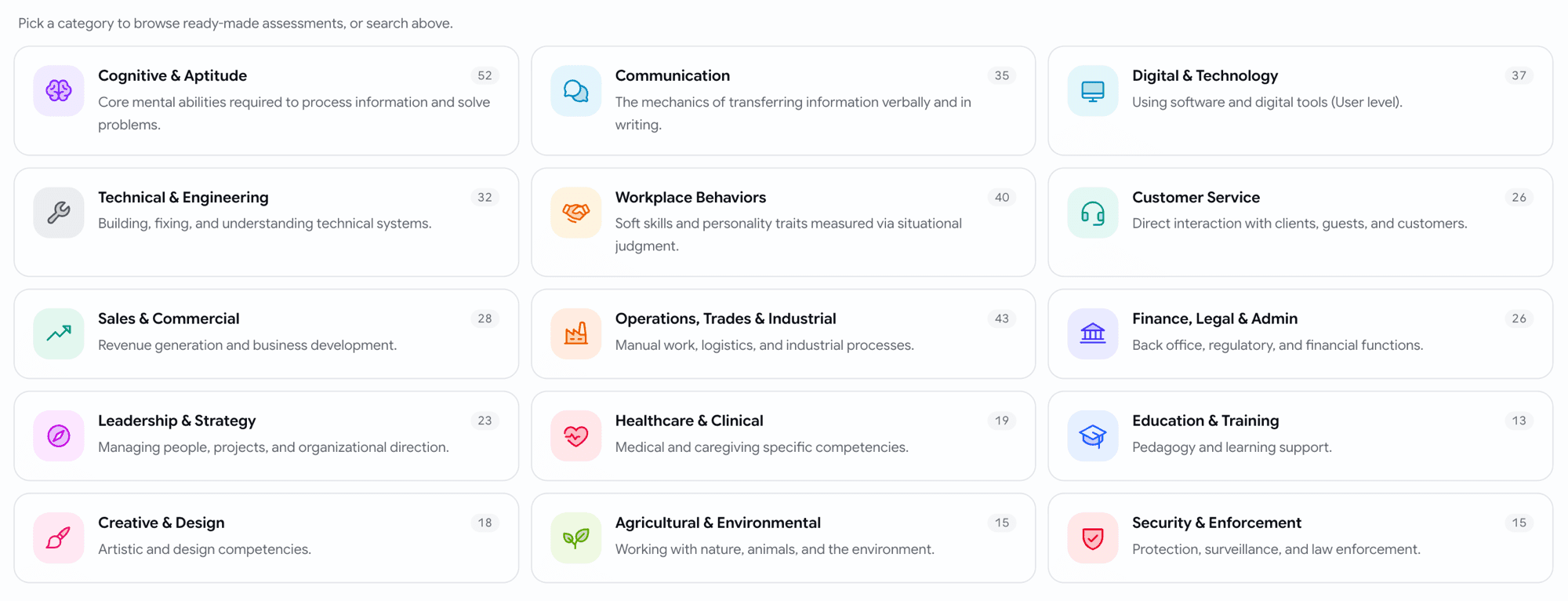
- Pick questions one at a time and mix them with your own, or add a curated pack (organised into 16 family categories → packs → questions).
Assessments
Show each candidate a random subset
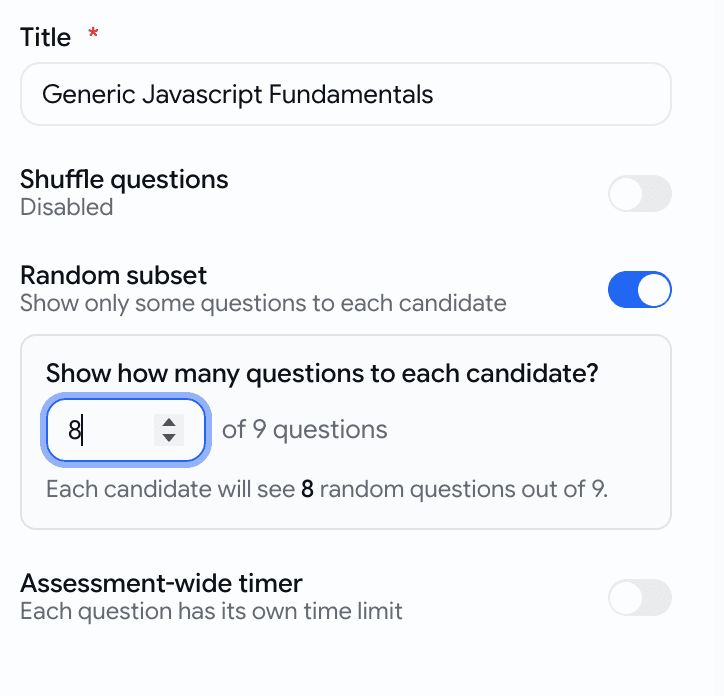
A skill assessment can now serve a random handful of its questions to each candidate — so the same questions don't leak between candidates.
- Turn on Random subset in the assessment settings and set how many questions to show.
Assessments
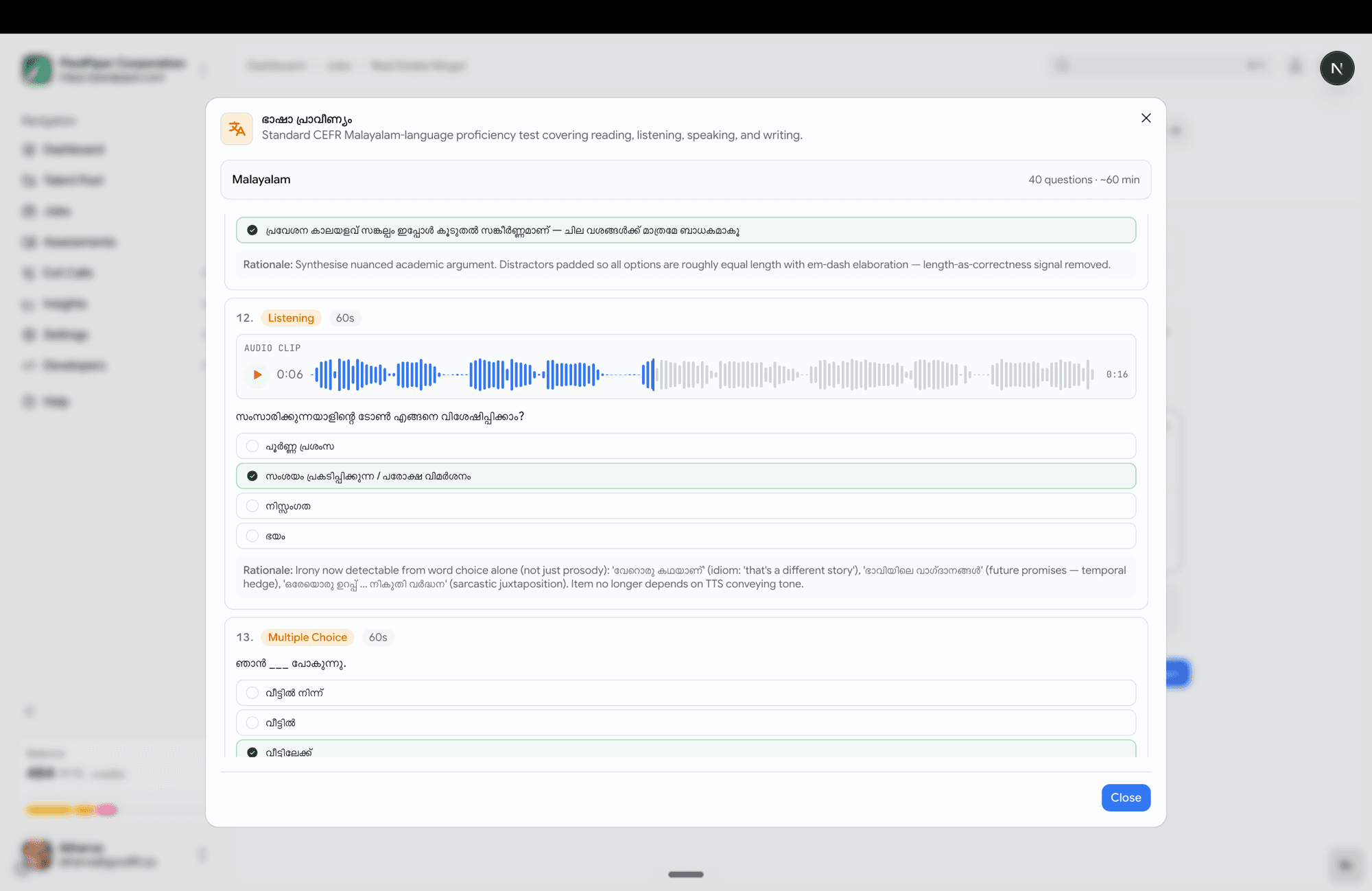
Language tests, now in 9 languages — with a preview
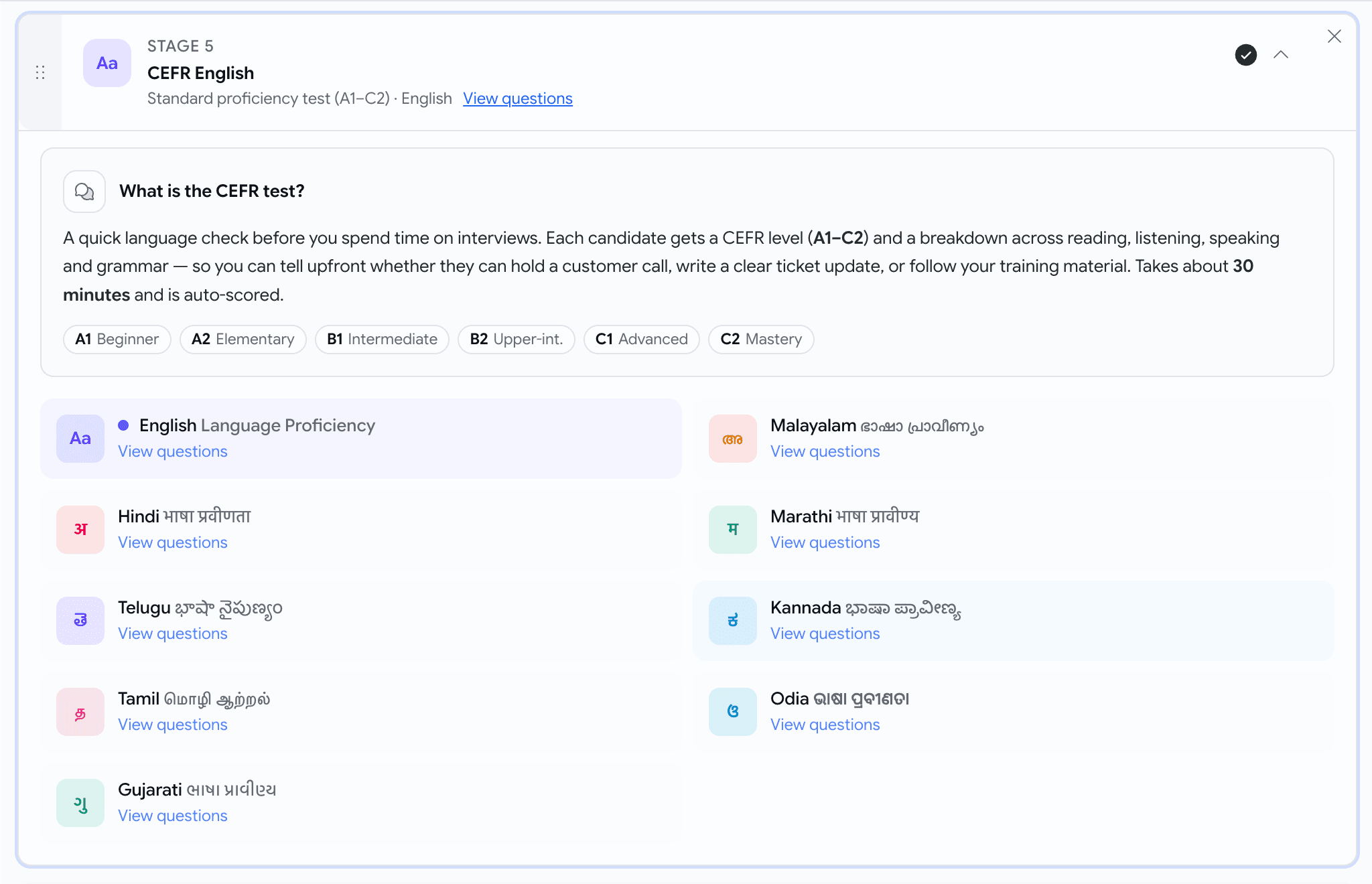
Language-proficiency tests are no longer English-only, and you can read every question before you assign one.
- Available languages now include:
- English
- Hindi (हिंदी)
- Telugu (తెలుగు)
- Tamil (தமிழ்)
- Gujarati (ગુજરાતી)
- Malayalam (മലയാളം)
- Marathi (मराठी)
- Kannada (ಕನ್ನಡ)
- Odia (ଓଡ଼ିଆ)
- Hit View questions on any language to open a full read-only preview — reading passages, audio clips, every option, and the answer key — exactly what the candidate will see.
Voice
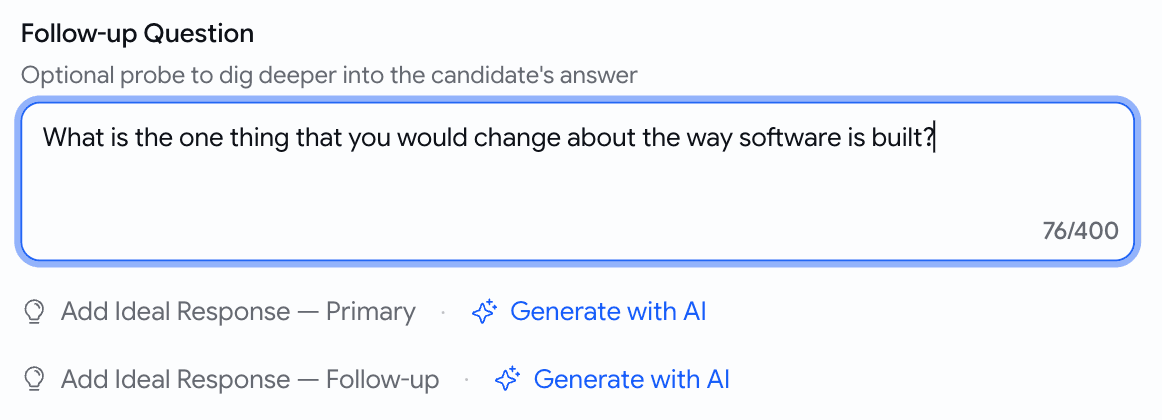
Generate the ideal answer for a custom question
When you write your own voice question, you no longer have to hand-write the scoring guide.
- A Generate with AI button now sits next to each ideal-response slot — both the primary question and the follow-up.
Prescreening
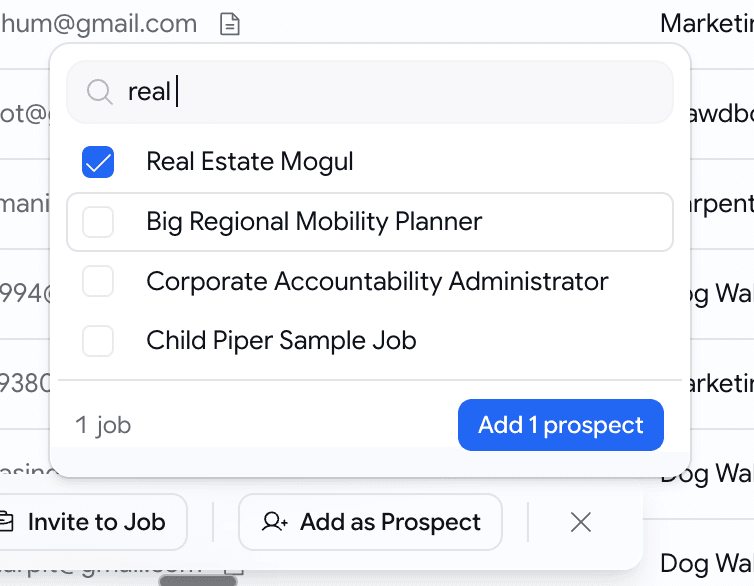
Add talent-pool candidates as prospects, in bulk
Found good people in your talent pool? Drop a batch straight onto a job — already scored.
- Select candidates, click Add as Prospect, pick one target job.
- Each candidate is scored against that job's description and added as a prospect with the score visible.
- A summary toast tells you what happened — "3 added, 1 already on this job, 1 skipped (no resume)".
Behind the scenes
Stop silently losing candidate emails
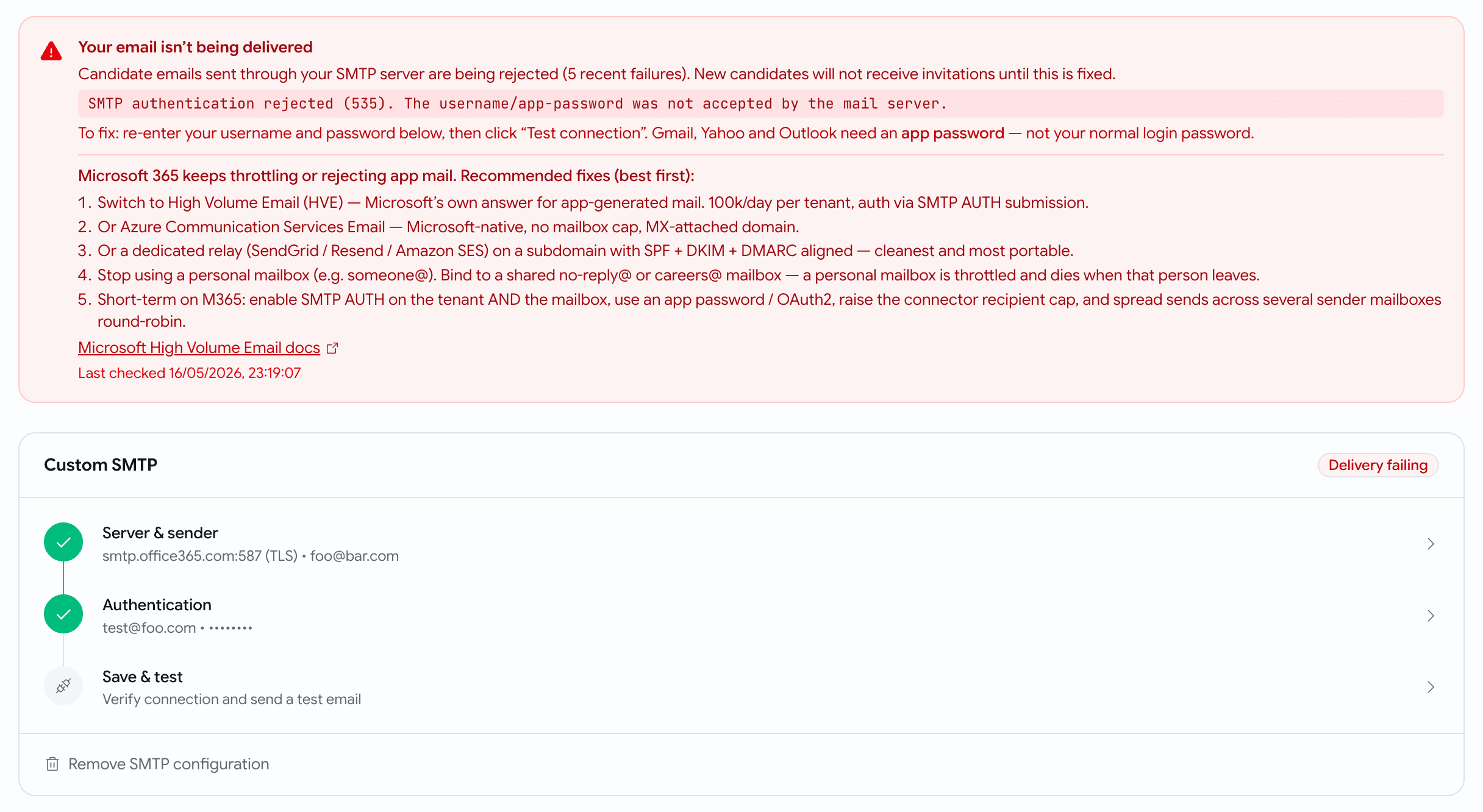
Candidate email is now durable and observable — and you find out fast when your mail is misconfigured.
- If your custom SMTP is broken, Email Settings shows a red "Delivery failing" banner with the exact provider error and provider-specific fixes (including Microsoft 365).
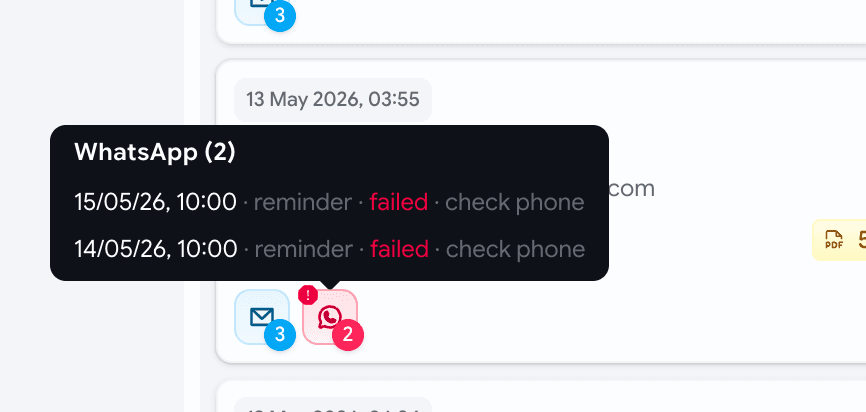
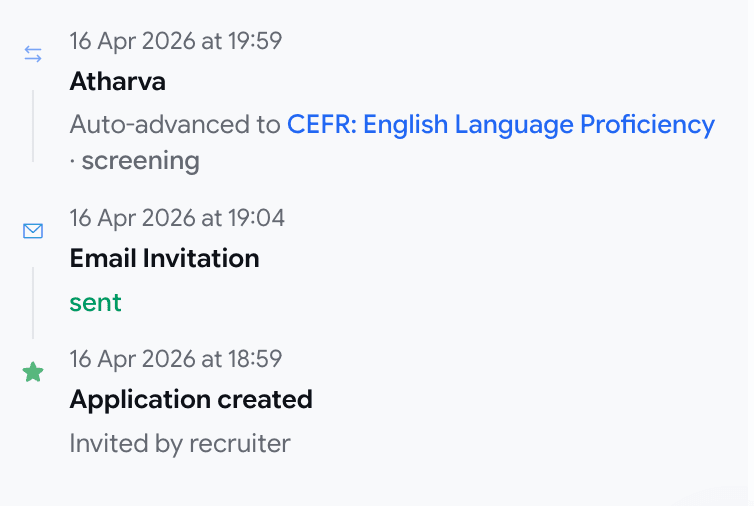
- Application cards and the activity timeline now show per-message delivery status alongside stage moves.
May Week 4
Accept applications by email, write your own branded email templates with file attachments and send them straight from a job's pipeline, see a candidate's face and their work side by side, brief the AI interviewer with each candidate's resume, evaluate against the same rubric the interview used, slice the talent pool by resume keyword and assessments completed, and download just the slice the kanban shows.
May Week 2
Score candidates inside application forms, branch questions based on earlier answers, preview psychometric frameworks before assigning them, see if a bad voice interview was a bad connection, flag suspicious reports, and inline help on every page.