June Week 1
Slice the talent pool by every signal you collect — assessment scores, language levels, resume details, and quality flags — or just describe who you want in plain English and let AI build the filters, style your public careers page from a gallery of templates with a live desktop-and-mobile preview, and hand a hiring manager a shareable walkthrough of every screen a candidate will see.
- talent-pool
- careers
- hiring
- jobs
- assessments
Talent pool
Filter the talent pool the way you actually think about candidates
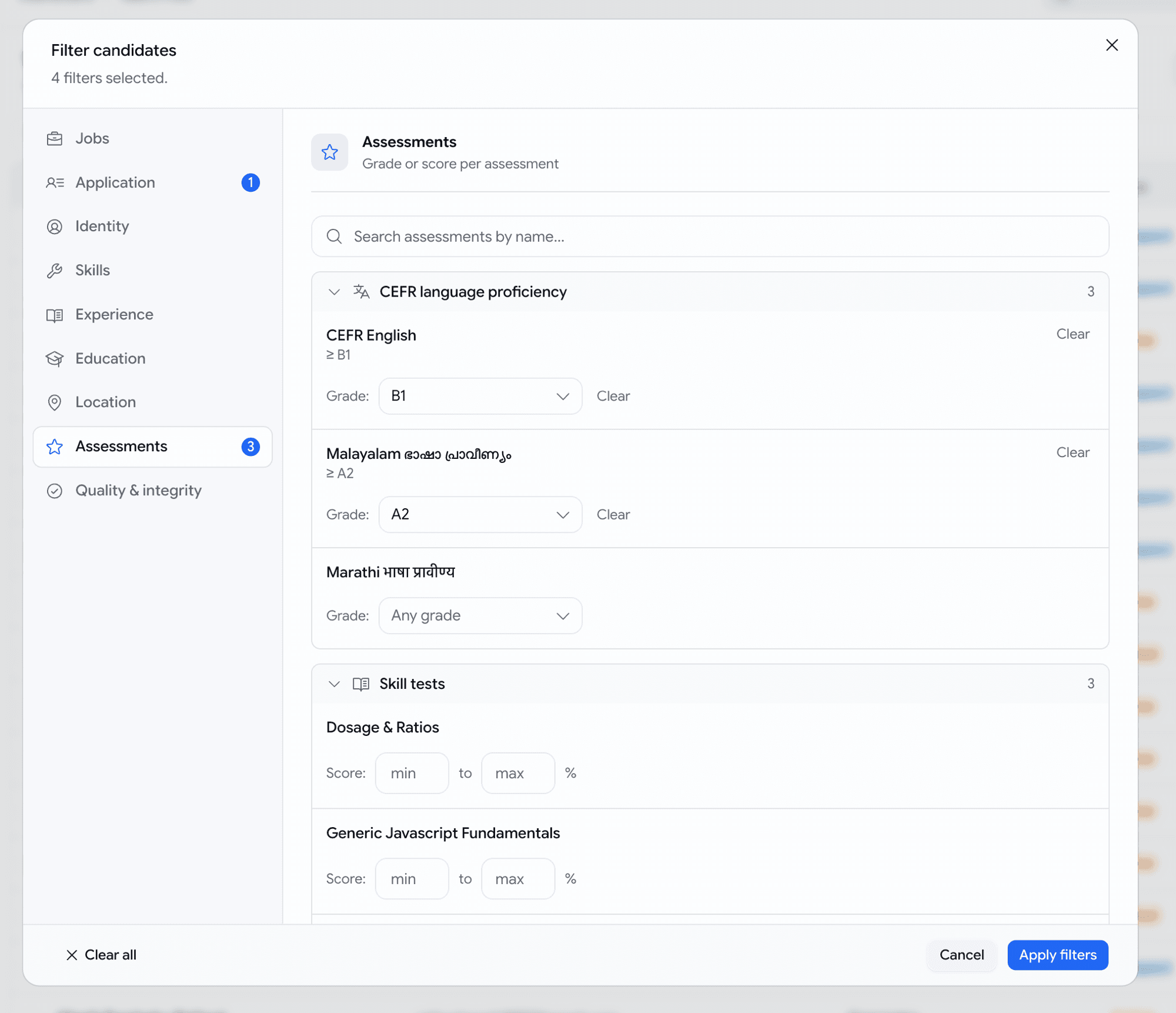
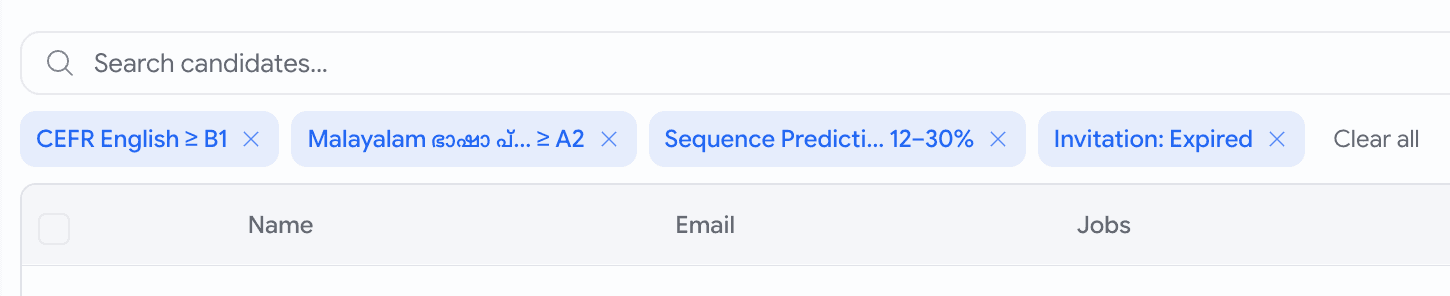
Last month the talent pool let you narrow on three things. Now it answers the questions you actually have — "who scored at least B2 on our English test, passed the JavaScript assessment, has React on their resume, and applied in the last month" — as one search.
- A new Filters dialog with sections down the side — Jobs, Application, Identity, Skills, Experience, Education, Location, Assessments, and Quality — each showing how many filters you've set so you never lose your place.
- Filter on every assessment you run, by name: set a score range (
70–100%), or for language tests a minimum level (English at least B2). The list grows with your assessment library — language tests included, which the old filter couldn't even show. - Slice by what's genuinely on a resume — a specific skill, the candidate's current employer, a past role, school, degree, city, country, years of experience — matched against the real details, not a stray word buried in a job description.
- Add quality and integrity signals: resume score, AI-writing percentage, and proctoring flags. Or paste a list of emails to pull up exactly those people.
- Stack as many as you like and we get the logic right — "B2 English and 70% coding" means one candidate who did both on the same application, never two unrelated results stitched together.
Talent pool
Describe who you want in plain English
Not sure which filter says what you mean? Type it as a sentence and let Goodfit set the filters for you.
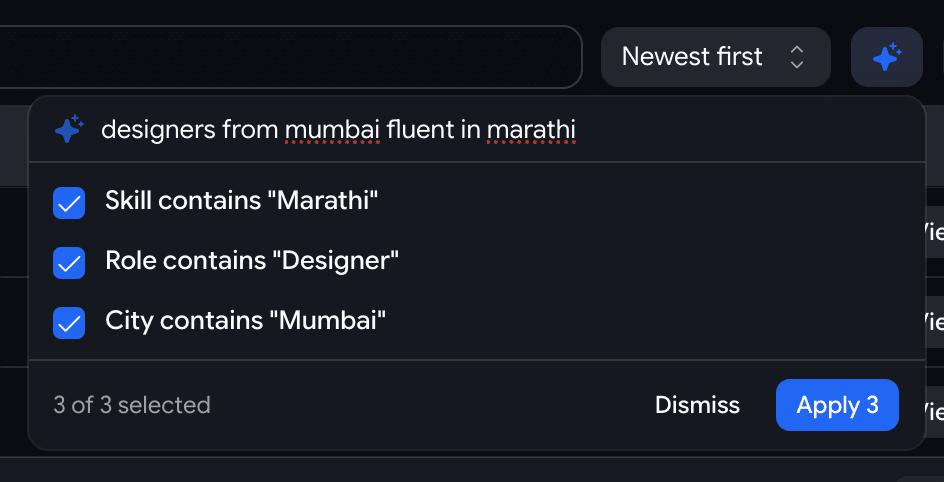
- Click the ✨ AI button next to Filters and type something like
designers from Mumbai fluent in Marathi. - It proposes the matching filters —
Role contains "Designer",City contains "Mumbai",Skill contains "Marathi"— and you tick the ones that are right before applying. - It never guesses silently: anything it can't translate lands in a Couldn't handle list with a plain reason, so your results always mean exactly what you asked.
- Confident matches come pre-ticked; the iffy ones — a state typed where we only have a city field, say — come unticked, so you stay in control.
Careers
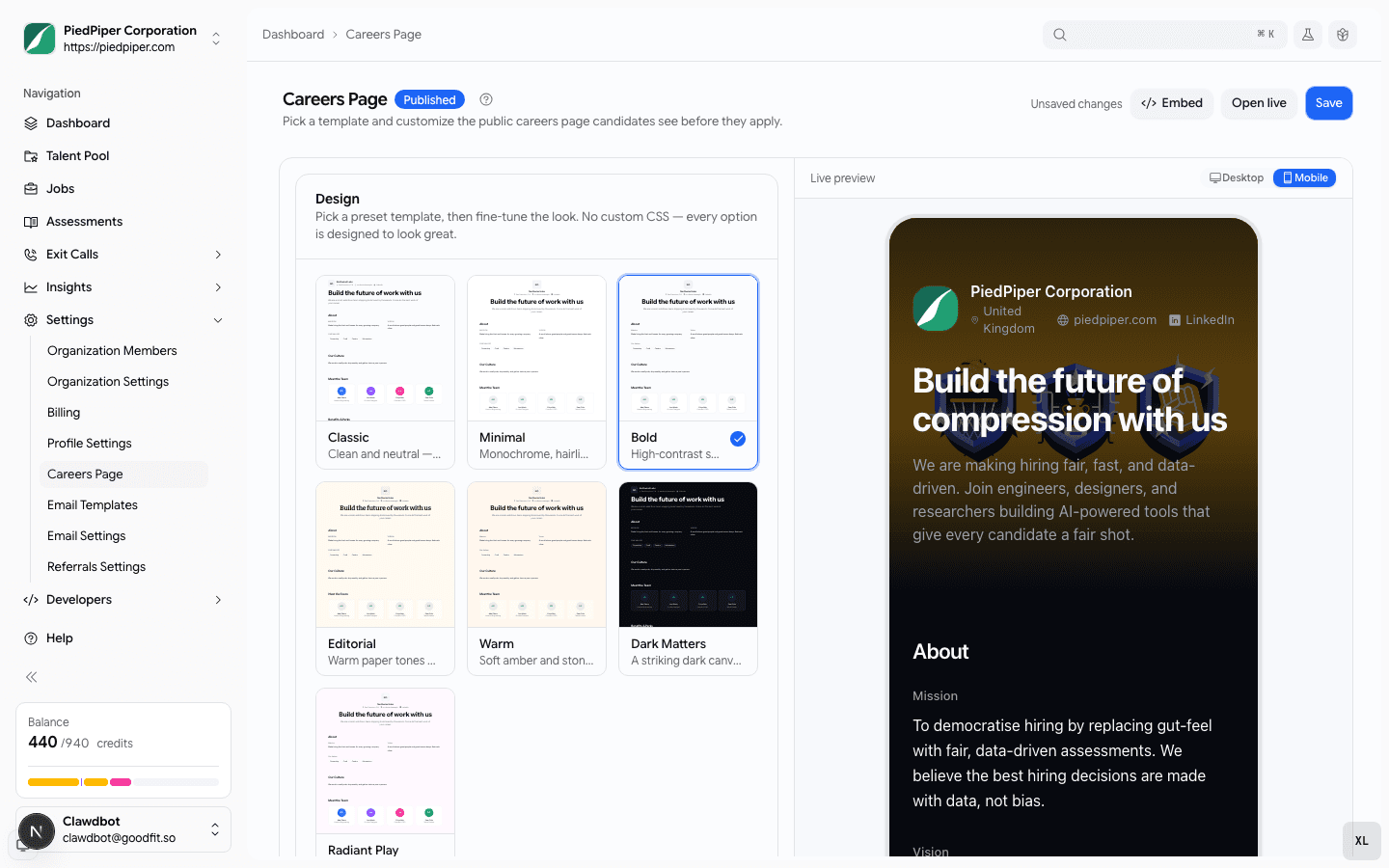
Style your careers page from a gallery — and watch it change as you type
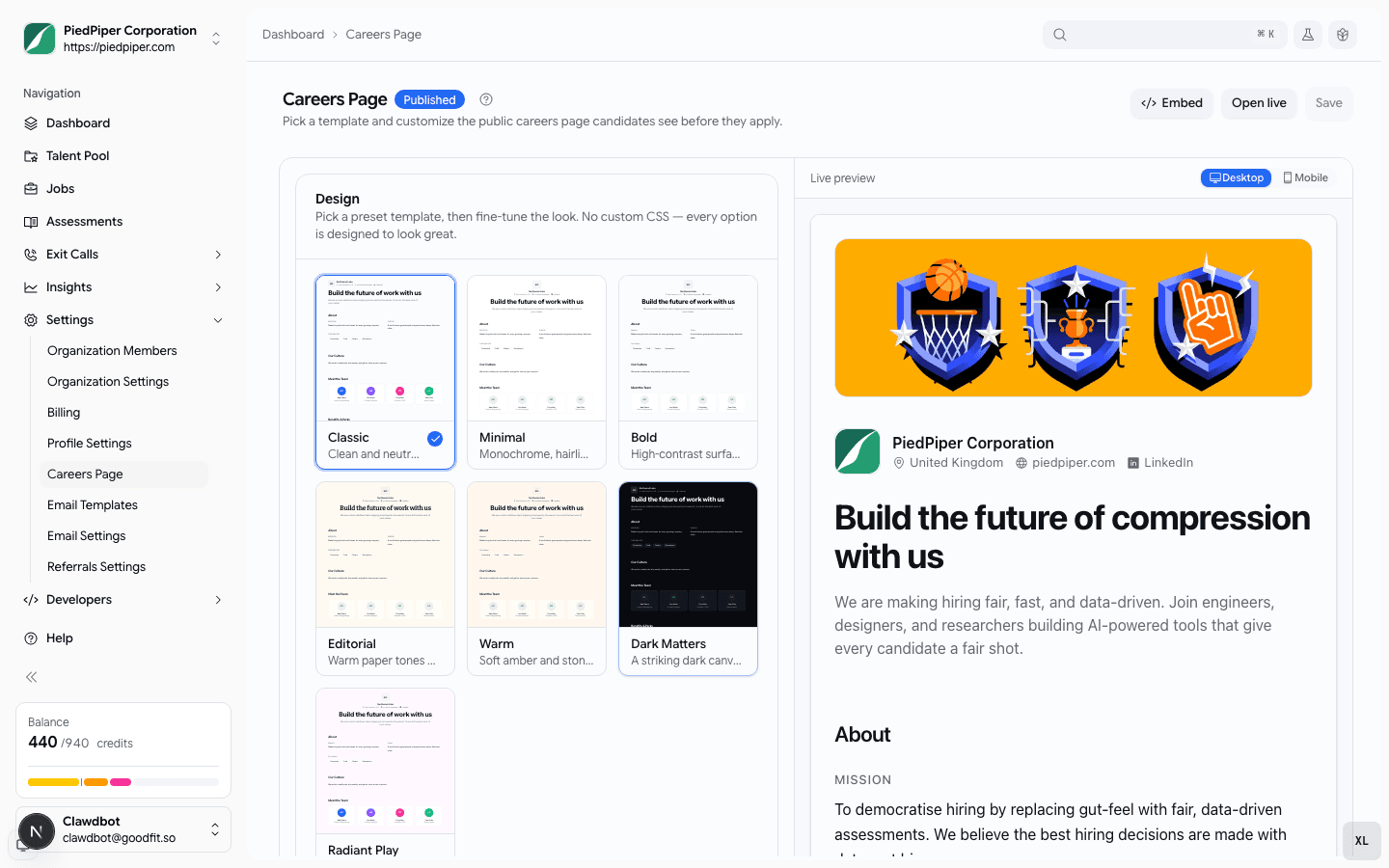
Your public careers page used to come in exactly one layout. Now pick from seven branded templates and see your page redraw the moment you choose.
- A new Design panel in Settings → Careers with seven templates — Classic, Minimal, Bold, Editorial, Warm, Dark Matters, and Radiant Play — each one a live little preview of your own page.
- A full preview sits right beside your edits and updates on every keystroke — no more saving, publishing, and opening a new tab just to see a change.
- Flip between Desktop and Mobile to see exactly what candidates get on a phone.
- Light or dark, sharper or rounder corners, tighter or roomier spacing — every option is pre-designed, so the page always looks intentional. Your brand color flows in as the accent automatically — no color-picking, no fonts to upload, nothing to get wrong.
- Already published a careers page? It keeps its current look until you pick a template.
Hiring
Let a hiring manager walk your pipeline before you turn it on
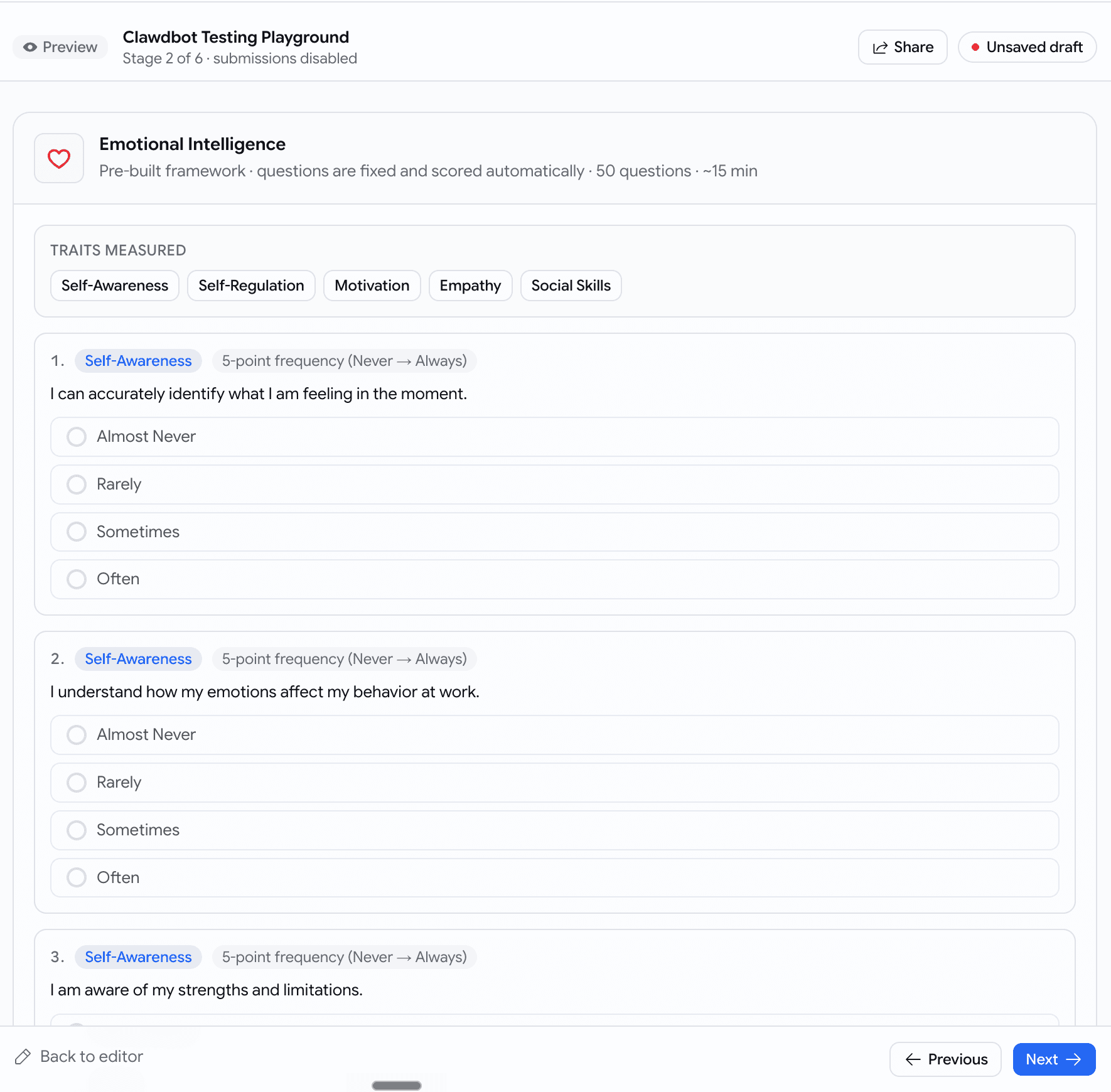
Built a job's hiring stages and need a manager's sign-off? Send them a link that walks every screen a candidate will see — no screenshare, no taking the assessments themselves.
- A new Preview as candidate button in the pipeline editor — and Preview before publishing on the publish step — opens a read-only walkthrough.
- Step through the whole flow in order: the application form, each assessment, the voice interview, the coding problems — exactly as a candidate would, with nothing submittable.
- Every stage carries a Recruiter settings strip — pass score, what happens automatically, whether the stage is mandatory — so the manager can vet the questions and the thresholds in one place.
- Hit Share to copy a link; teammates land on the saved pipeline, making for a clean Slack handoff.
- Reorder or tweak stages without saving and the preview reflects your unsaved draft.

June Week 2
Find your best-matching candidates as ready-to-invite cards on the board, catch every mention, completion, and invite in a new notification bell, @mention teammates and read your panel's verdict at a glance, filter applicants in plain English, choose how each written answer is graded, diff a candidate's coding attempts, and connect your jobs and candidates to Claude in one paste.
May Week 4
Accept applications by email, write your own branded email templates with file attachments and send them straight from a job's pipeline, see a candidate's face and their work side by side, brief the AI interviewer with each candidate's resume, evaluate against the same rubric the interview used, slice the talent pool by resume keyword and assessments completed, and download just the slice the kanban shows.