Release notes
September Week 3
Interview results in your Slack the moment a candidate finishes, AI interviews that change language mid-way when the candidate asks for it, and candidates who are finally told what proctoring recorded about them
Integrations
Interview results land in your Slack channel
Don't want to open the dashboard to find out how someone did? Put Goodfit in a Slack channel and the results come to you.
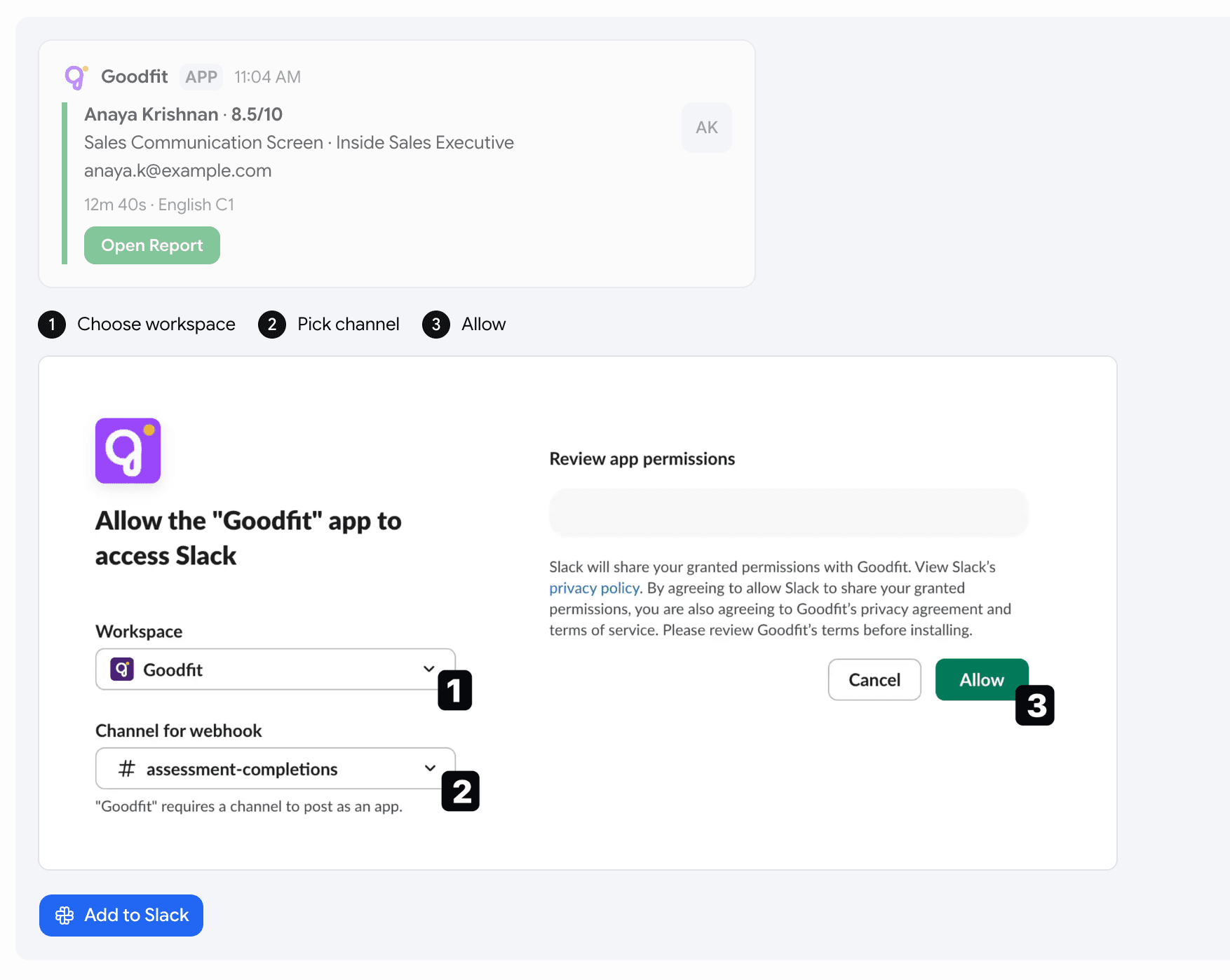
- Connect from Settings → Integrations → Slack. Pick your workspace, pick the channel, hit
Allow. No keys to copy. - Every result posts as a card — the candidate's name and score, which assessment and which job, their email, how long they took and the language they spoke, and an
Open Reportbutton straight to the full report. - You choose what gets posted.
Interview resultscovers every interview and assessment type and is on from the start.New applicationsposts people who applied on their own or came in through a referral, and is off until you turn it on. You don't get notified when the candidates you invited start the assessment. Send test messagedrops a sample card in the channel so you can watch it land.Change channelmoves the feed,Disconnectends it.
Voice
Candidates can change language in the middle of an AI interview
Someone picks English, gets two questions in, and realises they'd do better in Hindi. The interviewer can now switch languages if Allow multi-lingual responses is enabled.
-
Candidates can request a language change at any time. For example, if someone says, "Hindi mein kar sakte hain?" the interviewer will seamlessly continue in Hindi from the same question, provided Hindi is enabled as a supported language. The interview carries on without interruption.
-
You control whether this is possible. Turn on
Allow multi-lingual responsesin the interview builder to enable this feature. If left off, the interview will stay in the original language selected by the candidate.
Proctoring
Candidates are told what proctoring recorded
A candidate who switched is notified immediately
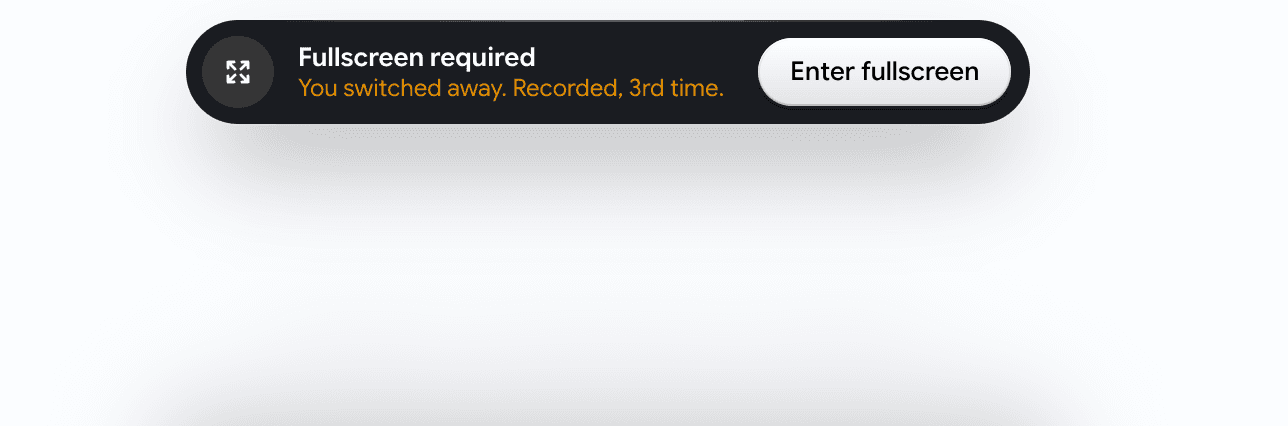
- A small bar drops in at the top of the assessment carrying the running count:
You switched away. Recorded, 3rd time. - Coding, skill-based and language assessments hold until they're back in fullscreen but, for AI interviews the bot won't pause even if fullscreen is disabled